10 Best Ips Monitors Of 2026
Ips Monitors — Reviews, Recommendations & Updated Buying Guide November 2026


Samsung 24" Essential Monitor S33F FHD (1
Why We Love It


LG 27U411A-B 27-inch Full HD (1920 x 1080) IPS Computer
Why We Love It

KOORUI 27" QHD IPS Gaming Monitor: Immerse in 95% DCI-P3
Why We Love It

27 Inch Curved Gaming Monitor
Why We Love It
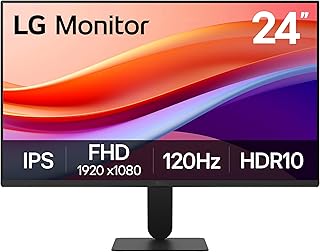
LG 24U411A-B 24-inch Full HD (1920 x 1080) IPS Computer
Why We Love It

KOORUI E2411H 23.8 inch Monitor Full HD
Why We Love It

Z-Edge 24.5 inch 300Hz 280Hz 240Hz Gaming Monitor
Why We Love It

BenQ 24" Eye-Care Monitor GW2491
Why We Love It
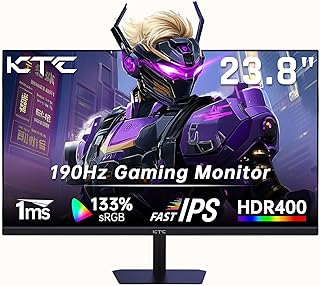
KTC 24 Inch 180Hz/190Hz Gaming Monitor
Why We Love It

KOORUI 27-inch QHD 260Hz 1ms IPS Gaming Monitor
Why We Love It
Quick Pick
10 Best Ips Monitors Of 2026
Quick Pick
Samsung 24" Essential Monitor S33F FHD (1,920 x 1,080) 100Hz Refresh Rate 5Ms for Gaming and Office Use, (New Launch) LS24F330EAMXUE
LG 27U411A-B 27-inch Full HD (1920 x 1080) IPS Computer Monitor, 120Hz, HDR10, Reader Mode, Flicker Safe, HDMI, Slim Stand Base, Black
KOORUI 27" QHD IPS Gaming Monitor: Immerse in 95% DCI-P3 Color | 200Hz, 1ms, 350 Nits, HDR400, FreeSync Premium,Tilt Adjustable,Black
27 Inch Curved Gaming Monitor,180Hz, VA Display, QHD 1440P Computer Monitor, 1ms, HDR10,90% DCI-P3, Adaptive Sync, VESA Compatible,Tilt Adjustable
LG 24U411A-B 24-inch Full HD (1920 x 1080) IPS Computer Monitor, 120Hz, HDR10, Reader Mode, Flicker Safe, HDMI, Slim Stand Base, Black
KOORUI E2411H 23.8 inch Monitor Full HD, 120 Hz, 5ms, Eye Comfort, sRGB% 99 Farbumfangs, (1920 x 1080, HDMI, VGA, Neigbar, VESA 75x75)
Z-Edge 24.5 inch 300Hz 280Hz 240Hz Gaming Monitor, UG25S FHD 1080p, Ultra Fast MPRT 1ms, IPS Monitor Gaming, PC Computer Monitor, 16.7M Colors, DP x2, HDMI x2
BenQ 24" Eye-Care Monitor GW2491, 1080p FHD 100Hz IPS, HDMI, DisplayPort, 1920x1080, Ultra Slim Bezel, TUV-Certified, Flicker-Free, Low Blue Light Plus, Eye-CareU
KTC 24 Inch 180Hz/190Hz Gaming Monitor, FHD PC Computer Monitor H24F8 | with Fast IPS Panel, HDR400, 133% sRGB, Bluelight Filter, 2 HDMI & 1 DP Port, Compatible Freesync and Wall Mountable
KOORUI 27-inch QHD 260Hz 1ms IPS Gaming Monitor, Flat PC Screen, HDR400, 99% sRGB, HDMI/DP, Black - Ideal for Competitive Gaming & Home Office
Buying Guide: Ips Monitors
📋 Table of Contents
1What's the difference between IPS and VA monitors, and which should I buy?
IPS monitors offer better color accuracy and wider viewing angles, making them ideal for design work, photo editing, and content creation. VA panels have higher contrast and deeper blacks, which suits gaming and movie watching better—choose IPS if color matters, VA if contrast does.
2Does refresh rate matter on an IPS monitor?
For office work, photo editing, and general use, 60Hz is fine and standard. If you game or do fast-paced work, look for 75Hz or higher, though IPS panels at high refresh rates cost more than TN or VA alternatives.
3What screen size should I get for my desk setup?
24-27 inches works for most desks and typical viewing distances; 27 inches gives more screen real estate without needing extra space. Go larger (32 inches) only if you sit far back or need significant multitasking space, as sitting too close strains your eyes.
4Is it worth paying extra for a higher resolution IPS monitor?
1440p is worth it if you do design, video editing, or spreadsheet-heavy work where extra screen space saves time. 4K IPS monitors are expensive and demand powerful graphics cards, so only consider them if you specifically need professional-grade clarity for detailed work.
5What response time should I look for in an IPS monitor?
5ms or less is acceptable for most users and office work; anything above 10ms will feel sluggish. If you play competitive games, look for IPS panels with 1-4ms response times, though they're pricier than standard office monitors.
How we choose
Our editors are people who genuinely love testing and writing about products. We compare each product's real-world usability and strengths, then distill what matters most into our own "Why We Love It" points — so you get an honest, at-a-glance sense of what counts before you buy.