10 Best Ips Monitor For Developer Of 2026
Ips Monitor For Developer — Reviews, Recommendations & Updated Buying Guide November 2026


KOORUI Gaming Monitor 24-inch IPS FHD 1080p
Why We Love It


BenQ 24" Eye-Care Monitor GW2491
Why We Love It

LG 24G411A-B Ultragear Full HD (1920x1080) IPS Gaming
Why We Love It
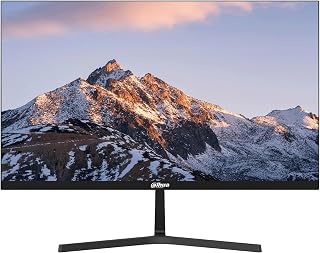
Dahua 24-Inch Full HD 1080p 100Hz Ultra-Thin
Why We Love It

[2026 Model] BenQ GW2491P 24 Inch FHD IPS Monitor
Why We Love It

Vision Forge V1 32 Inch 4K 160Hz Gaming Monitor
Why We Love It

Dahua 22-Inch VA Full HD 1080p 100Hz Borderless Monitor With
Why We Love It

UPERFECT 14.5" 4K Portable Monitor
Why We Love It

ASUS ProArt Display PA278QV Gen2 (PA278QGV) Professional
Why We Love It

[2026 Model] BenQ GW2490P IPS Gaming Monitor
Why We Love It
Quick Pick
10 Best Ips Monitor For Developer Of 2026
Quick Pick
KOORUI Gaming Monitor 24-inch IPS FHD 1080p, 200Hz 1ms HDR400 90% DCI-P3 Color Gamut, Adaptive Sync Ultra Slim Frame, VESA Mountable, HDMI x 2, DisplayPort, Black, G2411P
BenQ 24" Eye-Care Monitor GW2491, 1080p FHD 100Hz IPS, HDMI, DisplayPort, 1920x1080, Ultra Slim Bezel, TUV-Certified, Flicker-Free, Low Blue Light Plus, Eye-CareU
LG 24G411A-B Ultragear Full HD (1920x1080) IPS Gaming Monitor, 144Hz (O/C), 1ms MBR Compatible, NVIDIA G-Sync, AMD FreeSync, HDR10, HDMI, DisplayPort, Slim Support, Black
Dahua 24-Inch Full HD 1080p 100Hz Ultra-Thin, Borderless Monitor With Speakers (Built-in), HDMI, VGA, 3 Years Warranty (Black)
[2026 Model] BenQ GW2491P 24 Inch FHD IPS Monitor, 120Hz, 99% sRGB,1ms MPRT,Eye-Care Technology, Eyesafe Certified, HDMI 1.4, DisplayPort 1.2, VESA MediaSync, Ultra-Thin Bezel, Low Blue Light
Vision Forge V1 32 Inch 4K 160Hz Gaming Monitor, Fast IPS, 1ms Response Time, HDR, AMD FreeSync, HDMI 2.1, 450 nits, 5W Speakers, VRR, ALLM, VESA Mount
Dahua 22-Inch VA Full HD 1080p 100Hz Borderless Monitor With HDMI, VGA, 3 Years Dahua Manufacturer Warranty - (LM22-A200Y) (22 inches)
UPERFECT 14.5" 4K Portable Monitor, 3840×2400 UHD Matte IPS 16:10 Travel Display, 600 Nits, 1.06B Colors, Ultra-Thin Metal Frame with Smart Cover, USB-C & HDMI External Screen for Laptop Phone PC
ASUS ProArt Display PA278QV Gen2 (PA278QGV) Professional Monitor – 27-inch, IPS, QHD (2560 x 1440), 120Hz, Light Sync, ergonomic stand, VESA MediaSync, Green Sustainability - Grey
[2026 Model] BenQ GW2490P IPS Gaming Monitor, 24" FHD 1920x1080, 120Hz, 1ms, 99% sRGB, Eye-CareU, HDMI, DisplayPort, 2Wx2 Speakers, Black, 3 Year Warranty
Buying Guide: Ips Monitor For Developer
📋 Table of Contents
1What resolution and refresh rate should I look for in an IPS monitor for development?
For developers, a minimum of 1920x1080 resolution is standard, but 2560x1440 or 3440x1440 offers more screen real estate for multitasking. A 60Hz refresh rate is sufficient for most coding, but 75Hz or higher can improve responsiveness during UI testing or video calls.
2Does IPS panel type matter more than resolution for developers?
Yes — IPS panels provide wider viewing angles and accurate color reproduction, which is crucial for debugging UIs or working with design tools. While resolution matters, a high-quality IPS panel ensures consistent visuals even when viewed from the side or in different lighting conditions.
3What size monitor is best for a developer's workflow?
27-inch monitors are ideal for most developers, offering a good balance between screen space and desk real estate. Larger 32-inch models can be useful for multitasking, but ensure your desk and setup can accommodate the extra size without straining your posture.
4Should I prioritize HDR or color accuracy for an IPS monitor as a developer?
Color accuracy is more important than HDR for developers, especially those working with design, video, or web development. Look for monitors with sRGB or Adobe RGB coverage of at least 95% and factory calibration for consistent color representation across different projects.
5Are multiple connectivity ports essential for an IPS monitor for developers?
Yes — ensure the monitor has at least two HDMI ports, one DisplayPort, and USB-C for versatility. Developers often use multiple devices, and having a USB-C port with power delivery can simplify setup and reduce the number of cables needed.
How we choose
Our editors are people who genuinely love testing and writing about products. We compare each product's real-world usability and strengths, then distill what matters most into our own "Why We Love It" points — so you get an honest, at-a-glance sense of what counts before you buy.