10 Best Ios And Android Triggers Of 2026
Ios And Android Triggers — Reviews, Recommendations & Updated Buying Guide November 2026


SYOSI PUBG Game Controller Trigger, [1 Pair] New Version
Why We Love It

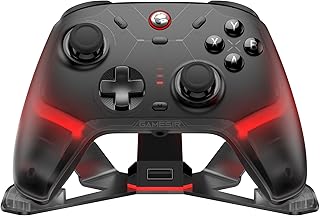
GameSir Cyclone 2 PC Controller Mag-Res TMR Sticks 1000Hz
Why We Love It

GameSir Nova Lite Wireless Controller for PC
Why We Love It
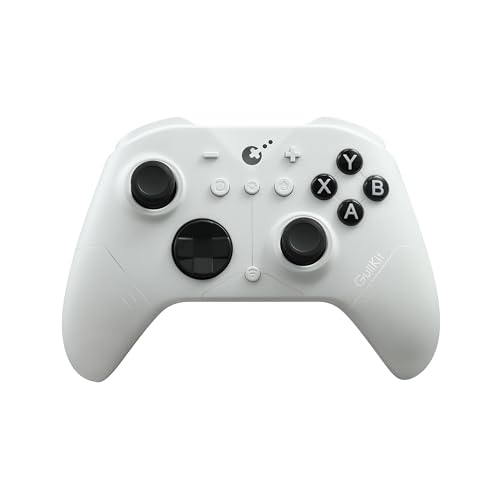
GuliKit ES Pro White TMR Joysticks Fastest Wireless
Why We Love It

Mobile Controller Gaming Triggers Joystick Game Phone L1R1
Why We Love It

Mobile Game Triggers
Why We Love It

PUBG Game Controller Trigger with Rapid Fire
Why We Love It

DELAM Mobile Game Controller with L1R1 L2R2 Triggers
Why We Love It

Znworld Phone Controller Phone PUBG Mobile Game Controller
Why We Love It

Excefore Mobile Triggers Gaming Controller F4
Why We Love It
Quick Pick
10 Best Ios And Android Triggers Of 2026
Quick Pick
SYOSI PUBG Game Controller Trigger, [1 Pair] New Version Smart Phone Game Controller Gamepad Large Thickness, Sensitive Aim & Shoot PUBG Triggers for iOS/Android-Black.
GameSir Cyclone 2 PC Controller Mag-Res TMR Sticks 1000Hz Report Rate Hall & Micro 2-in-1 Triggers RGB Lighting with Charging Dock for PC/Switch/iOS/Android (Black)
GameSir Nova Lite Wireless Controller for PC, Hall Effect Sticks & Trigger | Bluetooth Controller Gamepad with Hall Effect Trigger,Turbo,Rumble Vibration, Android, Switch & Steam Deck
GuliKit ES Pro White TMR Joysticks Fastest Wireless Controller | Windows PC, Android & IOS, Nintendo Switch 1/2 –, 1000Hz Wired on PC, 730Hz Low Latency Bluetooth, Hall Triggers, Gyro
Mobile Controller Gaming Triggers Joystick Game Phone L1R1 L2R2 Accessories for PUBG Call of Duty Compatible with iPhone iOS Android Smartphone
Mobile Game Triggers – Pro Touch Controller with Fast Aim Fire Buttons, Ultra-Sensitive Joysticks for iOS/Android Phones – Ergonomic Grip for Battle Games
PUBG Game Controller Trigger with Rapid Fire, 6 Finger Gaming Grip, Gamepad Joystick, L1R1 L2R2 Buttons, Trigger Compatible with iPad, Tablet, Android, iOS, Orange
DELAM Mobile Game Controller with L1R1 L2R2 Triggers, PUBG Mobile Controller 6 Fingers Operation, Joystick Remote Grip Shooting Aim Keys for 4.7-6.5" iPhone Android iOS Cellphone Gamepad Accessories
Znworld Phone Controller Phone PUBG Mobile Game Controller Trigger, Mobile Controllers Colorful Trigger Sensitive Shoot and Aim Button for Knives Out/Rules of Survival/Pubg Trigger for Android & IOS
Excefore Mobile Triggers Gaming Controller F4, Mobile Game Controller F4 Falcon for PUBG/Fortnite/Call of Duty, Shooter Sensitive Controller Joysticks Aim & Fire Trigger for IOS & Android
Buying Guide: Ios And Android Triggers
📋 Table of Contents
1What are the key differences between iOS and Android trigger mechanisms in automation apps?
iOS triggers typically rely on Apple's Shortcuts app with precise, app-specific actions, while Android uses Google's Tasker or built-in automation with broader system-level access. iOS offers tighter integration with Apple services, while Android allows more granular control over system events and third-party apps.
2Which platform offers more flexibility for complex automation workflows?
Android generally provides more flexibility for complex automation due to its open nature and support for root access, which allows deeper system-level triggers. iOS is more restrictive but offers a streamlined, user-friendly experience with fewer compatibility issues across Apple devices.
3What are common use cases for iOS and Android triggers in daily life?
Common use cases include automating app notifications, launching apps based on location, or adjusting settings at specific times. iOS users often use triggers for Siri shortcuts, while Android users may use triggers for auto-replies, battery-saving modes, or app-specific actions like silent mode when driving.
4How do I ensure compatibility when using third-party apps for triggers on iOS or Android?
On iOS, ensure the app is compatible with the Shortcuts app and supports the latest iOS version. On Android, check if the app has the necessary permissions and is compatible with your device's Android version. Avoid apps that require root access unless you're comfortable with the risks involved.
5What are the most common mistakes when setting up iOS or Android triggers?
Common mistakes include overcomplicating workflows, not testing triggers in real scenarios, or ignoring app permissions. On iOS, users often forget to enable 'Background App Refresh,' while Android users may not grant the necessary permissions for location or battery optimization, which can prevent triggers from firing correctly.
How we choose
Our editors are people who genuinely love testing and writing about products. We compare each product's real-world usability and strengths, then distill what matters most into our own "Why We Love It" points — so you get an honest, at-a-glance sense of what counts before you buy.