10 Best Iomega Zip Of 2026
Iomega Zip — Reviews, Recommendations & Updated Buying Guide November 2026


IOMEGA Zip 250 USB Powered Zip Drive 250 MB 3½ External USB
Why We Love It


Iomega Zip Laufwerk 750MB Z750USB extern USB 30846400 +
Why We Love It
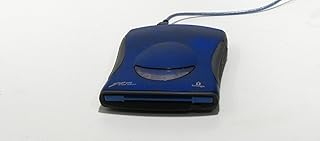
Iomega Zip 250 MB USB External Drive (PC/Mac)
Why We Love It

Iomega Zip 100MB USB Ultimate Host Powered
Why We Love It

Iomega Zip 100 External Drive for PC Parallel Port #10012
Why We Love It

Iomega Zip Drive 750Mb USB 2.0
Why We Love It

Iomega Zip 100MB USB-Powered Drive
Why We Love It

Iomega 32828 - External Zip USB Drive
Why We Love It

Iomega 10919 Zip 100 Drive (Parallel Port)
Why We Love It

Iomega 100MB USB Powered Zip Drive for PC/Mac
Why We Love It
Quick Pick
10 Best Iomega Zip Of 2026
Quick Pick
IOMEGA Zip 250 USB Powered Zip Drive 250 MB 3½ External USB
Iomega Zip Laufwerk 750MB Z750USB extern USB 30846400 + Power Supply & USB Cable
Iomega Zip 250 MB USB External Drive (PC/Mac)
Iomega Zip 100MB USB Ultimate Host Powered
Iomega Zip 100 External Drive for PC Parallel Port #10012
Iomega Zip Drive 750Mb USB 2.0
Iomega Zip 100MB USB-Powered Drive
Iomega 32828 - External Zip USB Drive, 250 GB
Iomega 10919 Zip 100 Drive (Parallel Port)
Iomega 100MB USB Powered Zip Drive for PC/Mac
Buying Guide: Iomega Zip
📋 Table of Contents
1What storage capacity do I actually need?
For basic file backups, 500GB to 1TB is usually enough. If you work with large video files or photo libraries, look for 2TB or more. Consider future needs and how often you'll need to transfer or store new data.
2Does the connection type really matter for speed?
Yes — USB 3.2 or Thunderbolt 3/4 offer much faster transfer speeds than USB 2.0. If you work with large files, a drive with a faster interface will save you time and improve workflow efficiency.
3Should I prioritize a solid-state drive (SSD) over a traditional HDD?
SSDs are faster, more durable, and quieter, making them ideal for speed-focused tasks. HDDs are cheaper per gigabyte and better for bulk storage, but more fragile and slower. Choose based on your budget and performance needs.
4What's the best way to protect my data on a zip drive?
Look for drives with hardware encryption (like AES-256) to secure sensitive files. Backing up to multiple drives or cloud storage adds redundancy. Avoid relying on a single drive for critical data to prevent loss from damage or theft.
5Are portable zip drives worth it for everyday use?
Yes, if you need a compact, plug-and-play solution for file transfers or backups. They’re convenient for on-the-go use, but ensure the drive is durable and has a reliable shock-resistant design if you move it frequently.
How we choose
Our editors are people who genuinely love testing and writing about products. We compare each product's real-world usability and strengths, then distill what matters most into our own "Why We Love It" points — so you get an honest, at-a-glance sense of what counts before you buy.