10 Best Iogear Print Servers Of 2026
Iogear Print Servers — Reviews, Recommendations & Updated Buying Guide November 2026


IOGEAR 1-Port USB 2.0 Print Server
Why We Love It


IOGEAR 2-Port USB 2.0 Automatic Printer Switch
Why We Love It

3-Port USB 2.0 Network Print Server 10/100 Mbps Ethernet USB
Why We Love It
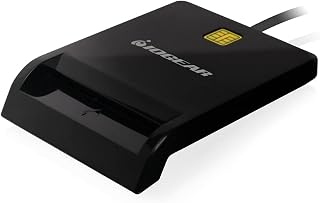
IOGEAR USB Common Access Card (CAC) Reader
Why We Love It

Mini Network Print Server for USB 2.0 Printer (Gray)
Why We Love It

USB 2.0 Network Print Server
Why We Love It

DYMO LabelWriter Print Server
Why We Love It
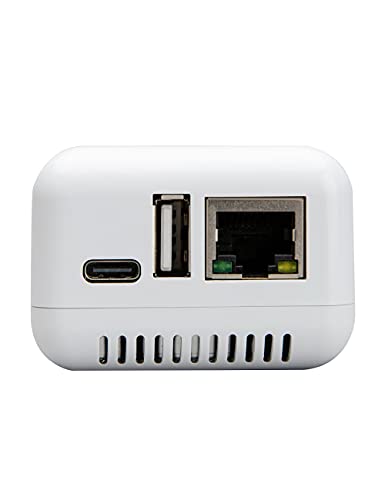
LOYALTY-SECU Wireless Bluetooth Printer Adapter USB Print
Why We Love It

1-Port Network Print Server RJ45 for Your USB Printer
Why We Love It

WiFi LAN Network Print Server for USB Printers with RAW
Why We Love It
Quick Pick
10 Best Iogear Print Servers Of 2026
Quick Pick
IOGEAR 1-Port USB 2.0 Print Server, GPSU21
IOGEAR 2-Port USB 2.0 Automatic Printer Switch, GUB231 , Black
3-Port USB 2.0 Network Print Server 10/100 Mbps Ethernet USB Printer Adapter Windows 11
IOGEAR USB Common Access Card (CAC) Reader - EMV Level 1/4.1 Compliant - PC/SC version 1.0/2.0 - Class A, B, and C (5V / 3V / 1.8V) - T0, T1 Protocol - Compatible MS USB-CCID Driver - GSR212
Mini Network Print Server for USB 2.0 Printer (Gray)
USB 2.0 Network Print Server, WAVLINK LAN Print Share Server for USB Printers, LPR Print Protocol 10/100Mbps Computer Print Server Adapter for Windows, MacOS 10.7 or above, No Driver Required
DYMO LabelWriter Print Server | Network Adapter for LabelWriter Label Printers
LOYALTY-SECU Wireless Bluetooth Printer Adapter USB Print Server White
1-Port Network Print Server RJ45 for Your USB Printer
WiFi LAN Network Print Server for USB Printers with RAW Print Protocol, 10/100Mbps Ethernet Speed, Win 7 8 10 11
Buying Guide: Iogear Print Servers
📋 Table of Contents
1What's the main difference between IOGEAR's wired and wireless print servers?
Wired models offer stable, faster connections ideal for offices with many printers, while wireless models give you flexibility to place printers anywhere in your space without ethernet cables. Choose wired if you need reliability for high-traffic printing; go wireless if convenience and placement matter more.
2How many printers can an IOGEAR print server handle at once?
Most IOGEAR models support 2-4 printers simultaneously, though some enterprise versions handle more. Check the specific model specs before buying—if you're connecting more than 4 printers, you might need a larger capacity model or multiple servers.
3Do I need a print server if my printer already has built-in networking?
Not necessarily, but a dedicated print server helps if you want to share older printers, improve reliability, or manage multiple devices from one point. It's worth buying if your current setup has compatibility issues or you're adding older printers to your network.
4What connection types should I look for in an IOGEAR print server?
Look for USB and parallel ports if you have older printers, plus ethernet for network access. If you're buying new, prioritize USB 2.0 or higher and gigabit ethernet for faster data transfer.
5When is it worth paying extra for an advanced IOGEAR print server model?
Spend more if you need dual-port options, wireless connectivity, or management software for large offices with 10+ users. Basic models work fine for home or small office use—advanced features mainly benefit organizations needing remote management or complex printer setups.
How we choose
Our editors are people who genuinely love testing and writing about products. We compare each product's real-world usability and strengths, then distill what matters most into our own "Why We Love It" points — so you get an honest, at-a-glance sense of what counts before you buy.