10 Best Internal Print Servers Of 2026
Internal Print Servers — Reviews, Recommendations & Updated Buying Guide November 2026


PARTS P1037974-001 Wired Internal Network Card for Zebra
Why We Love It


Internal Print Server Network Card for Zebra ZM400 ZM600
Why We Love It

Sinsed Internal Print Server Network Card for Zebra ZM400
Why We Love It
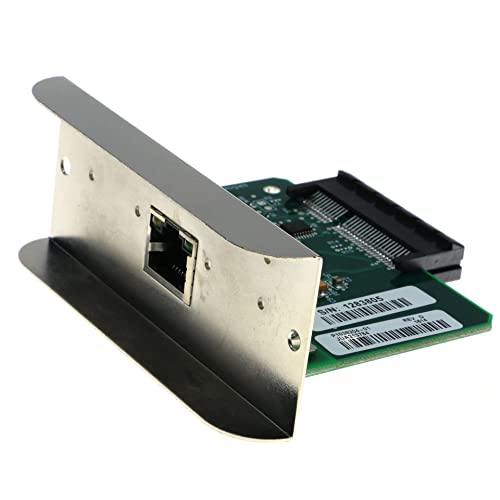
Replacement Internal Ethernet Print Server Network Card for
Why We Love It

P1058930-074 Internal Print Server (Ethernet Port) for Zebra
Why We Love It

LANADO Network Card for Zebra ZT210 ZT220 ZT230 Label
Why We Love It

Wireless Print Server
Why We Love It

79823 79501-011 Internal Print Server Network Card For Zebra
Why We Love It

What Makes It Page?: The Windows 7 (x64) Virtual Memory
Why We Love It

StarTech.com 10/100Mbps Ethernet to USB 2.0 Network Print
Why We Love It
Quick Pick
10 Best Internal Print Servers Of 2026
Quick Pick
PARTS P1037974-001 Wired Internal Network Card for Zebra ZT210 ZT220 ZT230 ZT200 Series Thermal Printer Print Server Ethernet Port
Internal Print Server Network Card for Zebra ZM400 ZM600 105SL Plus Xi4 Series Thermal Printer 79823 79501-011
Sinsed Internal Print Server Network Card for Zebra ZM400 ZM600 105SLPLUS Xi4 Series Thermal Printer 79823 79501-011
Replacement Internal Ethernet Print Server Network Card for Zebra ZT210 ZT220 ZT230 ZT610 P1038204-01
P1058930-074 Internal Print Server (Ethernet Port) for Zebra ZT410 ZT420 Thermal Printer 203dpi 300dpi 600dpi
LANADO Network Card for Zebra ZT210 ZT220 ZT230 Label Printer,Internal Ethernet Print Server
Wireless Print Server, 2 Port USB 2.0 WiFi Print Server with 100Mbps LAN & Bridge, Wired/Wireless/Standalone Modes, Compatible with Windows 10 8 7 XP, Mac OS and All RAW-Supported Printers
79823 79501-011 Internal Print Server Network Card For Zebra ZM400 ZM600
What Makes It Page?: The Windows 7 (x64) Virtual Memory Manager
StarTech.com 10/100Mbps Ethernet to USB 2.0 Network Print Server - Windows 10 - LPR - LAN USB Print Server Adapter (PM1115U2)
Buying Guide: Internal Print Servers
📋 Table of Contents
1What network protocols should an internal print server support?
Look for support of TCP/IP, IPP (Internet Printing Protocol), and SMB/CIFS for seamless integration with Windows networks. Some models also support LDAP for user authentication and SNMP for remote monitoring, which is crucial for enterprise environments.
2How many simultaneous print jobs can an internal print server handle?
Most mid-range models handle 10-20 concurrent print jobs, while high-end servers can manage 50 or more. If your office has more than 30 users printing frequently, opt for a server with at least 32-bit processing and 512MB of RAM for smoother performance.
3What are the differences between rackmount and desktop internal print servers?
Rackmount units save space and are ideal for server rooms, while desktop models are easier to install and manage in smaller offices. Rackmount servers often include better cooling and more expandable storage options, which matter for high-volume printing environments.
4Is it worth paying more for a print server with built-in duplex printing?
Yes — built-in duplex support reduces paper usage by up to 50% and can save costs over time. While some printers handle duplexing themselves, an internal server with this feature ensures consistent two-sided printing across all connected devices without extra configuration.
5What security features should I look for in an internal print server?
Ensure the server supports HTTPS for secure communication, user authentication via Active Directory, and firmware updates to prevent vulnerabilities. Look for models with WPA2 or WPA3 Wi-Fi encryption if using wireless, and avoid models without remote access controls for added protection.
How we choose
Our editors are people who genuinely love testing and writing about products. We compare each product's real-world usability and strengths, then distill what matters most into our own "Why We Love It" points — so you get an honest, at-a-glance sense of what counts before you buy.