10 Best Huion Tablet For Watching Movies Of 2026
Huion Tablet For Watching Movies — Reviews, Recommendations & Updated Buying Guide November 2026


HUION HS64 Graphics Drawing Tablet Battery-Free Stylus
Why We Love It


HUION HS610 Graphics Drawing Tablet with Battery-Free Stylus
Why We Love It
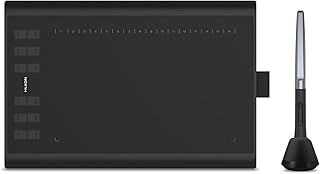
HUION Inspiroy H1060P Graphics Drawing Tablet
Why We Love It

HUION H950P Graphics Drawing Tablet 8.7x5.4 inches 8192
Why We Love It

HUION Inspiroy 2 Large Drawing Tablet with 3-Group 8
Why We Love It

HUION Inspiroy H640P Drawing Tablet with Battery-Free Stylus
Why We Love It

HUION Kamvas Pro 12 11.6 inch Drawing Tablet with Screen
Why We Love It
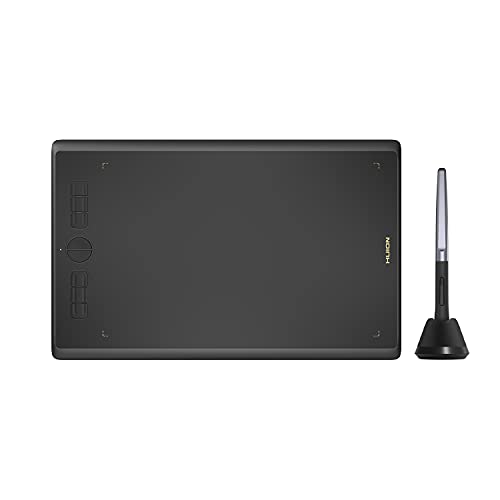
HUION H610X Drawing Graphics Tablet 10 x 6.25 inch 8
Why We Love It

Huion H430P OSU Graphics Drawing Tablet with Battery-Free
Why We Love It

HUION Inspiroy Frego Samll Wireless Drawing Tablet
Why We Love It
Quick Pick
10 Best Huion Tablet For Watching Movies Of 2026
Quick Pick
HUION HS64 Graphics Drawing Tablet Battery-Free Stylus Android Windows macOS with 6.3 x 4 in Working Area Pen Tablet for Linux, Mac, Windows PC and Android
HUION HS610 Graphics Drawing Tablet with Battery-Free Stylus with 10x6.25inch Working Area Pen Tablet for Android Windows MAC OS
HUION Inspiroy H1060P Graphics Drawing Tablet, 10 x 6.25 in, 12+16 Hot Keys | 8192 Pressure Levels, Battery-Free Stylus, Digital Art Tablet Works with Mac, Windows PC and Android
HUION H950P Graphics Drawing Tablet 8.7x5.4 inches 8192 Pressure Sensitivity with 8 Express Keys Battery-Free Stylus Suit for Windows, Mac OS, Android OS, Linux
HUION Inspiroy 2 Large Drawing Tablet with 3-Group 8 Customized ExpressKeys | 10.5x6.56" Art Tablet with Scroll Wheel, Battery-Free Stylus, Graphics Tablet for Drawing, Design, Work with Mac, PC & Mobile
HUION Inspiroy H640P Drawing Tablet with Battery-Free Stylus 8192 Pressure Sensitivity 6 Hot Keys, 6x4 inch Graphics Pen Tablet for Digital Art & Design, Work with Mac, PC & Mobile
HUION Kamvas Pro 12 11.6 inch Drawing Tablet with Screen Graphics Drawing Monitor Full-Laminated Pen Display with Battery-Free Pen and Adjustable Stand 8192 Pen Pressure(GT-116)
HUION H610X Drawing Graphics Tablet 10 x 6.25 inch 8 Multimedia Keys Battery-Free Stylus PW100 Pen Tablet Compatible with Android,Windows,Mac,Linux (Ubuntu)
Huion H430P OSU Graphics Drawing Tablet with Battery-Free Stylus 4 Press Keys Support Work from Home, Distance Education Compatible with Android, Linux, Windows and Mac
HUION Inspiroy Frego Samll Wireless Drawing Tablet, 6.3 x 3.9 inch Bluetooth Graphics Tablet, Portable for Design, Writing, Photo Editing, Teaching, Compatible with Windows, Mac, Android and Linux
Buying Guide: Huion Tablet For Watching Movies
📋 Table of Contents
1What screen size should I choose for watching movies comfortably?
For movie watching, aim for at least 13 inches — anything smaller feels cramped for extended viewing. The 16-inch models offer a more cinematic experience, though they're less portable if you plan to move around.
2Does the display refresh rate matter for watching movies?
Refresh rate doesn't impact movie quality since films are 24fps, so a standard 60Hz display is fine. What matters more is color accuracy and brightness, especially if you watch in bright rooms.
3Should I get a Huion pen display or a regular tablet for movies?
If movies are your main use, skip the pen display models and go for a standard Huion tablet—you'll save money and get better value. Pen displays are designed for drawing, not entertainment.
4What storage capacity do I need for storing movies on a Huion tablet?
Most Huion tablets come with 256GB or 512GB options; 256GB fits dozens of full-length movies comfortably. If you stream instead of storing locally, base storage size on your apps and OS needs.
5Is a Huion tablet good for watching movies, or should I choose something else?
Huion tablets work fine for movies, but they're designed primarily for creative work—consider an iPad or Android tablet built for entertainment if that's your main use. You'll likely get better value and battery life from a general-purpose tablet.
How we choose
Our editors are people who genuinely love testing and writing about products. We compare each product's real-world usability and strengths, then distill what matters most into our own "Why We Love It" points — so you get an honest, at-a-glance sense of what counts before you buy.