10 Best Huion Graphic Tablets Of 2026
Huion Graphic Tablets — Reviews, Recommendations & Updated Buying Guide November 2026


HUION HS64 Graphics Drawing Tablet Battery-Free Stylus
Why We Love It


HUION HS610 Graphics Drawing Tablet with Battery-Free Stylus
Why We Love It
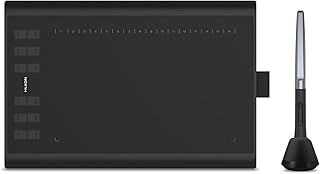
HUION Inspiroy H1060P Graphics Drawing Tablet
Why We Love It

HUION H950P Graphics Drawing Tablet 8.7x5.4 inches 8192
Why We Love It

HUION Inspiroy 2 Large Drawing Tablet with 3-Group 8
Why We Love It

HUION KAMVAS Pro 16 Graphics Drawing Tablet with Screen
Why We Love It

HUION Inspiroy H640P Drawing Tablet with Battery-Free Stylus
Why We Love It
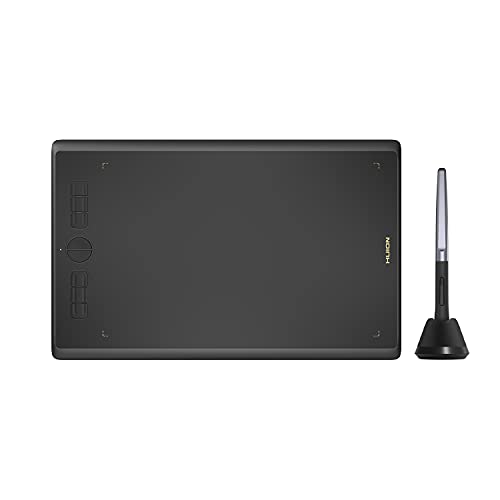
HUION H610X Drawing Graphics Tablet 10 x 6.25 inch 8
Why We Love It

HUION Kamvas Pro 12 11.6 inch Drawing Tablet with Screen
Why We Love It

HUION HS611 Graphics Drawing Tablet 10X6 inch with 8192
Why We Love It
Quick Pick
10 Best Huion Graphic Tablets Of 2026
Quick Pick
HUION HS64 Graphics Drawing Tablet Battery-Free Stylus Android Windows macOS with 6.3 x 4 in Working Area Pen Tablet for Linux, Mac, Windows PC and Android
HUION HS610 Graphics Drawing Tablet with Battery-Free Stylus with 10x6.25inch Working Area Pen Tablet for Android Windows MAC OS
HUION Inspiroy H1060P Graphics Drawing Tablet, 10 x 6.25 in, 12+16 Hot Keys | 8192 Pressure Levels, Battery-Free Stylus, Digital Art Tablet Works with Mac, Windows PC and Android
HUION H950P Graphics Drawing Tablet 8.7x5.4 inches 8192 Pressure Sensitivity with 8 Express Keys Battery-Free Stylus Suit for Windows, Mac OS, Android OS, Linux
HUION Inspiroy 2 Large Drawing Tablet with 3-Group 8 Customized ExpressKeys | 10.5x6.56" Art Tablet with Scroll Wheel, Battery-Free Stylus, Graphics Tablet for Drawing, Design, Work with Mac, PC & Mobile
HUION KAMVAS Pro 16 Graphics Drawing Tablet with Screen Full-Laminated Graphics Monitor with Battery-Free Stylus Tilt 8192 Pen Pressure 6 Hot Keys Touch Bar with Stand - 15.6 inch for PC/MAC/Linux
HUION Inspiroy H640P Drawing Tablet with Battery-Free Stylus 8192 Pressure Sensitivity 6 Hot Keys, 6x4 inch Graphics Pen Tablet for Digital Art & Design, Work with Mac, PC & Mobile
HUION H610X Drawing Graphics Tablet 10 x 6.25 inch 8 Multimedia Keys Battery-Free Stylus PW100 Pen Tablet Compatible with Android,Windows,Mac,Linux (Ubuntu)
HUION Kamvas Pro 12 11.6 inch Drawing Tablet with Screen Graphics Drawing Monitor Full-Laminated Pen Display with Battery-Free Pen and Adjustable Stand 8192 Pen Pressure(GT-116)
HUION HS611 Graphics Drawing Tablet 10X6 inch with 8192 Levels Battery-Free Pen, 8 Multimedia Keys and 10 Press Keys, Support Android, Ideal Use for Distance Education and Wed Conference (Grey)
Buying Guide: Huion Graphic Tablets
📋 Table of Contents
1What's the difference between a Huion pen display and a pen tablet?
A pen display has a built-in screen so you draw directly on what you see, while a pen tablet is just a touch surface that connects to your monitor. Pen displays are more intuitive for beginners but cost more, whereas pen tablets take practice but are lighter and cheaper.
2How do I know what screen size to choose for a pen display?
Choose based on your desk space and budget — smaller 13-15 inch models are portable and affordable, while 16-22 inch models give you more comfortable workspace for detailed work. If you do precision illustration, larger screens reduce hand strain and let you see your work better.
3Does pressure sensitivity matter, and how much do I need?
Pressure levels affect how naturally your pen strokes feel — 8192 levels is standard for most creative work, while 16384 levels offer smoother gradations for professional digital painting. Entry-level tablets with 8192 are fine for most people unless you're doing fine shading or calligraphy.
4What should I check about driver and software compatibility before buying?
Make sure the model supports your operating system (Windows, Mac, or Linux) and that recent drivers are available on Huion's website. Check user reviews for your specific OS to avoid buying a tablet that's difficult to set up or has compatibility issues.
5Is a Huion tablet good value compared to other brands?
Huion offers solid specs at competitive prices, especially in the mid-range, though premium models like Wacom have slightly better build quality and driver stability. For students, hobbyists, and professionals on a budget, Huion delivers good performance without the premium markup.
How we choose
Our editors are people who genuinely love testing and writing about products. We compare each product's real-world usability and strengths, then distill what matters most into our own "Why We Love It" points — so you get an honest, at-a-glance sense of what counts before you buy.