10 Best Huion Drawing Tablet Of 2026
Huion Drawing Tablet — Reviews, Recommendations & Updated Buying Guide November 2026


HUION HS64 Graphics Drawing Tablet Battery-Free Stylus
Why We Love It

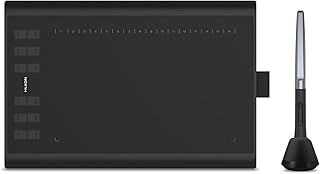
HUION Inspiroy H1060P Graphics Drawing Tablet
Why We Love It

HUION HS610 Graphics Drawing Tablet with Battery-Free Stylus
Why We Love It

HUION H950P Graphics Drawing Tablet 8.7x5.4 inches 8192
Why We Love It

HUION Inspiroy 2 Large Drawing Tablet with 3-Group 8
Why We Love It

HUION Inspiroy H640P Drawing Tablet with Battery-Free Stylus
Why We Love It

HUION Kamvas 13 (Gen 3) Drawing Tablet with Screen
Why We Love It

HUION Kamvas Pro 12 11.6 inch Drawing Tablet with Screen
Why We Love It
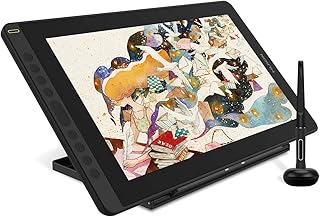
2021 HUION Drawing Tablet KAMVAS 16 Graphic Pen Display with
Why We Love It

HUION Inspiroy Keydial KD200 Wireless Graphics Drawing
Why We Love It
Quick Pick
10 Best Huion Drawing Tablet Of 2026
Quick Pick
HUION HS64 Graphics Drawing Tablet Battery-Free Stylus Android Windows macOS with 6.3 x 4 in Working Area Pen Tablet for Linux, Mac, Windows PC and Android
HUION Inspiroy H1060P Graphics Drawing Tablet, 10 x 6.25 in, 12+16 Hot Keys | 8192 Pressure Levels, Battery-Free Stylus, Digital Art Tablet Works with Mac, Windows PC and Android
HUION HS610 Graphics Drawing Tablet with Battery-Free Stylus with 10x6.25inch Working Area Pen Tablet for Android Windows MAC OS
HUION H950P Graphics Drawing Tablet 8.7x5.4 inches 8192 Pressure Sensitivity with 8 Express Keys Battery-Free Stylus Suit for Windows, Mac OS, Android OS, Linux
HUION Inspiroy 2 Large Drawing Tablet with 3-Group 8 Customized ExpressKeys | 10.5x6.56" Art Tablet with Scroll Wheel, Battery-Free Stylus, Graphics Tablet for Drawing, Design, Work with Mac, PC & Mobile
HUION Inspiroy H640P Drawing Tablet with Battery-Free Stylus 8192 Pressure Sensitivity 6 Hot Keys, 6x4 inch Graphics Pen Tablet for Digital Art & Design, Work with Mac, PC & Mobile
HUION Kamvas 13 (Gen 3) Drawing Tablet with Screen, Dual Dial, 13.3", Black | Full Lamination, Canvas Glass 2.0, 99% sRGB, PenTech 4.0 16384 Levels, Works with PC, Mac and Android, With Stand
HUION Kamvas Pro 12 11.6 inch Drawing Tablet with Screen Graphics Drawing Monitor Full-Laminated Pen Display with Battery-Free Pen and Adjustable Stand 8192 Pen Pressure(GT-116)
2021 HUION Drawing Tablet KAMVAS 16 Graphic Pen Display with Screen, Black | 15.6inch Full-Laminated Screen, Battery-Free Stylus Tilt, 10 Press Keys, Full-Featured Type C Cable and an Adjustable Stand
HUION Inspiroy Keydial KD200 Wireless Graphics Drawing Tablet, 8.9x5.6inch | Bluetooth 5.0-Wireless, with Keyboard Dial, 5 Customized Express Keys, Battery-Free Stylus PW517 Tilt, PC, Mac, Android
Buying Guide: Huion Drawing Tablet
📋 Table of Contents
1What's the difference between a Huion pen display and a pen tablet?
A pen display has a built-in screen so you draw directly on what you see, while a pen tablet is just a touch surface that connects to your monitor—it's cheaper but requires looking between your hand and screen. Choose a pen display if you want a more natural drawing experience, or a pen tablet if you're budget-conscious and have desk space for both devices.
2How much pressure sensitivity do I actually need?
Most Huion tablets offer 8,192 to 16,384 pressure levels—anything above 8,000 is solid for digital art and won't feel noticeably different for most users. Go for higher if you do detailed illustration work or want maximum brush control, but standard 8,192 is fine for learning and general use.
3What size Huion tablet should I buy—small, medium, or large?
Small tablets (around 6x4 inches) are portable and fit tight spaces, medium (10x6 inches) offers better precision and comfort, and large (16+ inches) gives you workspace like a real desk. Pick based on your desk space and how much detail work you do—bigger isn't always better if you don't have room or mainly work on small projects.
4Do I need to buy extra pen nibs, and how often do they wear out?
Huion pen nibs do wear out over time depending on how much you draw, but most tablets come with spare nibs in the box. You'll probably replace them every few months to a year with regular use, so it's worth having backups on hand since they're inexpensive.
5Will a Huion tablet work with my computer or phone?
Most Huion pen tablets work with Windows and Mac computers via USB, while some newer models support Android phones through USB-C. Check the specific model's compatibility list before buying, especially if you plan to use it with a mobile device or have older software.
How we choose
Our editors are people who genuinely love testing and writing about products. We compare each product's real-world usability and strengths, then distill what matters most into our own "Why We Love It" points — so you get an honest, at-a-glance sense of what counts before you buy.