10 Best Hp Officejet Of 2026
Hp Officejet — Reviews, Recommendations & Updated Buying Guide November 2026


HP OfficeJet Pro 9123 All-in-One Printer - Wireless
Why We Love It


HP OfficeJet Pro | Touchscreen | Wireless | Print
Why We Love It

HP OfficeJet Pro 9730 Wide Format All-in-One Printer
Why We Love It
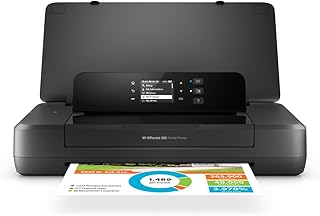
HP OfficeJet Mobile 202 Printer
Why We Love It
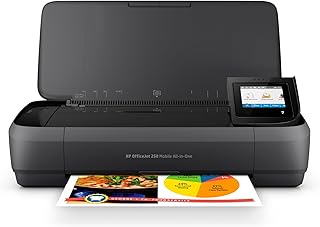
HP OfficeJet 250 All-in-One Portable Printer with Wireless &
Why We Love It

HP | Smart Tank | Wireless | Print
Why We Love It
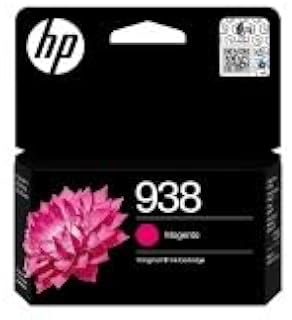
HP|HP 938 Magenta Original Ink Cartridge|Yellow|800 pages|HP
Why We Love It

HP OfficeJet Pro 9125 Wireless All-in-One Color Inkjet
Why We Love It

HP 963 Set of 4 Original Cartridges for HP Officejet Pro
Why We Love It

HP | Smart Tank | Touchscreen | Wireless | Print
Why We Love It
Quick Pick
10 Best Hp Officejet Of 2026
Quick Pick
HP OfficeJet Pro 9123 All-in-One Printer - Wireless, Automatic document feeder, Two-sided printing, Two-sided scanning, Scan to PDF/Email, Touchscreen
HP OfficeJet Pro | Touchscreen | Wireless | Print, Copy, Scan | Automatic Duplex | Print Speed: 20ppm(black) / 10ppm(color) | 35-sheet ADF | OJ8123 | UAE Version
HP OfficeJet Pro 9730 Wide Format All-in-One Printer | Wireless | Print, Copy, Scan | ADF, Two-Sided Printing & Scanning, Quiet Mode | Input Capacity up to 500 Sheet | UAE Version [537P5C]
HP OfficeJet Mobile 202 Printer | Portable | Wireless | Print | Two-sided Printing | Print Speed: 25ppm / 20ppm | UAE Version [N4K99C]
HP OfficeJet 250 All-in-One Portable Printer with Wireless & Mobile Printing (CZ992A)
HP | Smart Tank | Wireless | Print, Copy, Scan | Automatic Duplex | Print Speed: 12ppm(black) / 7ppm(color) | Up to 18000 black or 8000 color pages included | ST670 | UAE Version
HP|HP 938 Magenta Original Ink Cartridge|Yellow|800 pages|HP OfficeJet Pro 9120, 9123, 9130, 9120b, 9130b, 9720, 9730, 9110b|4S6X6PE.
HP OfficeJet Pro 9125 Wireless All-in-One Color Inkjet Printer, Print, Scan, Copy, Fax, ADF, Duplex Print/scan, Best-for-Office, 3 Month Trial of Instant Ink Included, AI-Capable (C2VZ0A)
HP 963 Set of 4 Original Cartridges for HP Officejet Pro 9010, 9012, 9015, 9016, 9019, 9020, 9022, 9025
HP | Smart Tank | Touchscreen | Wireless | Print, Copy, Scan, Fax | Automatic Duplex | Print Speed: 15ppm(black) / 9ppm(color) | Up to 18000 black or 8000 color pages included | ST795 | UAE Version
Buying Guide: Hp Officejet
📋 Table of Contents
1What print resolution should I look for in an inkjet printer?
Aim for at least 4800 x 1200 dpi for sharp photos and detailed documents. Higher resolutions like 9600 x 2400 dpi improve image quality but may not be necessary for everyday printing unless you frequently print large or high-quality photos.
2How many ink cartridges does a typical inkjet printer use?
Most use separate color (Cyan, Magenta, Yellow) and black cartridges, while some combine colors into a single tri-color unit. Separate inks offer better color accuracy and allow you to replace only the color that runs out, saving money in the long run.
3What paper types and sizes are compatible with inkjet printers?
Look for a printer that handles at least A4 (8.3 x 11.7 in) and supports photo paper, glossy, and cardstock. Some models also accept smaller sizes like 10 x 15 cm for photos or envelopes, which is useful for varied printing needs.
4Is a duplex (double-sided) printing feature worth it?
Yes, if you print documents regularly — it saves paper and time. Manual duplexing requires you to flip the paper, while automatic duplexing is more convenient but adds to the printer's size and cost. Choose based on how often you need two-sided printing.
5What connectivity options should I prioritize?
Wi-Fi and USB are standard, but also consider Bluetooth or mobile printing support for wireless convenience. If you print from multiple devices, a printer with cloud printing or app integration can streamline your workflow without extra cables or setup.
How we choose
Our editors are people who genuinely love testing and writing about products. We compare each product's real-world usability and strengths, then distill what matters most into our own "Why We Love It" points — so you get an honest, at-a-glance sense of what counts before you buy.