10 Best Hp Laptop Docking Station Of 2026
Hp Laptop Docking Station — Reviews, Recommendations & Updated Buying Guide November 2026


HP USB-C Dock G5 (Renewed)
Why We Love It


HP USB-C Dock G5
Why We Love It

HP USB-C Dock G5-11-in-1 Adapter for Both USB-C and
Why We Love It

HP USB-C Docking Station 100W G6 Multiport Docking Station
Why We Love It

HP Docking Station for Laptop Dual Monitor and Charging
Why We Love It

HP G5 Essential Docking Station
Why We Love It

HP USB-C G5 Essential Dock 72C71AA#ABA Black
Why We Love It
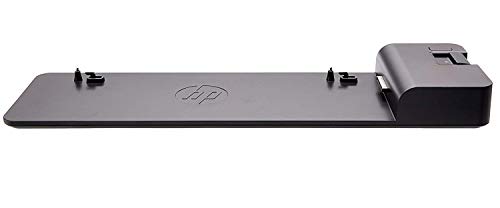
HP UltraSlim Dock 2013 D9Y32 Docking Station
Why We Love It

HP Docking Station for Laptop Dual Monitor and Charging
Why We Love It
Quick Pick
10 Best Hp Laptop Docking Station Of 2026
Quick Pick
HP USB-C Dock G5 (Renewed)
HP USB-C Dock G5
HP USB-C Dock G5-11-in-1 Adapter for Both USB-C and Thunderbolt-Enabled Laptops, PCs, & Notebooks - Single Cable for Charging, Networking, or Data Transfers - Great for Secure & Remote Management
HP USB-C Docking Station 100W G6 Multiport Docking Station - HDMI 2.1, 2x DisplayPort 1.4, 3x USB-A, USB-C, RJ45, Audio, Compatible with myHP, Windows, macOS and Chrome OS - Black
HP Docking Station for Laptop Dual Monitor and Charging - 5TW10AA / 5TW10UT / 5TW10AA#ABB USB-C G5 Dock with 120W AC Adap TER + HDMI Cable + DisplayPort Cable + Cleaning Cloth
HP G5 Essential Docking Station | Thunderbolt | USB 3.0 | 2x 1.4 DisplayPorts | HDMI 2.0 | Audio | RJ-45 | Black including 120Watt power supply
HP USB-C G5 Essential Dock 72C71AA#ABA Black
HP UltraSlim Dock 2013 D9Y32 Docking Station
HP Docking Station for Laptop Dual Monitor and Charging Bundle - HP USB-C G5 Dock with 120W AC Adapter, HDMI & DP Cable & USB-C Cable (New)
Buying Guide: Hp Laptop Docking Station
📋 Table of Contents
1Will an HP docking station work with my laptop model?
HP docking stations are designed for specific laptop series, so you need to check compatibility first—look at your laptop's model number and compare it with the dock's supported devices list. Using an incompatible dock can damage your laptop or cause it to not charge properly.
2What's the difference between Thunderbolt, USB-C, and traditional HP docks?
Thunderbolt docks offer the fastest data transfer and highest power delivery, USB-C docks are more universal and work with non-HP devices, while traditional docks connect via proprietary connectors and are usually cheaper. Choose based on your ports, the devices you plan to connect, and whether you need future flexibility.
3How many USB ports and monitors should I look for?
Most people need at least 2-3 USB-A ports plus 1-2 USB-C ports for peripherals like mice and external drives. If you work with multiple monitors, check whether the dock supports dual or triple displays—this varies by model and can significantly affect your setup.
4Does the docking station charge my laptop, and how fast?
Most HP docks can charge your laptop, but power delivery varies from 45W to 120W depending on the model—check if it matches your laptop's charging requirement. A dock with insufficient wattage will charge slowly or not at all while you're using power-hungry apps.
5When is it worth buying an expensive HP dock instead of a cheaper alternative?
Premium docks justify the cost if you need reliable daily docking, multiple monitors, fast data transfers, or plan to use it for several years. Budget docks work fine for occasional use, but they're often slower, have fewer ports, and may have connection stability issues over time.
How we choose
Our editors are people who genuinely love testing and writing about products. We compare each product's real-world usability and strengths, then distill what matters most into our own "Why We Love It" points — so you get an honest, at-a-glance sense of what counts before you buy.