10 Best Hotas Flight Sticks Of 2026
Hotas Flight Sticks — Reviews, Recommendations & Updated Buying Guide November 2026


Thrustmaster T.Flight Hotas One Flight Stick for Xbox Series
Why We Love It


Thrustmaster T-Flight Hotas X
Why We Love It
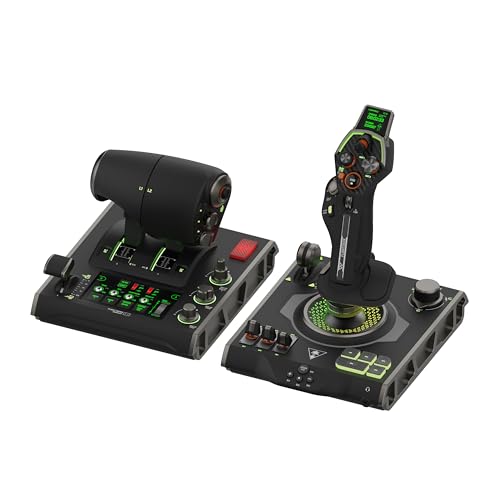
Turtle Beach VelocityOne Flightdeck Universal HOTAS
Why We Love It

Thrustmaster T.Flight Hotas 5 Microsoft Flight Simulator
Why We Love It

Thrustmaster T.Flight Hotas One Microsoft Flight Simulator
Why We Love It

Thrustmaster T16000M FCS HOTAS
Why We Love It

Thrustmaster Sol-R 4 HOTAS
Why We Love It
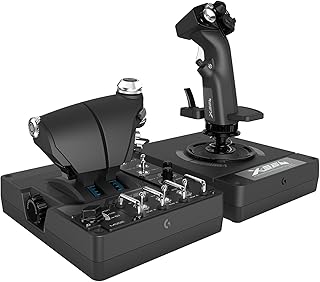
Logitech G X56 H.O.T.A.S Throttle and Joystick Flight
Why We Love It
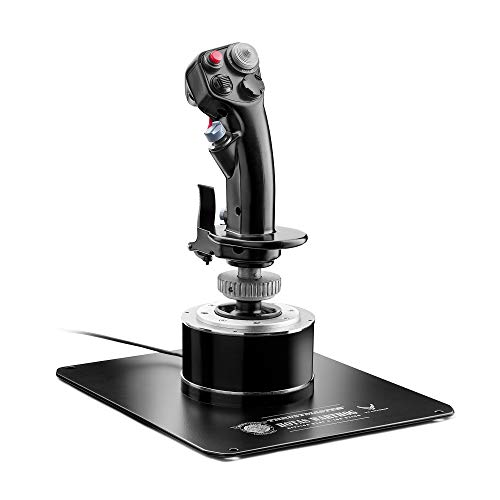
Thrustmaster Hotas Warthog Flightstick
Why We Love It

Thrustmaster T16000M Fcs Flight Pack (Windows)
Why We Love It
Quick Pick
10 Best Hotas Flight Sticks Of 2026
Quick Pick
Thrustmaster T.Flight Hotas One Flight Stick for Xbox Series X|S & PC – Joystick with Detachable Throttle – Officially Licensed Flight Controller – Plug & Play | Complete Flight sim equipment for beginners, programmable buttons, 5-Axis control, high precision, ergonomic design
Thrustmaster T-Flight Hotas X - Flight Throttle and Joystick with 12 Programmable Buttons, Detachable Throttle, Adjustable Resistance for Flight Simulator - Compatible with PC - Windows | Detachable design, adjustable resistance, 12 programmable buttons, 5 axes, dual rudder control, preset memory, ergonomic
Turtle Beach VelocityOne Flightdeck Universal HOTAS Simulation System - PC
Thrustmaster T.Flight Hotas 5 Microsoft Flight Simulator Edition - PS5 & PC | Officially licensed by Microsoft Flight Simulator 2024 and Sony, joystick & throttle, dual rudder system, adjustable
Thrustmaster T.Flight Hotas One Microsoft Flight Simulator Edition -with the official license from Microsoft Flight Simulator on Xbox Series X|S and PC. | Officially licensed by Microsoft Flight Simulator 2024 and XBOX, joystick & throttle, dual rudder system, adjustable
Thrustmaster T16000M FCS HOTAS – Flight Sim Joystick & Throttle – H.E.A.R.T Precision Technology – 30 Buttons & 8-Way Hat – For PC (Windows 11/10) – Ideal for MSFS, Elite Dangerous & Star Citizen | 16 and 14 programmable buttons, 2 8-way POV hats, precise and smooth throttle, twist rudder, Hall effect
Thrustmaster Sol-R 4 HOTAS - For combat and space exploration - PC
Logitech G X56 H.O.T.A.S Throttle and Joystick Flight Simulator Game Controller, 6 Dregrees of Freedom, 4 Spring Options, +189 Programmable Controls, RGB Lighting, 2x USB, PC - Black | Flight Simulator Game Controller, 6 Degrees of Freedom, 4 Spring Options, 189+ Programmable Controls, RGB, 2x USB, PC - Black
Thrustmaster Hotas Warthog Flightstick - High-Precision Joystick with H.E.A.R.T HallEffect AccuRate Technology for PC
Thrustmaster T16000M Fcs Flight Pack (Windows)
Buying Guide: Hotas Flight Sticks
📋 Table of Contents
1What level of force feedback is best for realistic flight simulation?
Look for flight sticks with high-resolution force feedback and adjustable tension settings. This allows for precise control during takeoff, landing, and turbulence, making the experience more immersive for serious sim pilots.
2How important is the number of programmable buttons and axes?
For complex flight simulations, aim for at least 16 programmable buttons and 6-8 axes. More controls let you map essential functions like throttle, flaps, and radios directly to the stick, reducing reliance on a keyboard or mouse.
3Should I prioritize a HOTAS (Hands-On Throttle And Stick) system or a standalone stick?
A full HOTAS system offers a more authentic cockpit feel and better ergonomics for long sessions. If space or budget is tight, a standalone stick with a separate throttle can still provide a solid experience, but may feel less integrated.
4What connection type should I look for: wired or wireless?
Wired sticks offer lower latency and consistent performance, which is crucial for competitive or high-fidelity simulations. Wireless models provide more freedom of movement but may introduce lag or require regular charging or battery replacements.
5Are motion platforms worth the investment for a flight stick?
Motion platforms add physical movement to your flight experience, enhancing realism. However, they are expensive and require significant space. For most users, a high-quality flight stick with strong force feedback will be sufficient without the added cost and complexity.
How we choose
Our editors are people who genuinely love testing and writing about products. We compare each product's real-world usability and strengths, then distill what matters most into our own "Why We Love It" points — so you get an honest, at-a-glance sense of what counts before you buy.