10 Best Hard Drive Enclosures 4 Bay Of 2026
Hard Drive Enclosures 4 Bay — Reviews, Recommendations & Updated Buying Guide November 2026


TERRAMASTER D4-320 External Hard Drive Enclosure 4-Bay
Why We Love It


TERRAMASTER D4-320 External Hard Drive Enclosure
Why We Love It
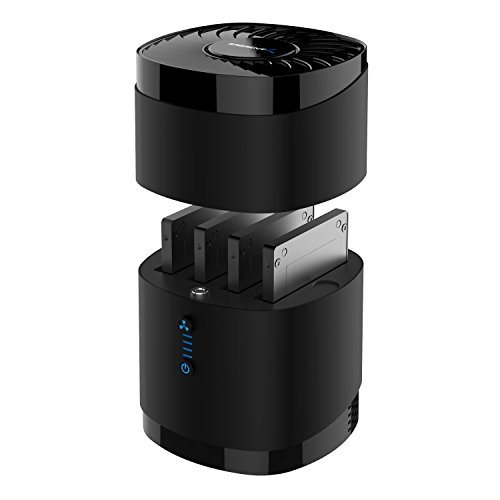
SABRENT Hard Drive Docking Station
Why We Love It

Seagate IronWolf 4TB NAS Internal Hard Drive HDD
Why We Love It
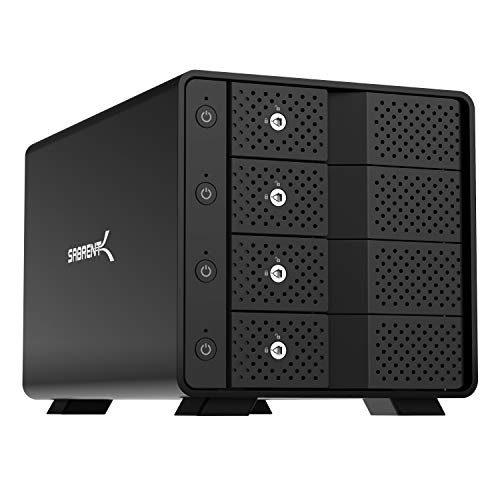
Sabrent USB 3.2 4-Bay 3.5" SATA Hard Drive Tray-less Docking
Why We Love It
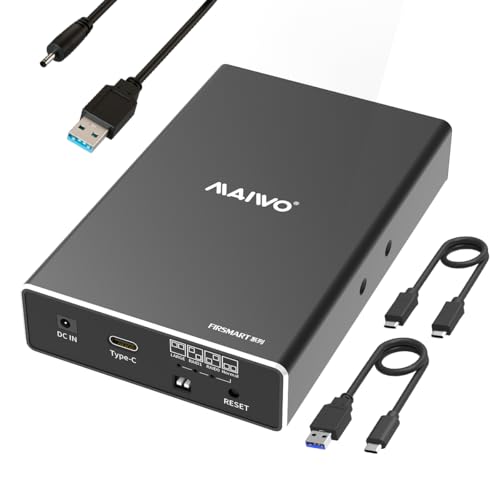
MAIWO Dual Bay Hard Drive RAID Enclosure for 2.5 Inch SATA
Why We Love It

ORICO 4 Bay DAS Hard Drive Enclosure USB 3.0 for SATA 3.5
Why We Love It

Orico 5 Bay 3.5 Inch Hard Drive Enclosure USB C to SATA
Why We Love It

CENMATE Aluminum 4 Bay 10Gbps Hard Drive Enclosure with
Why We Love It

CENMATE Aluminum 4 Bay Hard Drive Enclosure with Cooling Fan
Why We Love It
Quick Pick
10 Best Hard Drive Enclosures 4 Bay Of 2026
Quick Pick
TERRAMASTER D4-320 External Hard Drive Enclosure 4-Bay (Diskless)
TERRAMASTER D4-320 External Hard Drive Enclosure - 4bay USB 3.2 Gen2 10Gbps Type-C USB Storage Hot Swappable Plug and Play (Diskless)
SABRENT Hard Drive Docking Station, 4 Bay SATA Enclosure, 2.5" SSD Dock
Seagate IronWolf 4TB NAS Internal Hard Drive HDD – CMR 3.5 Inch SATA 6Gb/s 5900 RPM 64MB Cache for RAID Network Attached Storage, Rescue Services – Frustration Free Packaging (ST4000VNZ06)
Sabrent USB 3.2 4-Bay 3.5" SATA Hard Drive Tray-less Docking Station (DS-SC4B)
MAIWO Dual Bay Hard Drive RAID Enclosure for 2.5 Inch SATA SSD HDD, RAID 0/1/JBOD/PM, USB 3.1 Gen 2 10Gbps with UASP, 16TB Capacity, External Aluminum HDD Bay
ORICO 4 Bay DAS Hard Drive Enclosure USB 3.0 for SATA 3.5 inch SSDs HDDs Bracket-Free External Hard Drive Bay
Orico 5 Bay 3.5 Inch Hard Drive Enclosure USB C to SATA Magnetic Tool-Free External HDD Enclosure with 12V/6.5A Power Adapter for Family Storage Expansion Up to 90TB(5x18) - DS500C3 | Magnetic Type-C to SATA HDD Docking Station Case with 12V/6.5A Power Adapter for Family Storage, Video Editing & Backup.
CENMATE Aluminum 4 Bay 10Gbps Hard Drive Enclosure with Cooling Fan for 2.5“/3.5" SATA HDD/SSD with USB A/C 3.2 Gen 2, Support Hot Swappable, Tool-Free HDD Enclosure, DAS(NO RAID/NAS)
CENMATE Aluminum 4 Bay Hard Drive Enclosure with Cooling Fan for 2.5/3.5 SATA HDD/SSD with USB A/C 3.0 Cable, Support Hot Swappable, Tool-Free HDD Enclosure, DAS(NO RAID/NAS)
Buying Guide: Hard Drive Enclosures 4 Bay
📋 Table of Contents
1What interface should I prioritize for speed and compatibility?
SATA III (6 Gbps) is standard for most 4-bay enclosures and ensures fast data transfer with modern drives. For even faster performance with SSDs or high-end HDDs, look for models with USB 3.2 Gen 2 or Thunderbolt 3 support, which can deliver up to 10 Gbps or more.
2How important is RAID support, and which levels should I consider?
RAID can boost performance or add redundancy, depending on your needs. RAID 0 increases speed by splitting data across drives, while RAID 1 mirrors data for backup. For a balance of speed and safety, RAID 5 or 10 is ideal, but requires at least three or four drives, respectively.
3What cooling features should I look for in a 4-bay enclosure?
A built-in fan or airflow vents are essential to prevent overheating, especially during long transfers or heavy use. Some models offer dual fans or smart thermal control to adjust fan speed based on internal temperature, which helps maintain drive longevity.
4Can I use different drive types in the same enclosure?
Most 4-bay enclosures support a mix of 2.5” and 3.5” drives, but check if the model includes 3.5” drive trays with power or if you need to add them separately. Mixing HDDs and SSDs is possible, but avoid combining them in a single RAID array unless you understand the performance and reliability trade-offs.
5What accessories or features improve usability and portability?
A locking mechanism or tool-free drive installation makes swapping drives easier. A built-in LCD panel for monitoring drive status or temperature is a plus, and a compact, lightweight design with a handle or carrying case is ideal for mobile use or frequent relocations.
How we choose
Our editors are people who genuinely love testing and writing about products. We compare each product's real-world usability and strengths, then distill what matters most into our own "Why We Love It" points — so you get an honest, at-a-glance sense of what counts before you buy.