10 Best Graphics Tablets With Screen Of 2026
Graphics Tablets With Screen — Reviews, Recommendations & Updated Buying Guide November 2026


XP-Pen Artist15.6 Pro v2 Drawing Tablet Pen Display Graphics
Why We Love It


VEIKK Graphic Drawing Tablet with Screen
Why We Love It
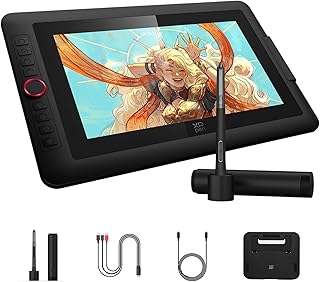
XPPen Artist 13.3 Pro V2 Drawing Tablet with Screen
Why We Love It

XP-Pen Artist12 11.6 Inch FHD Drawing Monitor Pen Display
Why We Love It

XPPen 6 * 4 inch Drawing Tablet with 16384 Pressure Levels
Why We Love It

XPPen Artist 22 Plus Drawing Display Digital Drawing Monitor
Why We Love It

Ugee 15.4 inch Drawing Tablet with Screen,143% sRGB UE16
Why We Love It

HUION HS64 Graphics Drawing Tablet Battery-Free Stylus
Why We Love It

XP-Pen®G640 6 x 4 inch Graphic Drawing Tablet for OSU!
Why We Love It
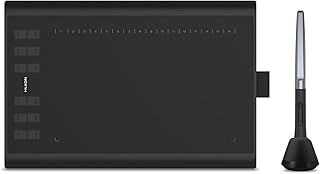
HUION Inspiroy H1060P Graphics Drawing Tablet
Why We Love It
Quick Pick
10 Best Graphics Tablets With Screen Of 2026
Quick Pick
XP-Pen Artist15.6 Pro v2 Drawing Tablet Pen Display Graphics Monitor with Screen, 16384 Levels Pen Pressure Full-Laminated Technology, 8 Shortcut Keys Work for PC Mac Linux Android
VEIKK Graphic Drawing Tablet with Screen, VK1200 11.6'' Digital Drawing Pad with 2 Battery-Free Pens 6 Shortcut Keys Tilt Function 8192 Pressure Electronic Writing Pad for Laptop PC for Windows Mac
XPPen Artist 13.3 Pro V2 Drawing Tablet with Screen,125% sRGB Graphic Tablet for 13.3" Full-Laminated Art Tablet with Anti-Glare Glass, Dial for PC, Mac, Android, Linux Black,16384 Pen Pressure
XP-Pen Artist12 11.6 Inch FHD Drawing Monitor Pen Display Graphic Monitor with PN06 Battery-Free Multi-Function Pen Holder and Glove 8192 Pressure Sensitivity
XPPen 6 * 4 inch Drawing Tablet with 16384 Pressure Levels IT640 Digital Graphic Art Tablet Battery-Free Stylus 60° Tilt Support OSU Drawing Pad for Beginner Compatible with Android Windows macOS
XPPen Artist 22 Plus Drawing Display Digital Drawing Monitor Graphic Tablet with Screen 22 Inch
Ugee 15.4 inch Drawing Tablet with Screen,143% sRGB UE16 Computer Graphics Tablet with Full-Laminated Screen 8+1 Hot Keys 16K Level Pressure Battery-Free Stylus,Drawing Pad for PC/Windows/Mac/Android
HUION HS64 Graphics Drawing Tablet Battery-Free Stylus Android Windows macOS with 6.3 x 4 in Working Area Pen Tablet for Linux, Mac, Windows PC and Android
XP-Pen®G640 6 x 4 inch Graphic Drawing Tablet for OSU! Digital Tablet Gameplay with Our Battery-Free Stylus Design
HUION Inspiroy H1060P Graphics Drawing Tablet, 10 x 6.25 in, 12+16 Hot Keys | 8192 Pressure Levels, Battery-Free Stylus, Digital Art Tablet Works with Mac, Windows PC and Android
Buying Guide: Graphics Tablets With Screen
📋 Table of Contents
1What screen size and resolution should I look for?
A 13-16 inch screen with at least 1920x1080 resolution is ideal for most digital artists, offering enough space for detailed work without eye strain. Larger screens (19+ inches) suit professionals who need more real estate for complex projects.
2How important is pen pressure sensitivity?
Look for at least 4096 levels of pressure sensitivity for smooth shading and natural brush control. Higher levels (8192 or more) offer finer control, but the software and your skill level matter more than the number alone.
3Do I need a built-in stylus or should I buy one separately?
Most tablets include a basic stylus, but if you want features like tilt recognition or replaceable nibs, consider a premium model. A separate stylus with palm rejection and customizable buttons can improve workflow for advanced users.
4What connectivity options are essential for my setup?
USB-C or HDMI is standard for connecting to a computer or monitor, but wireless Bluetooth support offers more flexibility. Ensure your tablet supports the same ports as your devices to avoid compatibility issues.
5Is a touch screen necessary for digital art?
A touch screen allows direct finger interaction and can speed up navigation, but it's not essential if you're using a stylus most of the time. Consider your workflow — some artists prefer a hybrid approach for sketching and zooming.
How we choose
Our editors are people who genuinely love testing and writing about products. We compare each product's real-world usability and strengths, then distill what matters most into our own "Why We Love It" points — so you get an honest, at-a-glance sense of what counts before you buy.