10 Best Gl.inet Comet Kvm Switches Of 2026
Gl.inet Comet Kvm Switches — Reviews, Recommendations & Updated Buying Guide November 2026

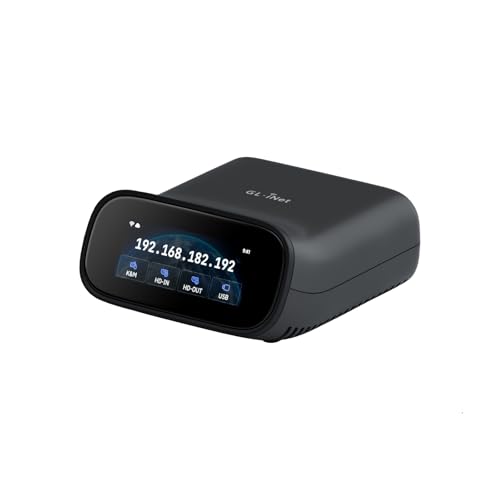
GL.iNet GL-RM10 Comet Pro Remote KVM Over Wi-Fi 6 Dual Band
Why We Love It


GL.iNet Comet Q (GL-RMQ1) Pocket KVM
Why We Love It

GL.iNet Comet X (GL-RM4PE) Quad-Port Remote KVM for Home Lab
Why We Love It

GL.iNet Comet PoE Remote KVM GL-RM1PE with Tailscale 4K
Why We Love It

ATX Remote PC Power Control Board
Why We Love It

ATX Remote PC Power Control Board
Why We Love It
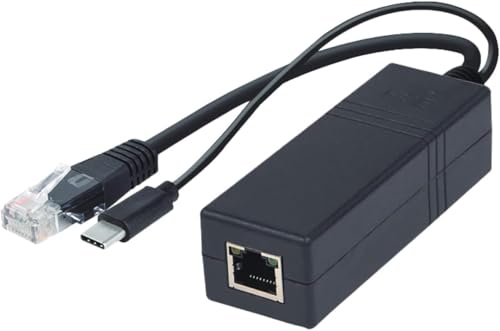
GL.iNet PoE to Type-C Splitter 5V 2.5A Gigabit 802.3af for
Why We Love It
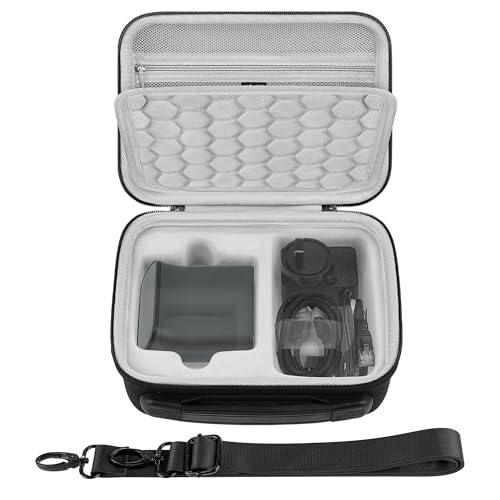
Geekria Hard Shell Travel Case
Why We Love It
Quick Pick
10 Best Gl.inet Comet Kvm Switches Of 2026
Quick Pick
GL.iNet GL-RM10 Comet Pro Remote KVM Over Wi-Fi 6 Dual Band 4K Passthrough
GL.iNet Comet Q (GL-RMQ1) Pocket KVM, Plug & Play Remote for Laptop iPhone
GL.iNet Comet X (GL-RM4PE) Quad-Port Remote KVM for Home Lab and IT Pro
GL.iNet Comet PoE Remote KVM GL-RM1PE with Tailscale 4K Streaming
ATX Remote PC Power Control Board - Comet GL-RM1 and Comet PoE (GL-RM1PE) Accessories - Only for GL.iNet KVM - Boot from Shutdown, Crash Recovery
ATX Remote PC Power Control Board - Comet GL-RM1 and Comet PoE (GL-RM1PE) Accessories - Only For GL.iNet KVM - Boot From Shutdown, Crash Recovery
GL.iNet PoE to Type-C Splitter 5V 2.5A Gigabit 802.3af for Comet KVM
Geekria Hard Shell Travel Case, Compatible with GL.iNet Comet Pro (GL-RM10), Remote KVM Switch Carrying Bag (Dark Gray)
Buying Guide: Gl.inet Comet Kvm Switches
📋 Table of Contents
1How many devices can a KVM switch realistically handle?
Most KVM switches support 2-16 devices, with 4-8 being common for home or small office use. If you manage more than 8 computers regularly, look for a switch with expandable ports or daisy-chaining support for scalability.
2Does the type of connection (USB, IP-based, etc.) matter for performance?
Yes — USB KVMs are simple and fast for local use, while IP-based models let you control devices remotely over a network. For high-speed video and input, ensure the switch supports the required resolution and refresh rate for your monitors.
3What resolution and refresh rate should I look for?
Choose a KVM switch that supports at least 1920x1080@60Hz for standard use, or 4K@60Hz if you work with high-resolution displays. Lower-end models may struggle with lag or reduced clarity when switching between devices.
4Are audio and USB peripheral support important?
If you need to share a microphone, speakers, or USB devices like printers, look for a KVM switch with audio pass-through and USB 3.0 or higher. Some models only support basic USB 2.0, which limits transfer speeds and compatibility.
5Is a KVM switch worth it over using multiple monitors and keyboards?
KVM switches save desk space and reduce cable clutter when managing multiple computers. They’re ideal for IT professionals or power users, but if you only use 2-3 systems occasionally, a simple docking station or hotkey setup might be more cost-effective.
How we choose
Our editors are people who genuinely love testing and writing about products. We compare each product's real-world usability and strengths, then distill what matters most into our own "Why We Love It" points — so you get an honest, at-a-glance sense of what counts before you buy.