10 Best Gigabyte Gaming Monitor 2k Qhd Of 2026
Gigabyte Gaming Monitor 2k Qhd — Reviews, Recommendations & Updated Buying Guide November 2026


Gigabyte G27Q2 27” 2K QHD Gaming Monitor - 2560 x 1440
Why We Love It


Gigabyte GO27Q24G 27” W-OLED 2K QHD Gaming Monitor
Why We Love It

Gigabyte MO27Q2A ICE 27” OLED 2K QHD Gaming Monitor
Why We Love It

Gigabyte MO27Q2A 27” OLED 2K QHD Gaming Monitor
Why We Love It
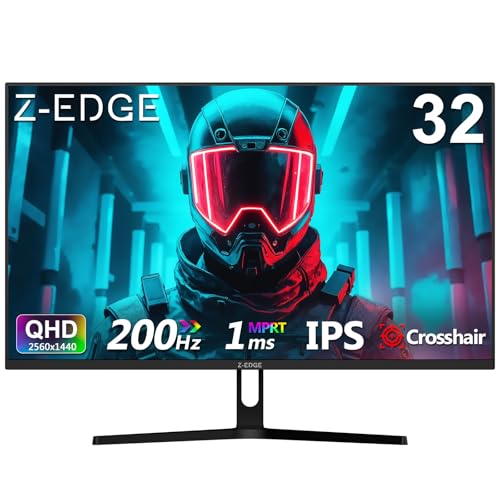
Z-Edge 32 Inch Gaming Monitor
Why We Love It

Gigabyte M27Q3 2K QHD Gaming Monitor - 27 Inch
Why We Love It

DarkFlash S275QR 27 Inch 2K(QHD) 240Hz 1MS Fast IPS Gaming
Why We Love It

LG 32G600A-B 32-inch Ultragear QHD (2560 x 1440) Curved
Why We Love It

Z-EDGE 27inch gaming monitor
Why We Love It

Gawfolk 27 inch IPS Gaming Monitor 2K 165Hz QHD(2560x1440)
Why We Love It
Quick Pick
10 Best Gigabyte Gaming Monitor 2k Qhd Of 2026
Quick Pick
Gigabyte G27Q2 27” 2K QHD Gaming Monitor - 2560 x 1440, 200Hz, 1ms, 350 cd/m², G-Sync Compatible, FreeSync Premium, HDR10, HDMI 2.0, Displayport 1.4
Gigabyte GO27Q24G 27” W-OLED 2K QHD Gaming Monitor - 2560 x 1440, 240Hz, 0.03ms, 275 cd/m², FreeSync Premium, G-Sync Compatible, HDMI 2.1, Displayport 1.4
Gigabyte MO27Q2A ICE 27” OLED 2K QHD Gaming Monitor - 2560 x 1440, 280Hz, 0.03ms, 250 cd/m², FreeSync Premium Pro, DisplayHDR True Black 400, HDMI 2.1, Displayport 1.4
Gigabyte MO27Q2A 27” OLED 2K QHD Gaming Monitor - 2560 x 1440, 280Hz, 0.03ms, 250 cd/m², FreeSync Premium Pro, DisplayHDR True Black 400, HDMI 2.1, DisplayPort 1.4
Z-Edge 32 Inch Gaming Monitor, QHD 2K 200Hz,IPS LED,FreeSync,100% sRGB,UG32
Gigabyte M27Q3 2K QHD Gaming Monitor - 27 Inch, 300Hz, 1ms GtG, FreeSync Premium, G-SYNC Compatible, KVM, SuperSpeed IPS, DisplayHDR 400, HDMI 2.1,
darkFlash S275QR 27 Inch 2K(QHD) 240Hz 1MS Fast IPS Gaming Monitor, HDR10+, 100% sRGB,1.07B Colors, Compatible with HDMI/DP, ARGB Backlight Esports Monitor for Gamers (27inch 240Hz 2KQHD)
LG 32G600A-B 32-inch Ultragear QHD (2560 x 1440) Curved Gaming Monitor, 180Hz, 1ms, AMD FreeSync, HDMI, DisplayPort, Tilt/Height/Swivel Adjustable Stand, Black
Z-EDGE 27inch gaming monitor,16:9 2K 2560x1440,240Hz/IPS/FreeSync,UG27QS | MPRT 1ms/1000:1 Contrast Ratio/16.7 Million Colors/400cd/m²Brightness/VESA/HDMIx 2 & DP x 2
Gawfolk 27 inch IPS Gaming Monitor 2K 165Hz QHD(2560x1440) Display Screen | 1440P Computer Monitors Fast 1ms(GTG) 100%sRGB FreeSync RGB Lighting Height/Swivel Adjustable Suitable for business office
Buying Guide: Gigabyte Gaming Monitor 2k Qhd
📋 Table of Contents
1What refresh rate should I choose for a Gigabyte 2K gaming monitor?
For competitive gaming, look for 144Hz or higher to get smooth, responsive gameplay. If you're playing slower-paced games or want better image quality over speed, 60-75Hz is adequate, but 144Hz+ is worth it if your GPU can handle it.
2What's the difference between IPS and VA panels in Gigabyte 2K monitors?
IPS panels offer better color accuracy and wider viewing angles, making them ideal for gaming and creative work. VA panels deliver higher contrast and deeper blacks, which some gamers prefer for immersion, but they have slower response times and narrower viewing angles.
3How do I know if a Gigabyte 2K monitor will fit my desk setup?
Check the monitor's width, height, and depth dimensions before buying—most 27-inch 2K models are around 61cm wide. Also verify your desk depth and GPU cable routing, and confirm your monitor arm or stand has proper VESA mounting compatibility.
4What response time should I look for in a gaming-focused Gigabyte 2K monitor?
Aim for 1-2ms (gray-to-gray) for competitive shooters and fast-paced games where every millisecond counts. For casual gaming and general use, 4-5ms is perfectly fine and often comes with better color quality.
5Is it worth paying extra for advanced features like HDR or G-Sync on a Gigabyte 2K monitor?
G-Sync or FreeSync is valuable if you game regularly and want tear-free visuals, especially if your GPU supports it. HDR can enhance visuals significantly, but it's less critical for gaming than a fast refresh rate and low response time.
How we choose
Our editors are people who genuinely love testing and writing about products. We compare each product's real-world usability and strengths, then distill what matters most into our own "Why We Love It" points — so you get an honest, at-a-glance sense of what counts before you buy.