10 Best Gaming Webcams For Streaming Of 2026
Gaming Webcams For Streaming — Reviews, Recommendations & Updated Buying Guide November 2026

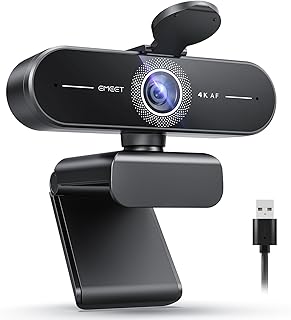
EMEET C60E 4K Webcam for Streaming & Gaming – PDAF Autofocus
Why We Love It


UGREEN 4K/30fps Webcam for PC
Why We Love It

EMEET C960 1080P Webcam with Microphone
Why We Love It
UGREEN USB Webcam, Full HD 1080P/30fps Webcam for PC
Why We Love It

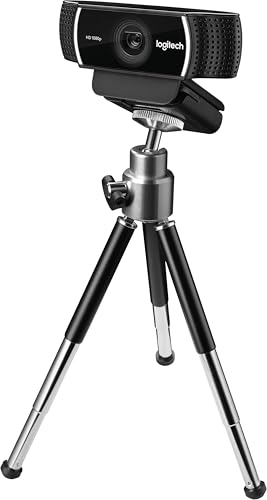
Logitech C922 Pro Stream Webcam
Why We Love It
City Classified Womens Sandals
Why We Love It

EMEET PIXY Dual-Camera AI-Powered PTZ Camera 4K
Why We Love It

Insta360 Link 2C - 4K Webcam for PC/Mac
Why We Love It
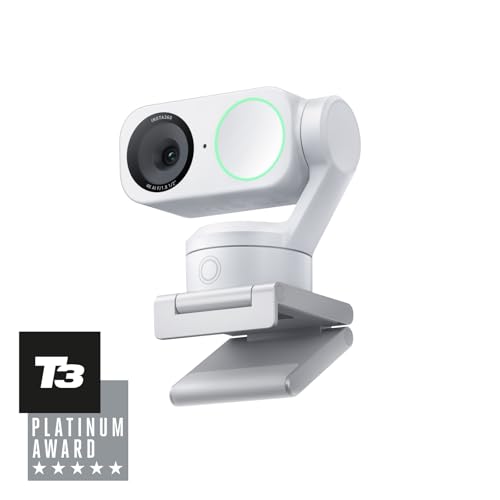
Insta360 Link 2 Arctic White - PTZ 4K Webcam for PC/Mac
Why We Love It

UGREEN 2K/30fps Webcam for PC
Why We Love It
Quick Pick
10 Best Gaming Webcams For Streaming Of 2026
Quick Pick
EMEET C60E 4K Webcam for Streaming & Gaming – PDAF Autofocus | Dual Mics, Live Streaming Camera with Auto Light Correction, Plug & Play USB Webcam for PC & Mac
UGREEN 4K/30fps Webcam for PC, Full HD Webcam for Laptop, Clear Stereo Audio Microphone, Auto Light Correction, 70° View Web Cam USB Camera for Live Streaming, Video Calling, Conferences | Support Clear Stereo Audio Microphone, 70° View Web Cam USB Camera for Laptop, Live Streaming, Video Calling, Conferences
EMEET C960 1080P Webcam with Microphone - Web Camera for PC & Laptop | Full HD Webcam|Privacy Cover|90° Angle Streaming Camera|Light Correction|for Linux, Win10, Mac OS|Dual Microphone|Plug & Play
UGREEN USB Webcam, Full HD 1080P/30fps Webcam for PC, Webcam with Microphone, Clear Stereo Audio, Auto Light Correction, 85° View Web Cam for Live Streaming, Video Calling, Studying, Conferences | Clear Stereo Audio Mics, Fixed Focus, Plug&Play, 85° View Webcam USB Camera for Live Streaming, Video Calling, Conferences
Logitech C922 Pro Stream Webcam, HD 1080p/30fps or 720p/60fps Hyperfast Streaming, Stereo Audio, Light Correction, Autofocus, for YouTube, Twitch, XSplit, PC/Mac/Laptop/MacBook/Tablet-Black | Full HD 1080p, 78° field of view, autofocus, exposure compensation, H.264, USB, for streaming via OBS/Xsplit - black
City Classified Womens Sandals - black - 40 EU
EMEET PIXY Dual-Camera AI-Powered PTZ Camera 4K, AI Tracking
Insta360 Link 2C - 4K Webcam for PC/Mac, 1/2" Sensor, Auto Framing, HDR, AI Noise-Canceling Mic, Gesture Control for Streaming, Video Calls, Gaming, Works with Zoom, Teams, Twitch & More
Insta360 Link 2 Arctic White - PTZ 4K Webcam for PC/Mac, 1/2" Sensor, AI Tracking, HDR, AI Noise-Canceling Mic, Gesture Control for Streaming, Video Calls, Gaming, Works with Zoom, Teams, & More
UGREEN 2K/30fps Webcam for PC, Automatic Light Correction, Webcam with Dual Microphones, Privacy Cover, Plug & Play, PC Camera for Mac, Laptop, Zoom, Skype, Streaming, Video Calling & Conferences | Plug and Play for Windows MacOS Linux Streaming Youtube Skype Call Video Zoom Video Conference(Grey)
Buying Guide: Gaming Webcams For Streaming
📋 Table of Contents
1What resolution and frame rate should I look for in a gaming webcam for streaming?
Opt for at least 1080p resolution with 30fps for smooth, clear video. For higher-quality streams, 4K at 30fps or 1080p at 60fps is ideal, especially if you want to show fast in-game action or facial expressions clearly.
2Does auto-focus or manual focus matter for streaming?
Auto-focus is convenient for dynamic scenes, but manual focus gives more control for consistent framing, especially in low-light or when using a ring light. Choose based on your setup and streaming style.
3What lighting features should I consider for a gaming webcam?
Look for webcams with built-in IR night vision or low-light correction for dim environments. External ring lights or softbox lighting can also enhance your appearance and reduce shadows during streams.
4Is a USB 3.0 connection necessary for streaming?
Yes — USB 3.0 provides faster data transfer and supports higher resolutions and frame rates. USB 2.0 may cause lag or lower quality, especially with 1080p at 60fps or 4K streams.
5What accessories are worth getting with a gaming webcam?
A flexible tripod or mount allows for better positioning, while a privacy cover or lens cap protects the camera when not in use. A pop filter is also useful if you plan to stream with voiceover or commentary.
How we choose
Our editors are people who genuinely love testing and writing about products. We compare each product's real-world usability and strengths, then distill what matters most into our own "Why We Love It" points — so you get an honest, at-a-glance sense of what counts before you buy.