10 Best Gaming Capture Cards Of 2026
Gaming Capture Cards — Reviews, Recommendations & Updated Buying Guide November 2026


FIFINE AmpliGame V3 Video Capture Card for Audio Video
Why We Love It


Capture Card Nintendo Switch
Why We Love It

BENFEI Video/Audio Capture Card Supporting Full HD 1080P
Why We Love It
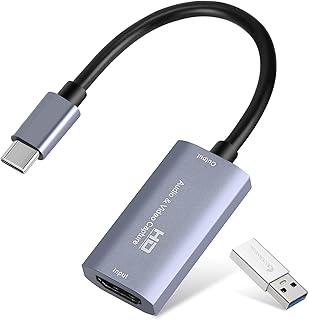
Video Capture Card
Why We Love It

UGREEN Video Capture Card HDMI to USB C 2K@30Hz 1080P@60fps
Why We Love It

UGREEN Video Capture Card HDMI to USB C 1080P 60FPS Capture
Why We Love It
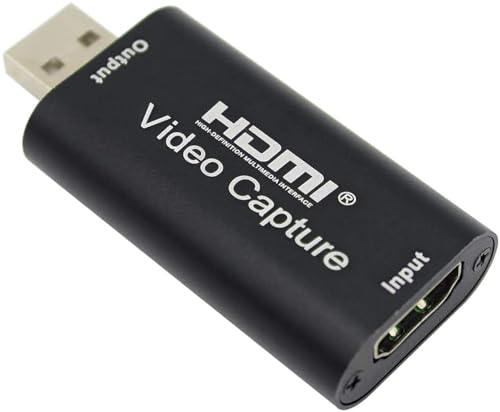
4K Video Capture Card
Why We Love It

Elgato Cam Link 4K Capture Card for DSLR
Why We Love It
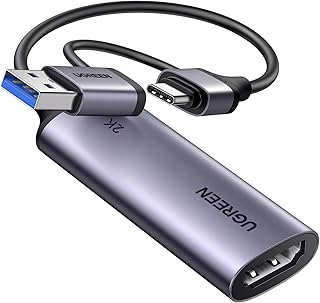
UGREEN Video Capture Card HDMI to USB C 2K@30Hz 1080P@60fps
Why We Love It

Elgato 4K S External Capture Card for PS5
Why We Love It
Quick Pick
10 Best Gaming Capture Cards Of 2026
Quick Pick
FIFINE AmpliGame V3 Video Capture Card for Audio Video, Gaming,Streaming
Capture Card Nintendo Switch, Video Capture Card, Game Capture Card 4K 1080P 60FPS, HDMI to USB 3.0 Capture Card for Streaming Work with PS4/PC/OBS/Camera
BENFEI Video/Audio Capture Card Supporting Full HD 1080P 60FPS for Streaming, Recording, Gaming, Compatible with Switch, PS4, PS5, Xbox, Work with PC/Windows/Mac OS
Video Capture Card, USB3.0 HDMI to USB C Audio Capture Card, 4K 1080P 60FPS Capture with Type-C Adapter Devices for Gaming Live Streaming Video Recorder, Compatible with Windows Mac OS System OBS Zoom
UGREEN Video Capture Card HDMI to USB C 2K@30Hz 1080P@60fps Game Record | 4K Passthrough Loop-out Streaming Device Compatible with Quest 3/3s PS5 PS4 Xbox Switch iPad DSLR Camera Mac Laptop PC
UGREEN Video Capture Card HDMI to USB C 1080P 60FPS Capture | 4K Input Audio Game Recording Streaming Device Compatible with Switch PS5 Xbox DSLR iPad PC Laptop Phone Quest 3 TV Box
4K Video Capture Card, HDMI to USB Capture Card 1080P for Streaming Recording Gaming, Compatible with Switch PS5 Xbox, Live Broadcast for PC Mac OBS Twitch YouTu
Elgato Cam Link 4K Capture Card for DSLR, Camcorder, Action Cam | HDMI to USB 3.0, Stream in 1080p60 or 4K30/60, Ultra-low latency, Works with OBS, Zoom, Discord, PC/Mac/iPad compatible
UGREEN Video Capture Card HDMI to USB C 2K@30Hz 1080P@60fps | Capturadora Video Streaming Game Recording and Live Streaming Compatible with Quest 3 Switch 2 PS5 PS4
elgato 4K S External Capture Card for PS5, Xbox Series X/S, Switch 2, PC, Mac, iPad, 4K60, 1440p120, 1080p240 Passthrough, HDR10, USB-C, Windows 11, Black
Buying Guide: Gaming Capture Cards
📋 Table of Contents
1What resolution and frame rate should I look for in a capture card?
For smooth gameplay, aim for at least 1080p at 60fps. If you stream 4K or high-end games, look for 4K@30fps or 1080p@120fps support. Higher frame rates reduce lag and make fast action more watchable for viewers.
2Do I need a capture card with hardware encoding or is USB enough?
Hardware-encoded cards (like those with H.264 or H.265 chips) offload processing from your PC, reducing CPU use and lag. USB-only models are cheaper but may struggle with high-bitrate streams or on weaker systems. Choose based on your PC's power and streaming needs.
3What input types are essential for my setup?
HDMI is standard for most consoles and PCs, while SDI is used in professional setups. If you plan to capture from multiple sources, look for dual-input models. USB capture devices are great for low-latency internal streaming but lack external input flexibility.
4How important is audio input and sync?
A capture card with embedded audio ensures game and voice sync without extra cables. Separate audio inputs let you mix game sound with a mic or external audio source. For live streaming, synced audio is critical to avoid delays that disrupt viewer experience.
5What accessories or software should I check for?
Look for bundled capture software with features like scene switching, overlays, and low-latency streaming. A capture card with a built-in monitor output or loop-through port is handy for dual-screen setups. Some models include a USB cable, but others require you to buy one separately.
How we choose
Our editors are people who genuinely love testing and writing about products. We compare each product's real-world usability and strengths, then distill what matters most into our own "Why We Love It" points — so you get an honest, at-a-glance sense of what counts before you buy.