10 Best Galaxy Tab With Pen Of 2026
Galaxy Tab With Pen — Reviews, Recommendations & Updated Buying Guide November 2026


Samsung Galaxy Tab S10 Lite
Why We Love It


Samsung Galaxy Tab S10 FE
Why We Love It
Samsung Galaxy Tab S10 FE
Why We Love It

Samsung Galaxy Tab S10 Lite
Why We Love It
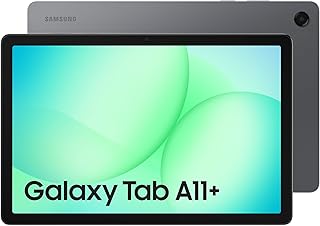
Samsung Galaxy Tab A11+
Why We Love It

Samsung Galaxy Tab S10+
Why We Love It

Samsung Galaxy Tab S10 FE+ Plus with S-Pen
Why We Love It

Samsung Galaxy Tab S8+ Android Tablet
Why We Love It

Samsung
Why We Love It

Samsung Galaxy Tab S10 FE+ 13.1” 256GB WiFi Tablet
Why We Love It
Quick Pick
10 Best Galaxy Tab With Pen Of 2026
Quick Pick
Samsung Galaxy Tab S10 Lite, 6GB RAM, 128GB, 2TB Expand, Long Battery Life, 10.9” LCD, S Pen for Note-Taking, Exynos 1380, Circle to Search, AI Tools, Gray
Samsung Galaxy Tab S10 FE, WIFI Android Tablet, 8GB RAM, 128GB Storage, 10.9” Screen, 90Hz Display, S Pen Included, IP68, Long Battery Life, Gray (UAE Version)
Samsung Galaxy Tab S10 FE, WIFI Android Tablet, 12GB RAM, 256GB Storage, 10.9” Screen, 90Hz Display, S Pen Included, IP68, Long Battery Life, Gray (UAE Version)
Samsung Galaxy Tab S10 Lite, AI Tablet, 6GB Memory, 128GB Storage, 10.9" 90Hz display, S Pen Included, Long Battery Life, Red - International Version
Samsung Galaxy Tab A11+, WiFi, Android Tablet, Gray, 6GB RAM, 128GB Storage, 11" Screen (UAE Version)
Samsung Galaxy Tab S10+, AI Tablet, Android Tablet, WIFI, 12GB RAM, 256GB Storage, AMOLED Display, Anti-reflection, Durable, S Pen Included, Moonstone Gray (UAE Version)
Samsung Galaxy Tab S10 FE+ Plus with S-Pen, 128GB, 8GB RAM, Wi-Fi Only, 13" LCD, 6E WiFi Tablet, Android 15, 4K Camera, International Model X620, 25W Fast Charger
Samsung Galaxy Tab S8+ Android Tablet, 12.4" LCD Screen, 128GB Storage, S Pen Included, Qualcomm Snapdragon, All-Day Battery, Ultra Wide Camera, 5G + WiFi, Silver (UAE version)
Samsung
Samsung Galaxy Tab S10 FE+ 13.1” 256GB WiFi Tablet, Large Display, Long Battery Life, Exynos 1580 Processor, IP68, Water-Resistant, 90 Hz Refresh, S Pen for Note-Taking, Gray- International Version | Large Display, Long Battery Life, Exynos 1580 Processor, IP68, Water-Resistant, 90 Hz Refresh, S Pen for Note-Taking
Buying Guide: Galaxy Tab With Pen
📋 Table of Contents
1What should I look for in a Galaxy Tab with Pen?
Look for a tablet with a high-resolution display, good battery life, and a stylus that offers precise pressure sensitivity and a comfortable grip.
2What are the key specifications to consider?
Key specs include screen size, resolution, RAM, storage capacity, and the type of stylus (e.g., S Pen with Bluetooth or magnetic attachment).
3How do I ensure the pen is compatible with the tablet?
Check that the pen is specifically designed for the Galaxy Tab model you are purchasing, as compatibility can vary between different generations.
4When should I pay more for a Galaxy Tab with Pen?
Pay more if you need advanced features like higher performance, larger storage, or a premium stylus with enhanced functionality such as Bluetooth connectivity or palm rejection.
5What are common mistakes to avoid when buying a Galaxy Tab with Pen?
Common mistakes include ignoring the stylus battery life, not checking for software compatibility, and overlooking the need for a protective case or screen cover for the pen.
How we choose
Our editors are people who genuinely love testing and writing about products. We compare each product's real-world usability and strengths, then distill what matters most into our own "Why We Love It" points — so you get an honest, at-a-glance sense of what counts before you buy.