10 Best Focusrite Audio Interfaces Of 2026
Focusrite Audio Interfaces — Reviews, Recommendations & Updated Buying Guide November 2026

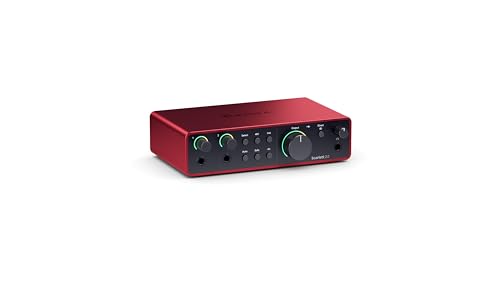
Focusrite Scarlett 2i2 4th Gen USB-C Audio Interface
Why We Love It


Focusrite Scarlett Solo 4th Gen USB-C Audio Interface
Why We Love It

Focusrite Scarlett 3rd Gen Audio Interface
Why We Love It

Focusrite Scarlett 18i16 4th Gen USB-C Audio Interface
Why We Love It

Scarlett 2i2 Studio 4th Gen
Why We Love It

Focusrite Scarlett Solo Studio 4th Gen USB-C Audio Interface
Why We Love It

AudioDeluxe Focusrite Scarlett 2i2 Studio (4th Gen) USB
Why We Love It
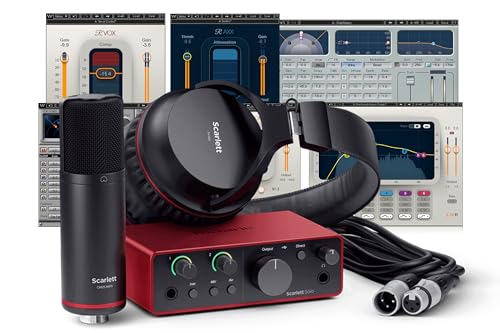
AudioDeluxe Focusrite Scarlett Solo Studio (4th Gen) USB
Why We Love It

Focusrite Scarlett Solo 4th Gen USB Interface with Software
Why We Love It

AudioDeluxe Focusrite Scarlett 2i2 (4th Gen) USB Audio
Why We Love It
Quick Pick
10 Best Focusrite Audio Interfaces Of 2026
Quick Pick
Focusrite Scarlett 2i2 4th Gen USB-C Audio Interface
Focusrite Scarlett Solo 4th Gen USB-C Audio Interface
Focusrite Scarlett 3rd Gen Audio Interface
Focusrite Scarlett 18i16 4th Gen USB-C Audio Interface
Scarlett 2i2 Studio 4th Gen
Focusrite Scarlett Solo Studio 4th Gen USB-C Audio Interface Bundle
AudioDeluxe Focusrite Scarlett 2i2 Studio (4th Gen) USB Audio Interface and Waves Musicians 2 Bundle
AudioDeluxe Focusrite Scarlett Solo Studio (4th Gen) USB Audio Interface and Waves Musicians 2 Bundle
Focusrite Scarlett Solo 4th Gen USB Interface with Software Suite, Bundle with H&A 10' XLR Microphone Cable
AudioDeluxe Focusrite Scarlett 2i2 (4th Gen) USB Audio Interface and Waves Musicians 2 Bundle
Buying Guide: Focusrite Audio Interfaces
📋 Table of Contents
1How many inputs do I actually need for my setup?
For solo recording, 2 inputs (1 for mic, 1 for instrument) are usually enough. If you plan to record a band or multiple sources at once, look for 4-8 inputs to avoid overloading your workflow with multiple passes.
2What is the importance of preamps in an audio interface?
Preamps boost weak signals from microphones or instruments to line level. Higher-quality preamps offer cleaner, more transparent sound with less noise, which is crucial for professional-grade recordings and vocal clarity.
3Should I prioritize USB or Thunderbolt connectivity?
USB is widely compatible and sufficient for most home studios, while Thunderbolt offers faster data transfer and lower latency, ideal for large sessions with many tracks or high sample rates. Match the connection to your computer and project needs.
4What sample rate and bit depth should I look for?
A minimum of 44.1kHz and 24-bit depth is standard for CD-quality audio, but 48kHz and 24-bit is better for professional work. Higher rates and depths give more detail and flexibility during mixing and mastering.
5Are phantom power and MIDI support essential for me?
Phantom power (48V) is needed for condenser microphones, so it's essential if you use them. MIDI support is only necessary if you plan to connect and control external synthesizers or digital instruments through your interface.
How we choose
Our editors are people who genuinely love testing and writing about products. We compare each product's real-world usability and strengths, then distill what matters most into our own "Why We Love It" points — so you get an honest, at-a-glance sense of what counts before you buy.