10 Best Floppy Diskettes Of 2026
Floppy Diskettes — Reviews, Recommendations & Updated Buying Guide November 2026


Disk 1.44MB Floppy Disc 10-Pack
Why We Love It


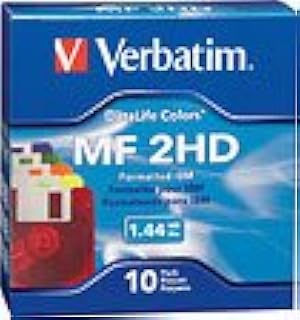
Verbatim DataLife High Density 3.5 inch Microdisks MF-2HD 10
Why We Love It

Maxell 1.44MB Floppy Disk
Why We Love It

Floppy Disk
Why We Love It

NEW Imation 25 Pack 2HD 3.5" 1.44 Floppy Disks IBM Formatted
Why We Love It
Verbatim Floppy Disks (10-Pack)
Why We Love It

TDK 3.5in DS/HD Floppy Discs (T06050)
Why We Love It

Imation 3.5 HD DS Mac Formatted Floppy Disk Pack (10 Neon
Why We Love It

Imation - 3-1/2" Diskettes
Why We Love It

Generic Floppy Disks--New 10 Pack
Why We Love It
Quick Pick
10 Best Floppy Diskettes Of 2026
Quick Pick
Disk 1.44MB Floppy Disc 10-Pack
Verbatim DataLife High Density 3.5 inch Microdisks MF-2HD 10 Diskettes Per Pack
Maxell 1.44MB Floppy Disk
Floppy Disk – 3.5" 1.44Mbps Floppy Disks for Data Storage (10-Pack) (Discontinuado by Manufacturer)
NEW Imation 25 Pack 2HD 3.5" 1.44 Floppy Disks IBM Formatted
Verbatim Floppy Disks (10-Pack) - Multicolor
TDK 3.5in DS/HD Floppy Discs (T06050)
Imation 3.5 HD DS Mac Formatted Floppy Disk Pack (10 Neon Colored Disks, 1.4 MB)
Imation - 3-1/2" Diskettes, Formatted, PC Format, 1.44MB, DS-HD
Generic Floppy Disks--New 10 Pack, 1.44MB. Black with metal shutter. Formatted in 2024
Buying Guide: Floppy Diskettes
📋 Table of Contents
1What capacity do I need - 3.5" 1.44MB or 2.88MB?
The 3.5" 1.44MB is the standard format that works with almost all older computers and drives, while 2.88MB disks are rarely compatible and harder to find. Unless you have specific legacy equipment that supports 2.88MB, stick with 1.44MB for reliability and availability.
2Should I buy new or refurbished floppy diskettes?
New diskettes are worth the extra cost since they have better reliability and longer shelf life, especially if you're storing important data. Refurbished disks may have degraded magnetic coatings or mechanical issues that cause data loss.
3What's the difference between branded and generic diskettes?
Branded diskettes from established manufacturers typically have better quality control and more consistent performance, while generic ones may have higher failure rates. For critical data, the reliability difference justifies choosing known brands.
4How many diskettes do I need to store my data?
Each 1.44MB disk holds roughly 1.4MB of data, so calculate your total file size and add 20% extra for safety. If you're backing up modern files or software, you'll likely need multiple disks.
5Do I need to format diskettes before use?
Most new diskettes come pre-formatted and ready to use, but older bulk diskettes may need formatting in your drive. Check the packaging - if it says "unformatted," you'll need to format them first using a compatible drive.
How we choose
Our editors are people who genuinely love testing and writing about products. We compare each product's real-world usability and strengths, then distill what matters most into our own "Why We Love It" points — so you get an honest, at-a-glance sense of what counts before you buy.