10 Best Fitueyes Computer Carts Of 2026
Fitueyes Computer Carts — Reviews, Recommendations & Updated Buying Guide November 2026

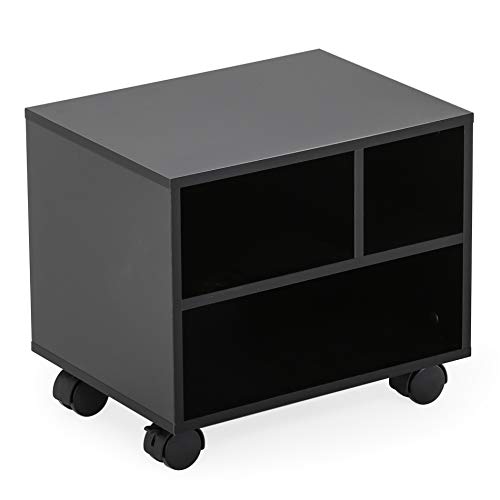
FITUEYES Mobile Printer Stand with Storage
Why We Love It


Beauenty Printer Stand with Wheels
Why We Love It

FITUEYES Mobile Printer Stand Work Cart with Wheels for Home
Why We Love It
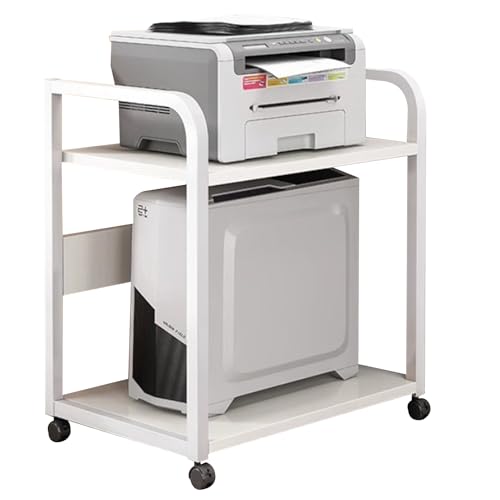
Beauenty Wood Desktop Printer Stand 3 Tier Printer Offices
Why We Love It

Printer Stand Rolling File Cabinet Cart with Storage Drawer
Why We Love It

U-HOOME 3 Tier Rolling Cart with Wooden Tabletop
Why We Love It
Quick Pick
10 Best Fitueyes Computer Carts Of 2026
Quick Pick
FITUEYES Mobile Printer Stand with Storage, Wood Small Printer Table, Black
Beauenty Printer Stand with Wheels, 3-Tier Wood Printer Storage Rack for Office Equipment, Rolling Printer Cart with Storage Shelves for Office Home School (Walnut)
FITUEYES Mobile Printer Stand Work Cart with Wheels for Home Office Storage,Underdesk Unit PS304003WB
Beauenty Wood Desktop Printer Stand 3 Tier Printer Offices Space Organizer, Mobile Rolling Computer Printer Cart Holder with Lockable Wheels(Style 4)
Printer Stand Rolling File Cabinet Cart with Storage Drawer, Mobile Filing Cabinet on Lockable Wheel, Printer Cart with Hanging File Folder Organizer Beside Under Desk for Office Home
U-HOOME 3 Tier Rolling Cart with Wooden Tabletop,Foldable Metal Storage Trolley Cart Organizer Printer Table Cart,Movable Storage Cart Organizer with Wheels for Kitchen,Office,Bedroom
Buying Guide: Fitueyes Computer Carts
📋 Table of Contents
1What weight capacity should I look for in a Fitueyes computer cart?
Most Fitueyes carts handle 20-30 kg, which covers standard monitors, keyboards, and peripherals. Check your total equipment weight before buying—add a few kilos to your estimate to ensure safe, stable operation over time.
2Are Fitueyes carts suitable for small spaces or apartments?
Yes, they're designed to be compact and mobile, making them ideal for tight areas. Look for models with casters that lock to prevent rolling when you're not moving it, especially on hardwood or tile floors.
3What's the difference between single-shelf and multi-shelf Fitueyes carts?
Single-shelf models work best for just a monitor and keyboard, while multi-shelf versions let you store printers, documents, or extra equipment on lower tiers. Choose based on what peripherals you actually need to keep within arm's reach.
4How stable are Fitueyes carts, and can they handle an adjustable monitor arm?
They're generally stable for standard equipment, but adding a heavy adjustable arm increases the center of gravity and stress on the base. If you want an adjustable arm, pick a cart with a wider wheelbase and heavier-duty construction.
5Do I need cable management features when buying a Fitueyes cart?
Cable management clips and ties come standard on most models and help keep your setup neat and prevent tangling. They're not essential but save you time and make the cart easier to move without unplugging everything.
How we choose
Our editors are people who genuinely love testing and writing about products. We compare each product's real-world usability and strengths, then distill what matters most into our own "Why We Love It" points — so you get an honest, at-a-glance sense of what counts before you buy.