10 Best Fighting Sticks For Pc Of 2026
Fighting Sticks For Pc — Reviews, Recommendations & Updated Buying Guide November 2026


HORI Fighting Stick Mini for PS5
Why We Love It


HORI PlayStation 5 Fighting Stick Alpha (TEKKEN 8 Edition)
Why We Love It

Qanba N3 Drone 2 Wired Joystick for PlayStation 5/4 and PC
Why We Love It

8Bitdo Arcade Stick for Xbox Series X|S
Why We Love It

MAYFLASH Universal Arcade Fighting Stick F500 for
Why We Love It

Victrix By Turtle Beach Pro BFG Reloaded Wireless Gaming
Why We Love It

Qanba Q3 Obsidian Silent Arcade Joystick Multifunction
Why We Love It

Qanba Sapphire S1 Street Fighter 6 Juri Edition Leverless
Why We Love It
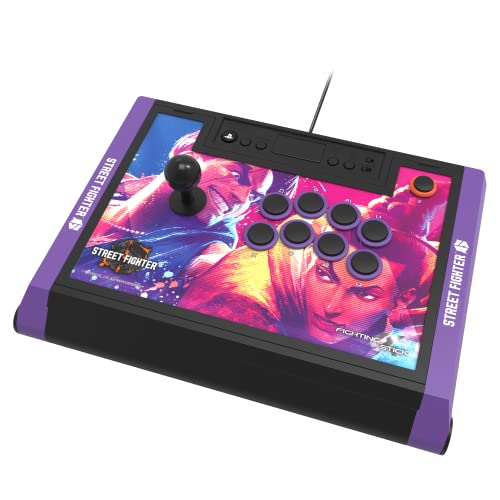
HORI PlayStation 5 Fighting Stick Alpha (Street Fighter 6
Why We Love It
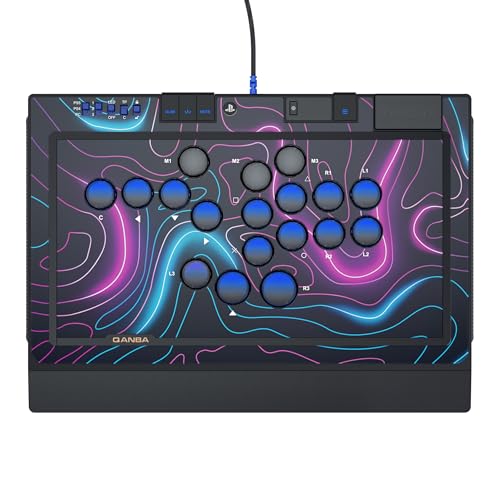
Qanba Sapphire S1 Leverless Controller
Why We Love It
Quick Pick
10 Best Fighting Sticks For Pc Of 2026
Quick Pick
HORI Fighting Stick Mini for PS5, PS4, and PC - Officially Licensed by Sony
HORI PlayStation 5 Fighting Stick Alpha (TEKKEN 8 Edition) - Tournament Grade Fightstick for PS5, PS4, PC - Officially Licensed by Sony
Qanba N3 Drone 2 Wired Joystick for PlayStation 5/4 and PC (Fighting Stick) Officially Licensed Sony Product
8Bitdo Arcade Stick for Xbox Series X|S, Xbox One and Windows 10, Arcade Fight Stick with 3.5mm Audio Jack - Officially Licensed (Black)
MAYFLASH Universal Arcade Fighting Stick F500 for Switch/Switch 2, Xbox Series X/S, Xbox One, Xbox 360, PS4, PS3, Windows, macOS, Android, Raspberry Pi, Steam Deck, PS Classic, NEOGEO mini
Victrix By Turtle Beach Pro BFG Reloaded Wireless Gaming Controller for PS5, PS4 and PC
qanba Q3 Obsidian Silent Arcade Joystick Multifunction Edition for PC (Fighting Stick)
Qanba Sapphire S1 Street Fighter 6 Juri Edition Leverless Arcade Controller Joystick for PlayStation 5 and PlayStation 4 and PC (Fighting Stick) Officially Licensed Sony Product,Detachable Joystick,Tournament Grade for Fighting Games,18 Adjustable Buttons, Detachable Wrist Rest
HORI PlayStation 5 Fighting Stick Alpha (Street Fighter 6 Edition) - Tournament Grade Fightstick for PS5, PS4, PC - Officially Licensed by Sony
Qanba Sapphire S1 Leverless Controller, Officially Licensed PlayStation 5 Controller Sony, Leverless Arcade Stick Fight Stick, Tournament Grade Detachable Joystick, Precise Arcade Controls for PlayStation 5/4/PC
Buying Guide: Fighting Sticks For Pc
📋 Table of Contents
1What input method should I prioritize for PC compatibility?
Look for USB or Bluetooth connectivity. USB is more reliable for low-latency performance, while Bluetooth offers cable-free convenience but may introduce input lag depending on your system's support.
2How many buttons and what layout are best for different games?
Most fighting games use 6-8 buttons, but some require 12 or more for advanced combos. A standard arcade layout with directional pad (D-pad) is ideal for 2D fighters, while hybrid sticks with analog sticks suit 3D or crossover titles.
3Does build quality affect long-term use and responsiveness?
Yes — high-quality arcade sticks use durable materials like metal or reinforced plastic and mechanical switches for consistent button feedback. Cheaper models may use rubber domes that degrade over time and feel less precise.
4What should I look for in a directional pad (D-pad)?
Opt for a 8-way or 4-way Sanwa or Seimitsu D-pad for smooth, accurate inputs. Avoid generic D-pads that may cause double inputs or feel spongy, which can ruin timing in fast-paced games.
5Are software or driver requirements a concern for PC use?
Some sticks require drivers or software for full functionality, especially for custom button mapping. Check if the stick is plug-and-play or needs setup, and ensure compatibility with your operating system before buying.
How we choose
Our editors are people who genuinely love testing and writing about products. We compare each product's real-world usability and strengths, then distill what matters most into our own "Why We Love It" points — so you get an honest, at-a-glance sense of what counts before you buy.