10 Best Epson V850 Of 2026
Epson V850 — Reviews, Recommendations & Updated Buying Guide November 2026


Epson Perfection V850 Pro Photo Scanner 6400 DPI Flatbed
Why We Love It


Epson Perfection V39 II Photo and Document Scanner
Why We Love It
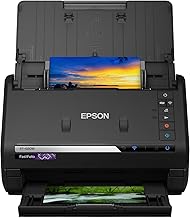
Epson FastFoto FF-680W Wireless High-Speed Photo and
Why We Love It

Canon LiDE 400 Flatbed Scanner
Why We Love It

Epson Expression 13000XL Pro
Why We Love It

Plustek OpticFilm 8300i SE
Why We Love It

Plustek OS1180
Why We Love It

Epson Fluid Mount Accessory for V800 / V850
Why We Love It

EPSON T850700 Ink Cartridge
Why We Love It

OKLILI (12 holes) 35 mm Slide holder Negative Photo Scanner
Why We Love It
Quick Pick
10 Best Epson V850 Of 2026
Quick Pick
Epson Perfection V850 Pro Photo Scanner 6400 DPI Flatbed Scanner | Photos to Digital with Dual Lens System 4.0 Dmax LED Array and Digital ICE Technology
Epson Perfection V39 II Photo and Document Scanner, Black
Epson FastFoto FF-680W Wireless High-Speed Photo and Document Scanning System Black
Canon LiDE 400 Flatbed Scanner, Fast A4 Scanning with USB-C 3.0 Port | A4 flatbed scanning with 48-bit color depth; USB-powered, no consumable cost—scan documents and photos without ink
Epson Expression 13000XL Pro
Plustek OpticFilm 8300i SE - 35mm Negative Film Stripe & Slide Scanner with 38% scan speed increase, Bundle SilverFast SE Plus 9 + QuickScan Plus, Support Mac and Windows.
plustek OS1180 - Flat Scanner for Graphics and Documents in A3 Format, Design Suitable for Libraries, Schools or Small Offices - Scanning A3 Documents in Approximately 9 Seconds
Epson Fluid Mount Accessory for V800 / V850 - Photo Scanner Accessory (B12B818272)
EPSON T850700 Ink Cartridge, Light Black, Genuine
OKLILI (12 holes) 35 mm Slide holder Negative Photo Scanner Film Strip Holder Slide Holder Compatible with Epson Perfection V700 V750 V800 V850
Buying Guide: Epson V850
📋 Table of Contents
1What should I look for in an Epson V850 scanner?
Look for a high optical resolution (at least 1200 dpi), good color depth, and support for various file formats like PDF and JPEG. Ensure it has a flatbed and automatic document feeder for versatility.
2What are the key specifications to consider?
Key specs include optical resolution, scan speed, supported media types, and connectivity options (USB, Wi-Fi). Also, check the maximum document size and duplex scanning capability.
3How do I ensure the Epson V850 is compatible with my computer?
Verify that the scanner is compatible with your operating system (Windows or macOS) and check if it requires specific drivers or software that are available for your system.
4When should I pay more for an Epson V850?
Pay more if you need advanced features like duplex scanning, high-speed scanning, or enhanced color accuracy, especially if you plan to use it for professional or frequent scanning tasks.
5What are common mistakes to avoid when buying an Epson V850?
Avoid buying a model with insufficient resolution for your needs or one that lacks necessary connectivity options. Also, ensure you check for user reviews to avoid models with reliability or compatibility issues.
How we choose
Our editors are people who genuinely love testing and writing about products. We compare each product's real-world usability and strengths, then distill what matters most into our own "Why We Love It" points — so you get an honest, at-a-glance sense of what counts before you buy.