10 Best Epson Scanner Of 2026
Epson Scanner — Reviews, Recommendations & Updated Buying Guide November 2026


Epson WorkForce ES-50 Scanner
Why We Love It


Epson workforce es-580w wireless
Why We Love It

Epson WorkForce ES-60W Scanner
Why We Love It

Epson WorkForce DS-80W Wi-Fi mobile business scanner
Why We Love It

Epson Perfection V39 II Color Photo and Document Flatbed
Why We Love It

Epson WorkForce DS-1630 Flatbed Scanner with ADF
Why We Love It

Epson WorkForce DS-70 Mobile business scanner
Why We Love It

Epson WorkForce ES-500WII Wi-Fi and USB 3.0
Why We Love It

Epson WorkForce DS-1630 Flatbed Document Scanner
Why We Love It
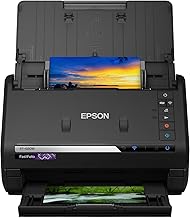
Epson FastFoto FF-680W Wireless High-Speed Photo and
Why We Love It
Quick Pick
10 Best Epson Scanner Of 2026
Quick Pick
Epson WorkForce ES-50 Scanner, Black
Epson workforce es-580w wireless, auto-sheet feed scanner wifi connected
Epson WorkForce ES-60W Scanner
Epson WorkForce DS-80W Wi-Fi mobile business scanner
Epson Perfection V39 II Color Photo and Document Flatbed Scanner with 4800 dpi Optical Resolution, Scan to Cloud, USB Power and High-Rise, Removable Lid
Epson WorkForce DS-1630 Flatbed Scanner with ADF
Epson WorkForce DS-70 Mobile business scanner
Epson WorkForce ES-500WII Wi-Fi and USB 3.0, High-speed (35ppm), Up to A4 (27-413 GSM), 50 Page Auto Feed Colour Scanner with OCR Software
Epson WorkForce DS-1630 Flatbed Document Scanner, 25 PPM, 50ADF, 5-Year Warranty
Epson FastFoto FF-680W Wireless High-Speed Photo and Document Scanning System Black
Buying Guide: Epson Scanner
📋 Table of Contents
1What resolution should I look for in an Epson scanner?
Look for a resolution of at least 1200 dpi for standard use, and 2400 dpi or higher for detailed scanning like photographs or documents with fine text.
2What are the key features to consider when buying an Epson scanner?
Key features include scan speed, connectivity options (USB, Wi-Fi), duplex scanning, and compatibility with your operating system.
3How do I ensure the Epson scanner is compatible with my computer or device?
Check the scanner's system requirements and ensure it supports your operating system (Windows, macOS) and any necessary drivers are available.
4When should I pay more for an Epson scanner?
Pay more if you need advanced features like automatic document feeders, high-speed scanning, or mobile app integration for seamless connectivity.
5What are common mistakes to avoid when buying an Epson scanner?
Common mistakes include ignoring the scan area size, not checking for software support, and overlooking the need for additional accessories like a document feeder or memory card.
How we choose
Our editors are people who genuinely love testing and writing about products. We compare each product's real-world usability and strengths, then distill what matters most into our own "Why We Love It" points — so you get an honest, at-a-glance sense of what counts before you buy.