10 Best Elgato Stream Deck Mk.2 Of 2026
Elgato Stream Deck Mk.2 — Reviews, Recommendations & Updated Buying Guide November 2026


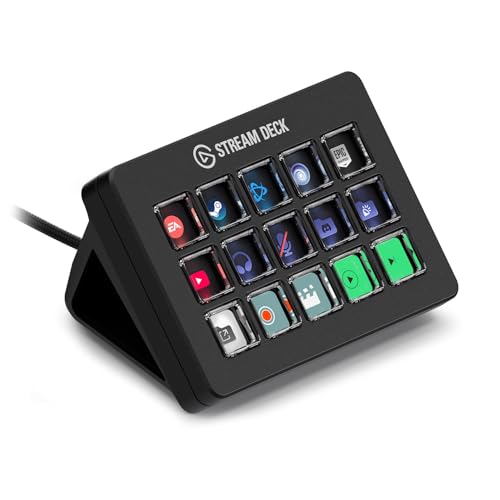
Elgato Stream Deck MK.2–Studio Controller
Why We Love It


Elgato Stream Deck MK.2 White–Studio Controller
Why We Love It
Elgato Stream Deck Scissor Keys Workflow Controller
Why We Love It

Elgato Stream Deck +
Why We Love It
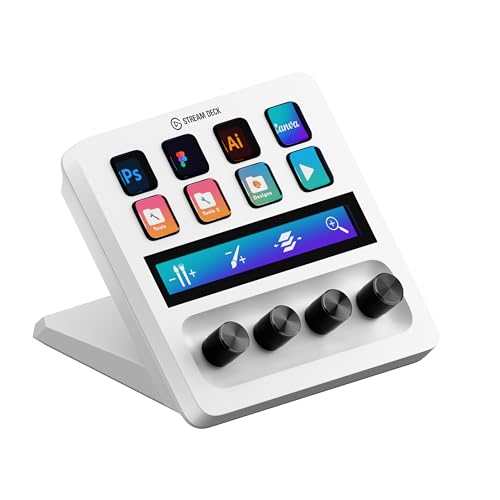
Elgato Stream Deck + White
Why We Love It

Elgato Stream Deck Neo
Why We Love It

Elgato Stream Deck + XL
Why We Love It

Elgato Stream Deck Neo
Why We Love It

Elgato Stream Deck Mini
Why We Love It

Elgato Stream Deck MK.2 (Amazon.co.jp Exclusive) Elgato
Why We Love It
Quick Pick
10 Best Elgato Stream Deck Mk.2 Of 2026
Quick Pick
elgato Stream Deck MK.2–Studio Controller, 15 Macro Keys, Trigger Actions in apps and Software Like OBS, Twitch, YouTube and More, Works with Mac and PC
Elgato Stream Deck MK.2 White–Studio Controller, 15 Macro Keys, Wi-Fi, Trigger Actions in apps and Software Like OBS, Twitch, YouTube and More, Works with Mac and PC
Elgato Stream Deck Scissor Keys Workflow Controller
Elgato Stream Deck +, Audio Mixer, Production Console and Studio Controller for Content Creators, Streaming, Gaming, with customizable touch strip dials and LCD keys, works with Mac and PC
Elgato Stream Deck + White, Bluetooth Audio Mixer, Live Production and Studio Controller, Customizable Touch Bar, Control Knobs, LCD Keys, for Mac and PC
Elgato Stream Deck Neo, 8 Customizable Keys, 2 Touch Points
Elgato Stream Deck + XL – Customizable Control Platform With Macro Keys, Multifunction Dials, Touch Strip for Professional Systems & Production – USB-C for PC and Mac
Elgato Stream Deck Neo, Black
Elgato Stream Deck Mini, 6 Customizable LCD Macro Keys
Elgato Stream Deck MK.2 (Amazon.co.jp Exclusive) Elgato Stream Deck MK.2 [15 Key Layout] Controller for Creating Live Contents Publisher Devices OBS/Twitch/YouTube Linked Mac/PC Compatible
Buying Guide: Elgato Stream Deck Mk.2
📋 Table of Contents
1What input types should I look for in a stream controller?
Most stream controllers support USB, Bluetooth, and/or HDMI inputs. USB is reliable for low-latency connections, while Bluetooth offers wireless flexibility. HDMI is essential if you want to mirror or switch between multiple devices like consoles or PCs.
2How many devices can a stream controller typically handle at once?
Look for at least 4-6 input ports to manage a PC, console, phone, and external camera. Some models support up to 8 or more, which is ideal for multi-platform streamers or content creators with complex setups.
3Is a built-in camera necessary, or can I use my own?
A built-in camera is convenient for solo streamers, but external webcams or smartphones can be connected via USB or HDMI. Ensure the controller has a clean switcher to blend your face with gameplay or content seamlessly.
4What features make a stream controller worth the extra cost?
Advanced models often include live audio mixing, real-time overlays, and customizable key bindings. These features are worth it if you want to automate transitions, manage chat overlays, or control music and sound effects without extra software.
5How important is latency, and what should I look for?
Low latency (under 50ms) is crucial for smooth gameplay and real-time interaction. USB connections typically offer the lowest lag, while Bluetooth or wireless options may introduce delays. Always test the controller with your setup before finalizing a purchase.
How we choose
Our editors are people who genuinely love testing and writing about products. We compare each product's real-world usability and strengths, then distill what matters most into our own "Why We Love It" points — so you get an honest, at-a-glance sense of what counts before you buy.