10 Best Elgato Professional Cameras Of 2026
Elgato Professional Cameras — Reviews, Recommendations & Updated Buying Guide November 2026


Elgato Key Light
Why We Love It


Elgato Facecam MK 2
Why We Love It

Elgato Cam Link 4K Capture Card for DSLR
Why We Love It

Elgato Prompter–Teleprompter with Built-in Screen for
Why We Love It

Elgato 10WAA9901 1080p60 Full HD Webcam
Why We Love It
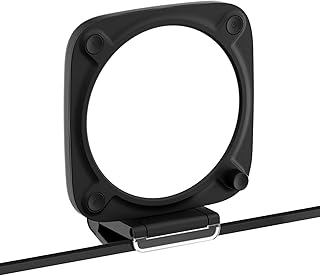
Elgato Key Light Neo (Black) – Professional Video Call Light
Why We Love It

Elgato Key Light Neo - Pro Light for Video Calling
Why We Love It

Elgato 4K X–Capture Up to 4K144 with Ultra-Low Latency on
Why We Love It

Elgato Key Light Air
Why We Love It
Quick Pick
10 Best Elgato Professional Cameras Of 2026
Quick Pick
Elgato Key Light - Professional 2800 lumens Studio Light with desk clamp for Streaming, Recording and Video Conferencing, Temperature and Brightness app-adjustable on Mac, PC, iOS, Android
elgato Facecam MK 2, Premium Full HD Webcam for Streaming, Gaming, Video Calls, Recording, HDR Enabled, Sony Sensor, PTZ Control, Works with OBS, Zoom, Teams, and More, for PC/Mac, 1080p | Sony Sensor, PTZ Control, Uncompressed 1080p60 Video, DSLR Style Controls, Sliding Privacy Shutter
Elgato Cam Link 4K Capture Card for DSLR, Camcorder, Action Cam | HDMI to USB 3.0, Stream in 1080p60 or 4K30/60, Ultra-low latency, Works with OBS, Zoom, Discord, PC/Mac/iPad compatible
elgato Prompter–Teleprompter with Built-in Screen for YouTube, Twitch, Zoom, MS Teams, Supports DSLR, Webcam, Smartphone, Drag & Drop Monitor Display, Works with Mac, PC & Stream Deck, 1080p | Drag and drop display, for DSLR, webcam, smartphone, read chat or scripts, Mac, PC, stream deck
Elgato 10WAA9901 1080p60 Full HD Webcam, Sony Sensor, Fixed-Focus Glass Lens, Optimised for Indoor Lighting, Onboard Memory, Zoom, Microsoft Teams, PC/Mac, Black, Facecam
Elgato Key Light Neo (Black) – Professional Video Call Light, No Glare, Adjustable Monitor Mount, Manual or Wi-Fi Control, Office/Streaming, Teams/Zoom/Slack/Twitch/YouTube – Laptop, PC, Mac
Elgato Key Light Neo - Pro Light for Video Calling, No Glare, Adjustable Screen Mount, Manual Control/Via Wifi, Office/Streaming, Teams/Zoom/Slack/Twitch/Youtube - Plug and Play on Laptop, PC, Mac
elgato 4K X–Capture Up to 4K144 with Ultra-Low Latency on PS5, Xbox Series X/S, Nintendo Switch, OBS and More, HDMI 2.1, VRR, HDR10, USB 3.2 Gen 2, for Streaming & Recording, Works with PC/Mac/iPad | VRR passthrough, HDR10, Up to 1080p240 capture, USB 3.2 Gen 2, Works with OBS and more, For PS5, Xbox, Switch, PC, Mac
Elgato Key Light Air - Professional LED Panel with 1400 Lumens, Multi-layer Diffusion Technology, Colour Temperature Adjustable, App Controlled, for Mac/Windows/iPhone/Android
Buying Guide: Elgato Professional Cameras
📋 Table of Contents
1What's the main difference between Elgato's camera models?
Elgato offers the Facecam and Facecam Pro, with the Pro version delivering higher resolution (1080p 60fps vs standard), better autofocus, and improved low-light performance. Choose the standard Facecam if you're streaming at lower bitrates or on a budget, and go Pro if you need sharper image quality for professional streams or recordings.
2Do I need special lighting with an Elgato camera?
Elgato cameras perform decently in moderate indoor lighting, but dedicated lighting like their Key Light products will give you cleaner, more flattering results. If you're streaming in dim conditions or want broadcast-quality visuals, adding a ring light or key light setup is worth the investment.
3What's the best way to mount an Elgato camera?
Elgato cameras come with a basic stand, but most users prefer mounting them on an arm clamp or boom arm for better positioning and to save desk space. Make sure whatever mount you choose can support the camera's weight and allows smooth height and angle adjustments.
4Is an Elgato camera compatible with my streaming software?
Yes, Elgato cameras work with OBS, Streamlabs, XSplit, and most major streaming platforms through standard USB-UVC drivers. You don't need proprietary software to use them, though Elgato's Stream Deck integration offers convenient controls if you're already in their ecosystem.
5What specs should I prioritize when choosing an Elgato camera?
Focus on resolution (1080p minimum for clear video), frame rate (60fps is ideal for smooth streaming), and low-light performance if you're streaming evenings or in darker rooms. USB bandwidth and autofocus speed also matter if you're moving around during streams or video calls.
How we choose
Our editors are people who genuinely love testing and writing about products. We compare each product's real-world usability and strengths, then distill what matters most into our own "Why We Love It" points — so you get an honest, at-a-glance sense of what counts before you buy.