10 Best Elecom Keyboard Of 2026
Elecom Keyboard — Reviews, Recommendations & Updated Buying Guide November 2026

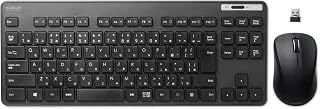
Elecom TK-FDM109MBK Wireless Keyboard (Receiver Included)
Why We Love It


エレコム キーボード 【マウスセット】 ワイヤレス (レシーバー付属) メンブレン フルキーボード ブラック
Why We Love It

Logitech K400 Plus Wireless Touch Keyboard Black
Why We Love It

Logitech Signature Slim K950 Wireless Keyboard with Quiet
Why We Love It

Logitech G413 TKL SE Mechanical Gaming Keyboard - Black
Why We Love It
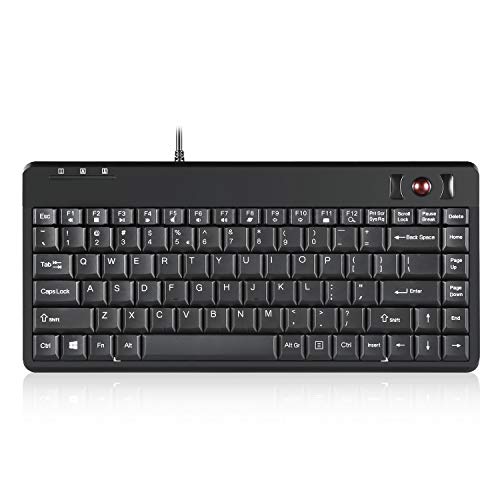
Perixx PERIBOARD-505H Wired Mini Keyboard with Built-in
Why We Love It

ELECOM DEFT PRO Trackball Mouse
Why We Love It

ELECOM HUGE Trackball Mouse
Why We Love It

AULA S98 Pro Wireless Mechanical Gaming Keyboard with Screen
Why We Love It

ProtoArc XK01 Full-Size Foldable Bluetooth Keyboard for
Why We Love It
Quick Pick
10 Best Elecom Keyboard Of 2026
Quick Pick
Elecom TK-FDM109MBK Wireless Keyboard (Receiver Included) Membrane Thin Compact Keyboard with Mouse Black
エレコム キーボード 【マウスセット】 ワイヤレス (レシーバー付属) メンブレン フルキーボード ブラック TK-FDM106MBK
Logitech K400 Plus Wireless Touch Keyboard Black
Logitech Signature Slim K950 Wireless Keyboard with Quiet Typing - Graphite | Full size, sleek design with number pad, laptop-style typing, pair up to 3 multi-OS devices, Multi-OS, Windows, Mac, Chrome
Logitech G413 TKL SE Mechanical Gaming Keyboard - Black | Tactile switches, anti-ghosting, compatible with Windows and macOS, compact design
Perixx PERIBOARD-505H Wired Mini Keyboard with Built-in Trackball, 0.55 Inch Trackball and 2 USB Hubs, Black, US English Layout
ELECOM DEFT PRO Trackball Mouse, Wired, Wireless, Bluetooth 3 Types Connection, Ergonomic Design, 8-Button Function, Red Ball, Windows11, MacOS (M-DPT1MRXBK)
ELECOM HUGE Trackball Mouse, 2.4GHz Wireless, Finger Control, 8-Button Function, Palm Rest Attached, 52mm Smooth Red Ball, Windows11, MacOS (M-HT1DRBK)
AULA S98 Pro Wireless Mechanical Gaming Keyboard with Screen, Knob, 96 Keys
ProtoArc XK01 Full-Size Foldable Bluetooth Keyboard for Travel, Black | 105 keys, number pad, 0.65in keycaps, 3-device Bluetooth 5.1 switching, USB-C charging, for laptop tablet phone
Buying Guide: Elecom Keyboard
📋 Table of Contents
1What should I look for when choosing an Elecom keyboard?
Look for the type of switch (mechanical, membrane, or hybrid), layout (tenkeyless or full-size), and additional features like backlighting or multimedia keys.
2What are the key specifications to consider?
Key specifications include switch type, keycap material, connectivity options (wired or wireless), and compatibility with operating systems like Windows or macOS.
3How do I ensure the keyboard is the right size and compatible with my setup?
Check the keyboard dimensions and layout to ensure it fits your desk space and matches your computer's port type or wireless receiver requirements.
4When should I pay more for an Elecom keyboard?
Pay more if you need high-quality mechanical switches, ergonomic design, or advanced features like RGB lighting or programmable keys for enhanced usability.
5What are common mistakes to avoid when buying an Elecom keyboard?
Common mistakes include ignoring compatibility with your device, overlooking the need for a USB receiver for wireless models, and not checking the return policy before purchasing.
How we choose
Our editors are people who genuinely love testing and writing about products. We compare each product's real-world usability and strengths, then distill what matters most into our own "Why We Love It" points — so you get an honest, at-a-glance sense of what counts before you buy.