10 Best Eero Wifi Mesh System Of 2026
Eero Wifi Mesh System — Reviews, Recommendations & Updated Buying Guide November 2026


Eero Amazon 6 dual-band mesh Wi-Fi 6 router
Why We Love It


TP-Link Deco X55 AX3000 WiFi 6 Mesh System
Why We Love It
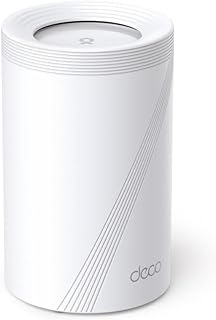
TP-Link Deco BE65
Why We Love It

TP-Link Deco M4(2-Pack) AC1200Mbps Whole Home Mesh System
Why We Love It

TP-Link Deco M4(3-pack) AC1200Mbps Whole Home Mesh WiFi
Why We Love It

TP-Link Deco M5 Mesh WiFi System - Up to 5
Why We Love It

TP-Link Deco X10 AX1500Mbps Dual Band WiFi 6 Router
Why We Love It

TP-Link Deco BE3600 Whole Home Multi-Gigabit Mesh Wi-Fi 7
Why We Love It

Linksys Velop Tri-Band AX4200 Whole Home Mesh Router WiFi 6
Why We Love It

Linksys Velop Micro 7 Dual-Band BE5000 Wi-Fi 7 Mesh System
Why We Love It
Quick Pick
10 Best Eero Wifi Mesh System Of 2026
Quick Pick
eero Amazon 6 dual-band mesh Wi-Fi 6 router | with built-in Zigbee smart home hub
TP-Link Deco X55 AX3000 WiFi 6 Mesh System, Deco X55(3-Pack) | Covers up to 6500 Sq.Ft. , Replaces Wireless Router and Extender, 3 Gigabit ports per unit, supports Ethernet Backhaul
TP-Link Deco BE65 | BE9300 Whole Home Mesh WiFi 7 System | 1-Pack
TP-Link Deco M4(2-Pack) AC1200Mbps Whole Home Mesh System, Seamless & Speedy WiFi Extender, Up to 2800 ft² Coverage, Work with Amazon Alexa, Router and Internet Booster Replacement
TP-Link Deco M4(3-pack) AC1200Mbps Whole Home Mesh WiFi System, up to 4000 sq ft Coverage, Qualcomm CPU, Dual-Band WiFi Booster with Gigabit Ports, Compatible with Amazon Echo/Alexa, Parent Control
TP-Link Deco M5 Mesh WiFi System - Up to 5,500 sq. ft. Whole Home Coverage and 100+ Devices,WiFi Router/Extender Replacement, Anitivirus, 3-Pack
TP-Link Deco X10 AX1500Mbps Dual Band WiFi 6 Router, Home Seamless Roaming | "WiFi Router with 2x2G Ports, Parental Control, AI Driven Mesh, Voice Control, WiFi Dead Zone Killer, MU-MIMO, Easy Setup"
TP-Link Deco BE3600 Whole Home Multi-Gigabit Mesh Wi-Fi 7 System, up to 3.6G Dual-Band, Wireless/Wired, Seamless AI Roaming, MLO, 4K-QAM, Parental Control, Real-Time loT Security (Deco BE22(3-Pack))
Linksys Velop Tri-Band AX4200 Whole Home Mesh Router WiFi 6 System (MX12600)
Linksys Velop Micro 7 Dual-Band BE5000 Wi-Fi 7 Mesh System | 4 WiFi Streams up to 5 Gbps | 6600 sq.ft. Coverage | Supports Internet Plans up to 2.5 Gbps | 3-Pack
Buying Guide: Eero Wifi Mesh System
📋 Table of Contents
1How many eero units do I actually need for my home?
A single eero covers roughly 1,500 square feet, so measure your home and add one unit for every 1,500 sq ft. If you have thick walls or multiple floors, consider adding an extra unit since obstacles reduce range significantly.
2What's the difference between eero Pro, eero Pro 6E, and the standard eero?
The standard eero handles basic streaming and browsing, while Pro models add WiFi 6 for faster speeds and more device capacity. The 6E version includes the newest WiFi 6E standard for even better performance with compatible devices, but costs more and only benefits you if you have modern gadgets that support it.
3Will eero work with my existing router, or do I need to replace it completely?
Eero replaces your router entirely—you can't use it alongside your current setup as you'd have conflicting networks. You'll need to disconnect your old router and set up eero as your main network.
4Does eero require a subscription, or is it just a one-time purchase?
The basic mesh system works without any subscription, but eero offers optional add-ons like eero Plus (for advanced security and ad-blocking) if you want extra features. You're not locked into anything—the mesh itself functions fine on its own.
5How easy is eero to set up, and can I move the units around after installation?
Setup takes 10-15 minutes through the app with no technical knowledge needed—it's drag-and-drop simple. You can absolutely move units around later if coverage isn't where you need it, though you'll want them in central locations away from metal objects for best performance.
How we choose
Our editors are people who genuinely love testing and writing about products. We compare each product's real-world usability and strengths, then distill what matters most into our own "Why We Love It" points — so you get an honest, at-a-glance sense of what counts before you buy.