10 Best Eero Pro 7 Of 2026
Eero Pro 7 — Reviews, Recommendations & Updated Buying Guide November 2026


Eero Amazon 6 dual-band mesh Wi-Fi 6 router
Why We Love It

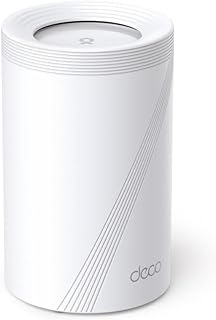
TP-Link Deco BE65
Why We Love It

Ubiquiti U7 Pro XG WiFi 7 U7-PRO-XG
Why We Love It

Google Nest WiFi 6 pro
Why We Love It

Deco 7 Pro Tri-Band WiFi 7 BE10000 Whole Home Mesh System
Why We Love It

Tenda BE5100 Dual Band WiFi 7 Router (RE6L Pro)
Why We Love It

Linksys Velop Micro 7 Mesh System
Why We Love It

Linksys Velop Pro 7 10G LN1401
Why We Love It

ASUS ZenWiFi BQ16 Router
Why We Love It

TP-Link Deco X55(3-Pack) AX3000 Dual Band Wi-Fi 6 Mesh Wi-Fi
Why We Love It
Quick Pick
10 Best Eero Pro 7 Of 2026
Quick Pick
eero Amazon 6 dual-band mesh Wi-Fi 6 router | with built-in Zigbee smart home hub
TP-Link Deco BE65 | BE9300 Whole Home Mesh WiFi 7 System | 1-Pack
Ubiquiti U7 Pro XG WiFi 7 U7-PRO-XG
Google Nest WiFi 6 pro, Snow, US, 2-PK
Deco 7 Pro Tri-Band WiFi 7 BE10000 Whole Home Mesh System 6-Stream 10 Gbps | 4 x 2.5G Ports Wired Backhaul, 4 x Smart Internal Antennas, Up to 7,600 Sq.ft, VPN, HomeShield, AI-Roaming (BE63 3-Pack)
Tenda BE5100 Dual Band WiFi 7 Router (RE6L Pro) – 1x2.5G + 3x1G Ports, Easy Setup, Security Protect, Parental Control, Access Point Mode, Vertical Design, MLO, VPN, NFC
Linksys Velop Micro 7 Mesh System | Dual-Band with BE5000 WiFi Speed | Whole Home Coverage up to 200 m2 per Node| 2.5 Gbps Ethernet | 1.8X faster WiFi than W-iFi 6 | 1-Pack
Linksys Velop Pro 7 10G LN1401 - Tri-Band Mesh System with 1x 10 Gigabit Internet/WAN port and 4x 2.5 Gigabit LAN Ports, Coverage up to 3000 sq ft. and 200+ devices
ASUS ZenWiFi BQ16 Router - WiFi 7 - BE25000-2 Pack - White
TP-Link Deco X55(3-Pack) AX3000 Dual Band Wi-Fi 6 Mesh Wi-Fi, 160 MHz, WPA3
Buying Guide: Eero Pro 7
📋 Table of Contents
1What speed improvements can I expect from WiFi 7 compared to older mesh systems?
WiFi 7 offers up to 4.8 Gbps peak speeds and reduced latency, making it ideal for 4K/8K streaming, online gaming, and large file transfers. It also supports multi-link operation, which uses multiple frequency bands at once for faster, more stable connections.
2How many nodes do I need for full coverage in a large home?
Start with one main router and add 1-2 satellite nodes for homes up to 2,500 sq ft. Larger homes or those with thick walls may need 3-4 nodes to eliminate dead zones. Check the manufacturer’s coverage claims and consider a node for each floor or large open space.
3Does WiFi 7 support backward compatibility with older devices?
Yes — WiFi 7 systems are fully compatible with WiFi 6, WiFi 5, and older devices. However, older devices won’t benefit from WiFi 7’s speed and efficiency improvements, so compatibility is more about coexistence than performance.
4What’s the difference between tri-band and dual-band mesh systems?
Tri-band systems use three frequency bands (2.4 GHz, 5 GHz, and a dedicated 5 GHz backhaul), reducing congestion and improving performance. Dual-band systems share one 5 GHz band for both backhaul and client devices, which can lead to slower speeds in high-traffic homes.
5Are mesh systems with built-in security features worth the extra cost?
Yes — systems with built-in firewalls, parental controls, and malware protection offer convenience and peace of mind, especially for households with children or smart home devices. Look for models with automatic updates and cloud-based management for added security.
How we choose
Our editors are people who genuinely love testing and writing about products. We compare each product's real-world usability and strengths, then distill what matters most into our own "Why We Love It" points — so you get an honest, at-a-glance sense of what counts before you buy.