10 Best Eero Eero Pro Of 2026
Eero Eero Pro — Reviews, Recommendations & Updated Buying Guide November 2026


Google Nest WiFi 6 pro
Why We Love It


Eero Amazon 6 dual-band mesh Wi-Fi 6 router
Why We Love It

COOLWUFAN Wall Mount Holder for eero Pro Home WiFi
Why We Love It

Mamerry Wall Mount Holder for eero Pro 6e/Pro 6
Why We Love It

Wall Mount Stand Holder for eero Pro 6
Why We Love It
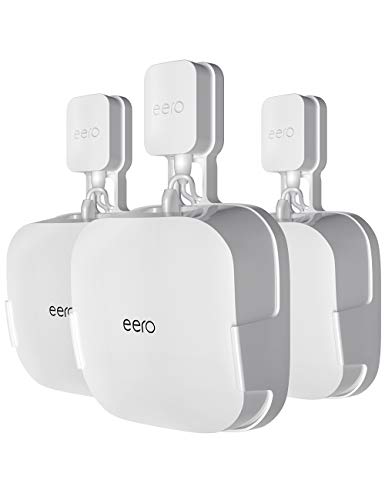
COOLWUFAN 3 Pack Outlet Wall Mount Holder for eero Pro 6 and
Why We Love It

Dunear eero Pro 7 Wall Mount Bracket (1-Pack)
Why We Love It
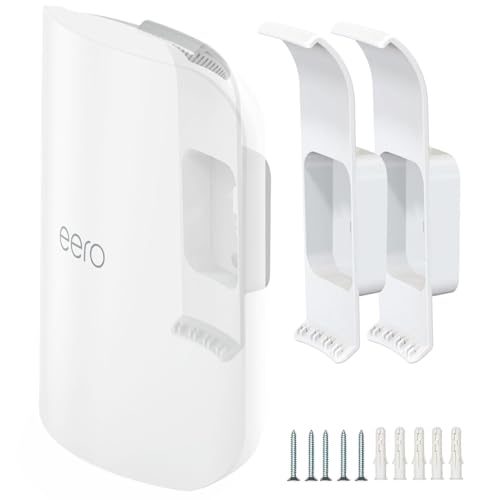
Mamerry Wall Mount Bracket for eero Pro 7 Router
Why We Love It

HomeMount Wall Mount Bracket
Why We Love It

PROCET 5GbE PoE Injector 30W IEEE802.3AT
Why We Love It
Quick Pick
10 Best Eero Eero Pro Of 2026
Quick Pick
Google Nest WiFi 6 pro, Snow, US, 2-PK
eero Amazon 6 dual-band mesh Wi-Fi 6 router | with built-in Zigbee smart home hub
COOLWUFAN Wall Mount Holder for eero Pro Home WiFi System-Simple and Sturdy Wall Mount Holder Stand Bracket (NOT for eero 6 or eero pro 6), Without Messy Wires (White(3 Pack))
Mamerry Wall Mount Holder for eero Pro 6e/Pro 6, No Messy Wires, Space Saving, Outlet Wall Stand Bracket Compatible with eero Pro 6e/Pro 6 Mesh Wi-Fi System Extender Router (3 Pack)
Wall Mount Stand Holder for eero Pro 6, BECEMURU Stability ABS Wall Mount Protective Router Bracket with 3M VHB Tape for eero Pro 6 Wifi System (White 1 Pack)
COOLWUFAN 3 Pack Outlet Wall Mount Holder for eero Pro 6 and Pro 6E
Dunear eero Pro 7 Wall Mount Bracket (1-Pack), Sturdy ABS Holder with Cable Management, Compatible with eero Pro 7 tri-band mesh Wi-Fi 7 router, Space Saving & Easy Installation
Mamerry Wall Mount Bracket for eero Pro 7 Router - Space-Saving Tri-Band Wi-Fi 7 Mesh System Accessory, Easy Installation Compatible with eero Pro 7(2 Pack)
HomeMount Wall Mount Bracket, Custom Fit, for eero Pro 6/6E, 1 Pack-White
PROCET 5GbE PoE Injector 30W IEEE802.3AT, Gigabit, -40℉ to 149℉ for eero PoE 6/7, UniFi U7 PRO, 4K/8K PTZ AI/IR Camera, Access Point, Wireless mmWave Bridge, Small Cell, Base Station
Buying Guide: Eero Eero Pro
📋 Table of Contents
1What's the difference between tri-band and dual-band mesh systems?
Tri-band systems use a third 5GHz band for backhaul traffic, reducing congestion and improving performance in large homes or high-usage environments. Dual-band systems share both 5GHz bands for client and backhaul traffic, which can lead to slower speeds when many devices are connected.
2How many nodes do I actually need for full coverage?
Start with one node in the center of your home, and add one more for every 1,000 square feet or floor. In multi-story homes, place nodes on each level for consistent signal strength and minimal dead zones, especially in thick-walled or older buildings.
3Does the number of antennas matter for performance?
More antennas (like 4x4 MIMO) improve speed and range by supporting more simultaneous data streams. Look for at least 3 antennas per node for tri-band systems to ensure stable connections for 4K streaming, gaming, and multiple devices.
4What's the benefit of a dedicated backhaul band?
A dedicated backhaul band lets nodes communicate with each other without using the main 5GHz band for devices, reducing lag and boosting throughput. This is especially important for households with 10+ connected devices or heavy bandwidth use like 4K video calls or online gaming.
5Are Wi-Fi 6 or Wi-Fi 6E models worth the extra cost?
Wi-Fi 6 (802.11ax) improves efficiency and supports more devices, while Wi-Fi 6E adds the 6GHz band for even faster speeds and less interference. If you have modern devices and plan to use the system for years, Wi-Fi 6E is future-proof but may not be necessary for basic home use.
How we choose
Our editors are people who genuinely love testing and writing about products. We compare each product's real-world usability and strengths, then distill what matters most into our own "Why We Love It" points — so you get an honest, at-a-glance sense of what counts before you buy.