10 Best Dvi Cables Of 2026
Dvi Cables — Reviews, Recommendations & Updated Buying Guide November 2026

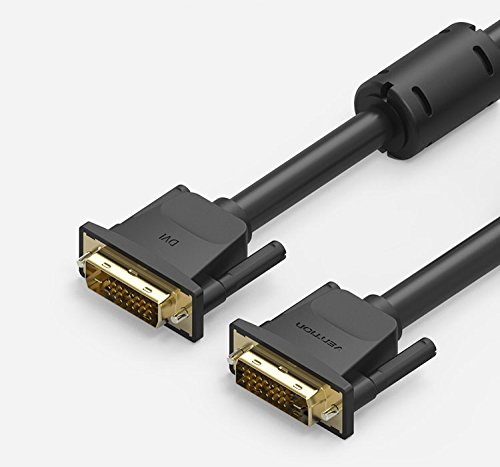
VENTION DVI(24+1) Male to Male Cable 1.5M Black
Why We Love It


BENFEI DVI to DVI Cable
Why We Love It

DVI to DVI Cable 2M
Why We Love It
DVI to DVI Cable 1M
Why We Love It
Quick Pick
10 Best Dvi Cables Of 2026
Quick Pick
VENTION DVI(24+1) Male to Male Cable 1.5M Black
BENFEI DVI to DVI Cable, 1.8 Meter DVI-D 24+1 Gold Plated Cable, Dual Link Support High Resolution 2560x1600 for Gaming, DVD, Laptop, HDTV
DVI to DVI Cable 2M, Gold-Plated & Braided Male DVI-D 24+1 to DVI Cable Support High Resolution 2560x1600 for Gaming, DVD, Laptop, HDTV
DVI to DVI Cable 1M, Gold-Plated & Braided Male DVI-D 24+1 to DVI Cable Support High Resolution 2560x1600 for Gaming, DVD, Laptop, HDTV
Buying Guide: Dvi Cables
📋 Table of Contents
1What's the difference between DVI-D and DVI-I cables?
DVI-D carries digital signals only and works with modern monitors, while DVI-I supports both digital and analog signals for older displays. If you're connecting to a recent monitor or graphics card, DVI-D is all you need; DVI-I is mainly useful if you're working with legacy equipment.
2How do I know what length cable I need?
Measure the distance from your graphics card to your monitor, then add a bit extra for routing and slack—usually 1-2 meters is safe for most desk setups. Going longer than 3 meters can cause signal degradation, so opt for an active cable or a signal booster if you need extra distance.
3Should I buy a shielded DVI cable?
Shielded cables reduce electromagnetic interference and are worth the small extra cost if your setup has other electronics nearby or you're experiencing image flickering. For short, clean installations away from other devices, an unshielded cable will work fine.
4Is DVI still worth buying or should I switch to HDMI/DisplayPort?
DVI works reliably for older monitors and graphics cards, but HDMI and DisplayPort are the modern standard with better features and broader compatibility. Only buy DVI if you specifically need to connect legacy equipment; new monitors and graphics cards rarely support it.
5What does 'dual link' mean and do I need it?
Dual-link DVI cables support higher resolutions (up to 2560×1600) by using two data channels instead of one, while single-link maxes out at 1920×1200. Check your monitor's specs—if it's older or 1080p, single-link is fine; for high-res older displays, go dual-link.
How we choose
Our editors are people who genuinely love testing and writing about products. We compare each product's real-world usability and strengths, then distill what matters most into our own "Why We Love It" points — so you get an honest, at-a-glance sense of what counts before you buy.