10 Best Drawing Tablets 16 Inch Of 2026
Drawing Tablets 16 Inch — Reviews, Recommendations & Updated Buying Guide November 2026


Kids Toys 16 Inch LCD Writing Tablet
Why We Love It


XP-PEN Artist Pro (Gen 2) Drawing Display Computer Digital
Why We Love It

XPPen 6 * 4 inch Drawing Tablet with 16384 Pressure Levels
Why We Love It

HUION HS64 Graphics Drawing Tablet Battery-Free Stylus
Why We Love It

MAX Smart Tablet Drawing Stand
Why We Love It

XPPen Artist Pro 16 Gen2 2.5K 16 inch QHD Drawing Tablet
Why We Love It

16 Inch LCD Writing Tablet
Why We Love It
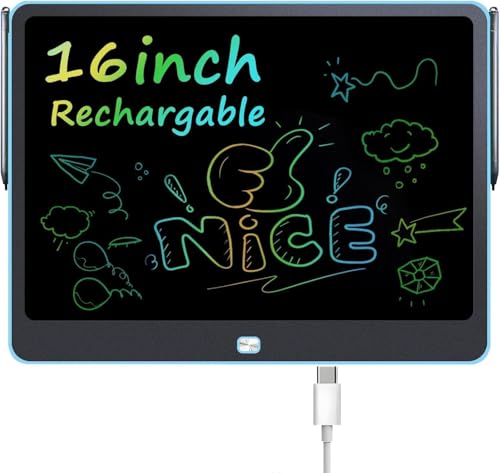
16 Inch LCD Writing Tablet for Kids
Why We Love It

Extra Large 16 Inch 2 Pack LCD Writing Tablet
Why We Love It

16 Inch Colourful LCD Graphic Tablet
Why We Love It
Quick Pick
10 Best Drawing Tablets 16 Inch Of 2026
Quick Pick
Kids Toys 16 Inch LCD Writing Tablet, Electronic Drawing Board for Kids and Adults, Travel Essentials for 3+ Year Olds, Birthday Gift, Party Favors, Stocking Stuffers (Black)
XP-PEN Artist Pro (Gen 2) Drawing Display Computer Digital Graphic Tablet with Battery-Free Stylus Supports 16K Pressure (16 Inch)
XPPen 6 * 4 inch Drawing Tablet with 16384 Pressure Levels IT640 Digital Graphic Art Tablet Battery-Free Stylus 60° Tilt Support OSU Drawing Pad for Beginner Compatible with Android Windows macOS
HUION HS64 Graphics Drawing Tablet Battery-Free Stylus Android Windows macOS with 6.3 x 4 in Working Area Pen Tablet for Linux, Mac, Windows PC and Android
MAX Smart Tablet Drawing Stand, Digital Drawing Pad Stand, Foldable, Adjustable for 9 to 16 Inches Graphics Drawing Monitors Art Tablets
XPPen Artist Pro 16 Gen2 2.5K 16 inch QHD Drawing Tablet with Full Laminated Anti-Glare Screen 16384 Pressure Levels X3 Pro Battery-Free Stylus 159% sRGB Tilt Graphic Drawing Tablet with Mini Keydial
16 Inch LCD Writing Tablet, [Upgraded] Colorful Drawing Tablet Electronic Writing Board, Erasable Reusable Eye Protection Doodle Scribbler Pad - Black | Drawing Pad with Lock & Erase Function, Eye Protection Doodle Block, Toys & Gifts for Children & Adults at Home, School
16 Inch LCD Writing Tablet for Kids, Color Screen Drawing Pad with 2 Pens, Rechargeable Toddler Travel Toy, Educational Learning Doodle Board for Boys Girls, Blue
Extra Large 16 Inch 2 Pack LCD Writing Tablet, Colorful Drawing Board
16 Inch Colourful LCD Graphic Tablet, [Upgraded] Electight Large Drawing Tablet with Lock & Erase Function
Buying Guide: Drawing Tablets 16 Inch
📋 Table of Contents
1What screen resolution should I look for in a 16-inch drawing tablet?
A minimum of 2560 x 1600 pixels is ideal for detailed digital art, while 4K (3840 x 2160) offers sharper visuals and more workspace. Higher resolution helps reduce the need for zooming and improves accuracy for professional work.
2How important is pressure sensitivity for digital drawing?
Look for at least 8192 levels of pressure sensitivity to capture subtle brush strokes and shading. More levels allow for finer control, especially when working with pens or styluses for realistic textures and gradients.
3What's the difference between active and passive styluses?
Active styluses offer features like pressure sensitivity, tilt recognition, and customizable buttons, while passive ones are simpler and often rely on capacitive touch. For serious drawing, an active stylus is a must for precision and responsiveness.
4Is a built-in stand or adjustable angle necessary?
A built-in stand or hinge that allows for a 135–180 degree angle can reduce wrist strain and mimic traditional drawing. If portability is key, a detachable stand or external easel mount may be a better fit for your workflow.
5What connectivity options should I check for compatibility?
Ensure the tablet supports USB-C or HDMI for connecting to external displays or computers. Wireless Bluetooth connectivity is also useful for pairing with laptops or tablets without cables, but may require a dongle for older devices.
How we choose
Our editors are people who genuinely love testing and writing about products. We compare each product's real-world usability and strengths, then distill what matters most into our own "Why We Love It" points — so you get an honest, at-a-glance sense of what counts before you buy.