10 Best Drawing Tablets 15.6 Inch Of 2026
Drawing Tablets 15.6 Inch — Reviews, Recommendations & Updated Buying Guide November 2026


XP-Pen Artist15.6 Pro v2 Drawing Tablet Pen Display Graphics
Why We Love It


HUION KAMVAS Pro 16 Graphics Drawing Tablet with Screen
Why We Love It

Ugee 15.4 inch Drawing Tablet with Screen,143% sRGB UE16
Why We Love It

XPPen 6 * 4 inch Drawing Tablet with 16384 Pressure Levels
Why We Love It

VEIKK Graphic Drawing Tablet with Screen
Why We Love It
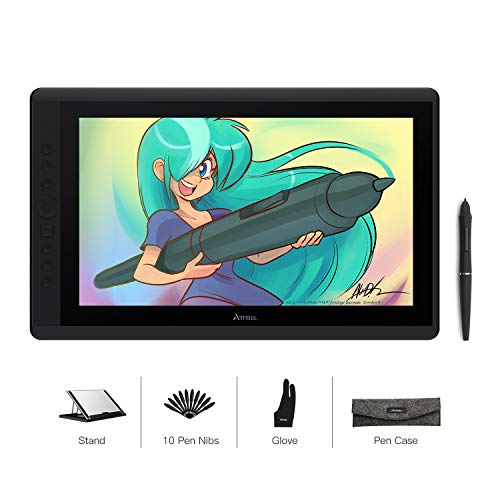
Artisul D16 15.6" Drawing Tablet with Screen
Why We Love It
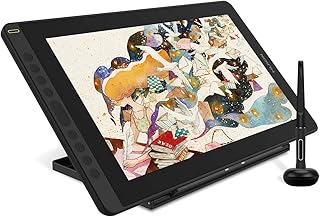
2021 HUION Drawing Tablet KAMVAS 16 Graphic Pen Display with
Why We Love It

HUION Kamvas Pro 16 V2 Drawing Tablet with Screen 16K Levels
Why We Love It

XPPen Drawing Tablet with Screen Artist 15.6 Pro V2
Why We Love It

XPPen Artist 12 3rd 11.9" Drawing Tablet with Screen
Why We Love It
Quick Pick
10 Best Drawing Tablets 15.6 Inch Of 2026
Quick Pick
XP-Pen Artist15.6 Pro v2 Drawing Tablet Pen Display Graphics Monitor with Screen, 16384 Levels Pen Pressure Full-Laminated Technology, 8 Shortcut Keys Work for PC Mac Linux Android
HUION KAMVAS Pro 16 Graphics Drawing Tablet with Screen Full-Laminated Graphics Monitor with Battery-Free Stylus Tilt 8192 Pen Pressure 6 Hot Keys Touch Bar with Stand - 15.6 inch for PC/MAC/Linux
Ugee 15.4 inch Drawing Tablet with Screen,143% sRGB UE16 Computer Graphics Tablet with Full-Laminated Screen 8+1 Hot Keys 16K Level Pressure Battery-Free Stylus,Drawing Pad for PC/Windows/Mac/Android
XPPen 6 * 4 inch Drawing Tablet with 16384 Pressure Levels IT640 Digital Graphic Art Tablet Battery-Free Stylus 60° Tilt Support OSU Drawing Pad for Beginner Compatible with Android Windows macOS
VEIKK Graphic Drawing Tablet with Screen, VK1200 11.6'' Digital Drawing Pad with 2 Battery-Free Pens 6 Shortcut Keys Tilt Function 8192 Pressure Electronic Writing Pad for Laptop PC for Windows Mac
Artisul D16 15.6" Drawing Tablet with Screen, Scroll Wheel, 7 Shortcut Keys
2021 HUION Drawing Tablet KAMVAS 16 Graphic Pen Display with Screen, Black | 15.6inch Full-Laminated Screen, Battery-Free Stylus Tilt, 10 Press Keys, Full-Featured Type C Cable and an Adjustable Stand
HUION Kamvas Pro 16 V2 Drawing Tablet with Screen 16K Levels PenTech 4.0 Battery-Free Pen, 15.6" Full-Laminated, Smart Touch Bar & 6 Keys Art Tablet Work with Windows, Mac and Linux | 16384 Levels,Battery-free Pencil,Touch Band,Tilt Function,Drawing,Graphic Tablet with Screen
XPPen Drawing Tablet with Screen Artist 15.6 Pro V2, 16K Pen Pressure Stylus Digital Art Tablet with Full-Laminated Anti-Glare Glass Adjustable Stand 8 Shortcut Keys Work for PC Mac Linux Android
XPPen Artist 12 3rd 11.9" Drawing Tablet with Screen, 16K, X4 Pen, AG Glass | AG Etched Glass, Dial Wheel, 8 Keys for Digital Art, Animation, Mac, PC, Android, Chromebook, Linux, Designed for Beginners
Buying Guide: Drawing Tablets 15.6 Inch
📋 Table of Contents
1What screen resolution should I look for in a 15.6-inch drawing tablet?
A minimum of 1920x1080 (Full HD) is ideal for crisp visuals, but 2560x1440 (QHD) or higher offers better detail for digital artists. Higher resolution makes fine lines and textures easier to see, especially when working on detailed illustrations or photo edits.
2How important is pen pressure sensitivity for digital art?
Look for at least 8192 levels of pressure sensitivity for smooth shading and precise control. More levels allow for subtle changes in line weight and opacity, which is crucial for realistic drawing and painting styles.
3Do I need a built-in stylus or should I buy one separately?
Most 15.6-inch drawing tablets come with a stylus, but check the model’s included pen for features like tilt support and battery life. A high-quality stylus with low latency and a comfortable grip can significantly improve your drawing experience and reduce hand fatigue.
4What connectivity options are essential for a 15.6-inch drawing tablet?
At least two USB ports and an HDMI or USB-C video output are standard for connecting to external displays or peripherals. Wireless Bluetooth support for stylus and keyboard adds flexibility, especially for mobile or multi-device workflows.
5What software is included or compatible with these tablets?
Many tablets include basic drawing software, but compatibility with major tools like Adobe Photoshop, Clip Studio Paint, or Krita is key. Check if the tablet supports stylus gestures or shortcut keys to streamline your creative process.
How we choose
Our editors are people who genuinely love testing and writing about products. We compare each product's real-world usability and strengths, then distill what matters most into our own "Why We Love It" points — so you get an honest, at-a-glance sense of what counts before you buy.