10 Best Displayport 2.1 Displayport Cables Of 2026
Displayport 2.1 Displayport Cables — Reviews, Recommendations & Updated Buying Guide November 2026


UGREEN 16K@60Hz DisplayPort Cable 6.6FT Support 80Gbps
Why We Love It


UGREEN 16K@60Hz Displayport Cable 2.1
Why We Love It
UGREEN 16K@60Hz Displayport Cable 2.1
Why We Love It

Mini DP to DisplayPort 2.1 Cable
Why We Love It

UGREEN VESA Certified DisplayPort 1.4 Cable
Why We Love It

Mini DisplayPort To DisplayPort 2.1 Cable
Why We Love It

DisplayPort 2.1 Cable 2m
Why We Love It

Cable Matters [VESA Certified] 80Gbps DisplayPort 2.1 Cable
Why We Love It
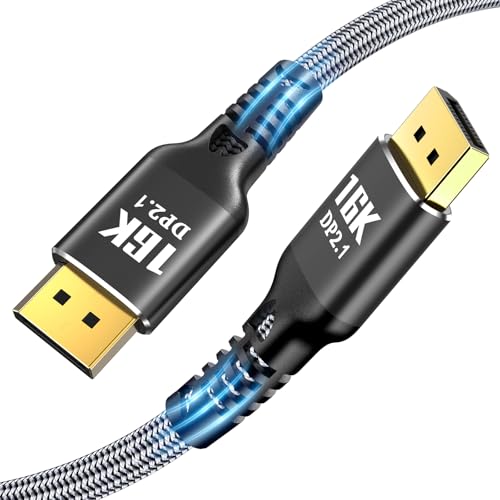
40Gbps DisplayPort Cable 2.1
Why We Love It

Mini DP to DisplayPort 2.1 16K 1m Cable 8K(7680x4320)@120Hz
Why We Love It
Quick Pick
10 Best Displayport 2.1 Displayport Cables Of 2026
Quick Pick
UGREEN 16K@60Hz DisplayPort Cable 6.6FT Support 80Gbps 8K@240Hz, 4K@480Hz | Braided DP 2.1 to DP Lead HDCP 2.3, DSC 1.2a, FreeSync&G-Sync, HDR Display Port Cord for TV Gaming Monitor Graphics PC (2M)
UGREEN 16K@60Hz Displayport Cable 2.1, 80Gbps DP Cable 8K@240Hz 4K@480Hz | Aluminum Video Display Port Cord, HDR, HDCP2.3, DSC1.2a, FreeSync, G-Sync, Compatible Monitor, PC, HDTV, 3.3FT
UGREEN 16K@60Hz Displayport Cable 2.1, 80Gbps DP Cable 8K@240Hz 4K@480Hz | Aluminum Video Display Port Cord, HDR, HDCP2.3, DSC1.2a, FreeSync, G-Sync, Compatible Monitor, PC, HDTV, 10FT
Mini DP to DisplayPort 2.1 Cable, Supports 16K@60Hz/ 8K@120Hz/ 4K@240Hz Display, Supports HDR, G-Sync, Mini DP [Thunderbolt 2] 80Gbps Bi-Directional For Apple MacBook, Gaming Laptops, MacBooks(6.6 Ft)
UGREEN VESA Certified DisplayPort 1.4 Cable, DP 8K@60Hz, 4K@144Hz | Support 32.4Gbps HDR, FreeSync G-Sync, Braided Cord for HDTVs, Gaming Monitors, PC Graphics (10ft)
Mini DisplayPort To DisplayPort 2.1 Cable, Bi-Directional Mini DP To DP Cord Supports 16K@60Hz 8K@120Hz 4K@240Hz HDR Audio, Nylon Braided Gold Plated Connectors for PC Monitor MacBook, 2M
DisplayPort 2.1 Cable 2m, DP to DP Cord with 54Gbps Bandwidth, Supports 16K@60Hz, 8K@120Hz, 4K@240Hz, HDR10, Compatible with Gaming Monitor, Laptop, Desktop, Graphics Card
Cable Matters [VESA Certified] 80Gbps DisplayPort 2.1 Cable, 2m, Black | 16K@60Hz / 8K@240Hz / 4K@240Hz, DP80, FreeSync, G-SYNC, HDR, DisplayPort Cable 2.1 for Gaming Monitor, PC, RTX / RX GPUs
40Gbps DisplayPort Cable 2.1, 16K@30Hz, 8K@60Hz, 4K@240Hz, DP 2.1 Cable 16K Braided Cord, Compatible with HDR10 DSC 1.2a, G-Sync FreeSync Gaming PC, NVIDIA RTX 4090/3090, AMD 7900XTX (3.3FT)
Mini DP to DisplayPort 2.1 16K 1m Cable 8K(7680x4320)@120Hz 4K@240Hz DisplayPort 2.0 1.4 Bi-Directional Transmission DisplayPort to Mini DisplayPort 16k Video Transmissions
Buying Guide: Displayport 2.1 Displayport Cables
📋 Table of Contents
1What bandwidth does DisplayPort 2.1 support, and why does it matter?
DisplayPort 2.1 supports up to 80 Gbps of bandwidth, enabling 8K@60Hz or 4K@120Hz with HDR. This is crucial for high-resolution gaming, video editing, or multi-monitor setups where higher refresh rates and color depth are needed for optimal performance.
2What’s the difference between a DisplayPort 2.1 cable and a standard DisplayPort 1.4 cable?
DisplayPort 2.1 cables support higher bandwidth and new features like daisy-chaining multiple devices or higher refresh rates. A DisplayPort 1.4 cable maxes out at 32.4 Gbps, limiting you to 4K@120Hz or 8K@60Hz, while 2.1 cables unlock future-proof capabilities for next-gen displays and peripherals.
3What kind of shielding should I look for in a DisplayPort 2.1 cable?
Look for cables with full aluminum foil and braided shielding to reduce electromagnetic interference, especially for longer runs or in environments with high electrical noise. Poor shielding can cause signal degradation, leading to flickering or dropped resolution.
4How long can a DisplayPort 2.1 cable be without losing performance?
For optimal performance, keep cables under 1 meter (3.3 feet) for 8K@60Hz or 4K@120Hz. Longer cables may require active electronics or higher-quality shielding to maintain signal integrity, as passive cables can suffer from signal loss over distance.
5Are all DisplayPort 2.1 cables backward compatible with older monitors?
Yes, DisplayPort 2.1 cables are backward compatible with DisplayPort 1.4 and earlier versions. However, the monitor must support the higher bandwidth for features like 8K or 120Hz to be utilized. Always check the monitor’s specifications to confirm compatibility with DP 2.1 features.
How we choose
Our editors are people who genuinely love testing and writing about products. We compare each product's real-world usability and strengths, then distill what matters most into our own "Why We Love It" points — so you get an honest, at-a-glance sense of what counts before you buy.