10 Best Dell Graphic Design Laptop Of 2026
Dell Graphic Design Laptop — Reviews, Recommendations & Updated Buying Guide November 2026


Dell Vostro 3530 Laptop
Why We Love It


Dell 16 Plus 2 in 1
Why We Love It
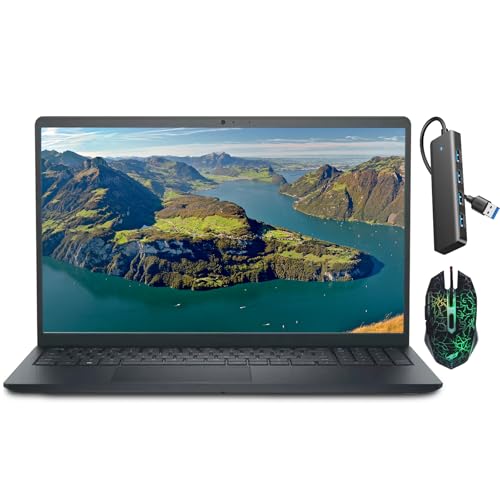
Dell Inspiron 15 3530
Why We Love It

Dell Precision 5550 Workstation Laptop | 15"6 FHD+ Display
Why We Love It

Dell 16 Plus Laptop
Why We Love It

Dell 16 Plus LDB06250 AI Business 2-in-1 Laptop 16'' Touch
Why We Love It

Dell 15 DC15250 Laptop
Why We Love It

Dell Laptop 15 DC15250 Intel Core i5-1334U 16GB RAM 512GB
Why We Love It

Dell 16 Plus 2-in-1 AI Laptop Intel Core Ultra 7 256V (>
Why We Love It

Dell Inspiron 3520 Laptop
Why We Love It
Quick Pick
10 Best Dell Graphic Design Laptop Of 2026
Quick Pick
Dell Vostro 3530 Laptop | 15.6" 1920x1080 FHD | Core i7-1355U - 1TB SSD Hard Drive - 16GB RAM | 10 cores 1.70@ 5 GHz Win 11 Pro BALCK COLOR
Dell 16 Plus 2 in 1,16" 2K FHD+ Touchscreen,Intel Core Ultra 7 256V,16GB RAM,1TB SSD,Intel Arc Graphics,Backlit KB,Win 11 Pro w/Copilot,With Free Office 365
Dell Inspiron 15 3530, 15.6" Touchscreen Laptops Computer, Intel 10-Core i5 1334U, 8GB RAM • 512GB SSD • Wi-Fi 6 • Bluetooth • Lifetime MS, Win 11 Pro w/Copilot, USB Hub, Seibosfy
Dell Precision 5550 Workstation Laptop | 15"6 FHD+ Display | Intel Core i7-10850H, 5 Ghz Upto, 32GB DDR4 RAM, 1TB PCIe® NVMe™ SSD | NVIDIA T1000 Laptop GPU | Windows 11 Pro (Renewed)
Dell 16 Plus Laptop, 2.5K, Intel Core Ultra 7 256V, Windows 11 Home | Copilot+ PC, Intel Arc Graphics, 16GB RAM, 1TB SSD, Wi‑Fi 7, Waves MaxxAudio, Backlit Keyboard, DB16250
Dell 16 Plus LDB06250 AI Business 2-in-1 Laptop 16'' Touch WQXGA Display
Dell 15 DC15250 Laptop, 15.6" FHD Touch Display, Intel Core i5-1334U Processor, 8GB RAM, 512GB SSD, Intel UHD Graphics, English Keyboard, Windows 11, Carbon Black
Dell Laptop 15 DC15250 Intel Core i5-1334U 16GB RAM 512GB SSD 15.6" FHD 120Hz with Windows 11 Home
Dell 16 Plus 2-in-1 AI Laptop Intel Core Ultra 7 256V (> i7-1355U) 16" FHD+ Touchscreen 16GB DDR5 1TB SSD Copilot+ PC Fingerprint Win 11 Pro, Ice Blue
Dell Inspiron 3520 Laptop | 15.6" 1920x1080 FHD | Core i5-1235U - 512GB SSD Hard Drive - 8GB RAM | 10 cores @ 4.4 GHz Win 11 Home
Buying Guide: Dell Graphic Design Laptop
📋 Table of Contents
1What GPU do I need for graphic design work?
Look for Dell laptops with dedicated NVIDIA graphics (RTX series) if you're doing 3D rendering, video editing, or heavy photo work. For 2D design like UI, illustration, or web design, integrated graphics or entry-level GPUs are usually enough, but a dedicated card speeds up exporting and complex filters.
2Should I choose the Precision or XPS for design work?
The Precision line is built specifically for professional design and CAD work with certified components and better color accuracy, while XPS models are lighter and better for general creative work and portability. Choose Precision if you're doing professional CAD or need color calibration; XPS if you want a thinner, faster machine for everyday design.
3How much RAM and storage do I actually need?
Start with 16GB RAM for most design work, but go for 32GB if you're multitasking with Photoshop, video editing, or 3D software. For storage, 512GB is the bare minimum; 1TB is more comfortable if you work with large design files or video projects.
4Does screen size matter for graphic design?
A 15-17 inch screen gives you better workspace for design tools and palettes, while 13-14 inch screens prioritize portability if you move between locations. If you're mostly at a desk, bigger is better; if you're freelancing from different spots, the smaller size might be worth the trade-off.
5What's the difference between FHD, 4K, and OLED screens?
4K screens on Dell Precision models offer sharper visuals and more screen real estate for design work, while OLED delivers better color and contrast but may be more expensive. FHD is fine for basic design, but 4K is worth it if color accuracy and detail matter for your work, especially in photo or motion graphics.
How we choose
Our editors are people who genuinely love testing and writing about products. We compare each product's real-world usability and strengths, then distill what matters most into our own "Why We Love It" points — so you get an honest, at-a-glance sense of what counts before you buy.