10 Best Dell Gaming Monitors Of 2026
Dell Gaming Monitors — Reviews, Recommendations & Updated Buying Guide November 2026


Dell 27 Monitor S2725HSM
Why We Love It


Alienware 27 Gaming Monitor - AW2725DM
Why We Love It

Dell 24 Gaming Monitor - SE2426HG
Why We Love It

Dell 27 Plus Monitor - S2725DSM
Why We Love It

Dell 24 Plus Monitor - S2425HSM
Why We Love It

Dell 27 Plus USB-C Monitor - S2725DC
Why We Love It

Dell 27 Monitor - SE2725HM
Why We Love It

Dell 27 Monitor - P2725H
Why We Love It

Dell P2425H 24" Full HD (1920x1080) PC Display
Why We Love It
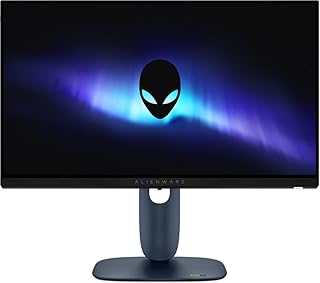
Alienware 25 Gaming Monitor - AW2525HM
Why We Love It
Quick Pick
10 Best Dell Gaming Monitors Of 2026
Quick Pick
Dell 27 Monitor S2725HSM, FHD IPS, 144Hz | 300 cd/m2 Brightness, 1500:1 Contrast, 178° Viewing Angle, Speakers, VESA 100x100, 3-Year Warranty
Alienware 27 Gaming Monitor - AW2725DM, QHD (2560x1440), 180Hz, Fast IPS, 1ms, Compatible with NVIDIA G-Sync, AMD FreeSync, 95% DCI-P3, HDR400, DisplayPort, 2 HDMI, 3 USB, 3 Year Warranty
Dell 24 Gaming Monitor - SE2426HG, Full HD (1920x1080), 240Hz, Fast IPS | 0.5ms, AMD FreeSync Premium, 99% sRGB, HDR10, VESA (100x100mm), DisplayPort, 2 HDMI, 3 Year Warranty, Black
Dell 27 Plus Monitor - S2725DSM, QHD (2560x1440), 144Hz, IPS, 1ms MPRT, AMD FreeSync, 99% sRGB, Height Adjustment, Built-in Speakers, DisplayPort, HDMI, 3 Year Warranty, White
Dell 24 Plus Monitor - S2425HSM - 23.8" FHD (1920x1080) IPS 144Hz 1ms FreeSync, 99% sRGB, Dual 3W Speakers, Eye Comfort, Adjustable Stand Height/Tilt/Swivel/Pivot, HDMI, 3-Year Warranty - Ash White | AMD FreeSync, 99% sRGB, Height Adjust, Built-in Speakers, 2 HDMI, 3 Year Warranty, White
Dell 27 Plus USB-C Monitor - S2725DC, QHD (2560x1440), 144Hz, IPS, 1ms MPRT, AMD FreeSync, 99% sRGB, Height Adjustment, Built-in Speakers, 2 USB-C, DisplayPort, HDMI, 2 USB-A, 3 Year Warranty
Dell 27 Monitor - SE2725HM, Full HD (1920x1080), 100Hz, IPS, 5ms, VESA (100x100mm), HDMI, VGA, 3 Year Warranty, Black
Dell 27 Monitor - P2725H - 27-inch Full HD (1920 × 1080) 100Hz Display, IPS Panel, 99% sRGB, 1500:1 Contrast Ratio, Tilt/Swivel/Pivot/Height Adjustable, 3-Year Advanced Exchange Service - Black
Dell P2425H 24" Full HD (1920x1080) PC Display, 100Hz, IPS, 5ms, 99% sRGB, USB-C, DisplayPort, HDMI, VGA, 4X USB, 3 Year Warranty, Black
Alienware 25 Gaming Monitor - AW2525HM, Full HD (1920x1080), 320Hz, Fast IPS, 0.5ms, NVIDIA G-SYNC Compatible, AMD FreeSync Premium, DisplayPort, 2 HDMI, 3 USB, 3 Year Warranty | 0.5ms, NVIDIA G-SYNC Compatible, AMD FreeSync Premium, DisplayPort, 2 HDMI, 3 USB, 3 Year Warranty
Buying Guide: Dell Gaming Monitors
📋 Table of Contents
1What refresh rate is actually necessary for gaming?
For competitive gaming, 144Hz or higher is ideal to reduce motion blur and input lag. Casual gamers can get by with 120Hz, while 60Hz is only suitable for non-action-heavy titles where responsiveness isn't critical.
2Should I prioritize 1ms response time or 4ms for better performance?
1ms is best for fast-paced games like FPS or fighting games to avoid ghosting. 4ms is still acceptable for most games, especially if it's rated as 'overdrive' and doesn't cause visible trailing during quick movements.
3Is a curved monitor better for gaming than a flat one?
Curved monitors enhance immersion and reduce distortion at the edges, ideal for racing or RPG games. Flat screens are better for competitive play where accurate geometry and minimal distortion are crucial, like in MOBAs or shooters.
4What resolution should I choose based on my GPU power?
1080p is best for mid-range GPUs and smaller screens, while 1440p offers a balance of detail and performance. 4K requires a high-end GPU and is only worth it if you have a large monitor and can maintain high frame rates in your favorite games.
5What panel type should I look for in a gaming monitor?
TN panels offer the fastest response times and are great for competitive gaming, while IPS and VA panels provide better color accuracy and viewing angles. If you want both speed and color, look for a hybrid panel like IPS-TN or a high-end IPS with 1ms overdrive.
How we choose
Our editors are people who genuinely love testing and writing about products. We compare each product's real-world usability and strengths, then distill what matters most into our own "Why We Love It" points — so you get an honest, at-a-glance sense of what counts before you buy.