10 Best D Link Print Servers Of 2026
D Link Print Servers — Reviews, Recommendations & Updated Buying Guide November 2026


D-Link DP-301U 10/100TX 1-USB Port Print Server
Why We Love It


Airshi WiFi Print Server
Why We Love It

StarTech.com Ethernet to Parallel Network Print Server
Why We Love It

WAVLINK USB Wireless Print Server
Why We Love It

Brother NC8000 Print Server RJ45 Printer Accessory
Why We Love It

3-Port USB 2.0 Network Print Server 10/100 Mbps Ethernet USB
Why We Love It

DYMO LabelWriter Print Server
Why We Love It

Internal Ethernet Print Server Network Card for Zebra ZT210
Why We Love It

DIGITUS fast Ethernet print server.
Why We Love It
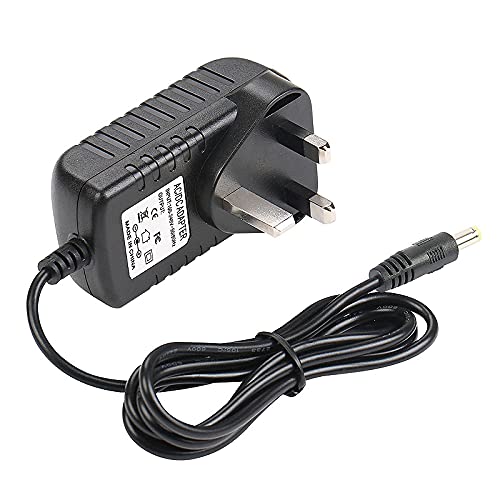
HM&CL 5V ~ 6V Ac Adapter For D-Link AirPlus Hub wireless
Why We Love It
Quick Pick
10 Best D Link Print Servers Of 2026
Quick Pick
D-Link DP-301U 10/100TX 1-USB Port Print Server
Airshi WiFi Print Server, LAN Print Share Server Supports Image Printing, Multiple Interfaces, Maximum Support 256GB forXP, USB 2.0Print Server (UK Plug)
StarTech.com Ethernet to Parallel Network Print Server, 10/100Mbps LAN, WebUI, Centronics Ethernet Printer Server Adapter, TAA
WAVLINK USB Wireless Print Server, WiFi Print Server with 10/100Mbps LAN/Bridge, 480Mbps USB2.0, Support Wireless/Wired/Standalone Modes, Compatible with Mac/Windows and All RAW-Supported Printers
Brother NC8000 Print Server RJ45 Printer Accessory
3-Port USB 2.0 Network Print Server 10/100 Mbps Ethernet USB Printer Adapter Windows 11
DYMO LabelWriter Print Server | Network Adapter for LabelWriter Label Printers
Internal Ethernet Print Server Network Card for Zebra ZT210 ZT230 P1038204-01
DIGITUS fast Ethernet print server., white, DN-13001-1
HM&CL 5V ~ 6V Ac Adapter For D-Link AirPlus Hub wireless Gaming Print Server Storage webcam Switch Wireless Xtreme router DFL EBR DSD DSM DWL DUB DIR DGS SERIES Power Supply
Buying Guide: D Link Print Servers
📋 Table of Contents
1What's the difference between a D-Link print server and just using a printer with built-in networking?
A D-Link print server lets you connect older USB-only printers to your network, while built-in networking is already embedded in modern printers. It's worth considering if you have legacy equipment you want to keep using or multiple printers that need centralized management.
2How many printers can a D-Link print server handle at once?
Most D-Link print servers support 1-4 printers depending on the model, with entry-level units handling 1-2 devices and higher-end models managing 4+. Check the product specs carefully because exceeding the device limit can slow down print jobs and cause connection drops.
3What connection types should I look for in a D-Link print server?
Look for Ethernet (essential for network connection) and USB ports (to connect your printer). Some models also offer wireless capability, which is handy if you want flexibility in printer placement around your office.
4Do I need a special print server for wireless printing, or will a wired one work fine?
A wired D-Link print server can work in a wireless network—your printer connects via USB to the server, then the server connects to your network via Ethernet. However, if you want truly wireless setup and easy mobile printing, a model with built-in WiFi eliminates extra cables.
5What should I check to make sure a D-Link print server will work with my printer?
Verify your printer has a USB port and check the D-Link model supports your printer's operating system (Windows, Mac, Linux). It's also wise to confirm the print server software is still supported and available for download, since older models sometimes get discontinued.
How we choose
Our editors are people who genuinely love testing and writing about products. We compare each product's real-world usability and strengths, then distill what matters most into our own "Why We Love It" points — so you get an honest, at-a-glance sense of what counts before you buy.