10 Best Cyberpower Ups Systems Of 2026
Cyberpower Ups Systems — Reviews, Recommendations & Updated Buying Guide November 2026

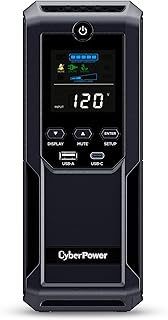
CyberPower CP1500AVRLCD3 Intelligent LCD UPS Battery Backup
Why We Love It


CyberPower ST425 Standby UPS Battery Backup and Surge
Why We Love It
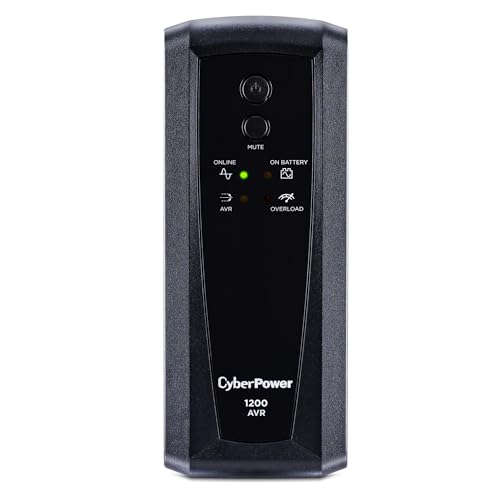
CyberPower CP1200AVR AVR UPS System
Why We Love It

CyberPower CP1000AVRLCD Intelligent LCD UPS System
Why We Love It

CyberPower SL950U Standby UPS Battery Backup and Surge
Why We Love It

CyberPower SL700U Standby UPS Battery Backup and Surge
Why We Love It
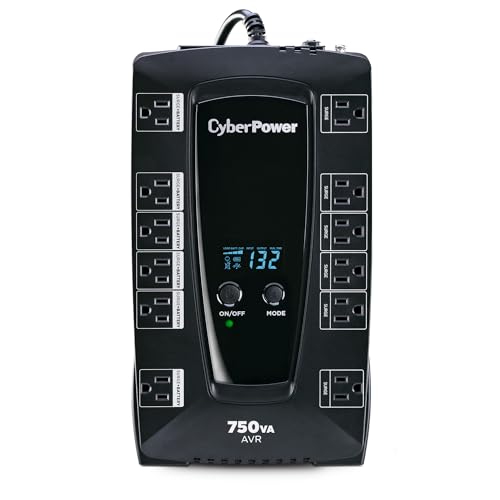
CyberPower AVRG750LCD Intelligent LCD UPS Battery Backup
Why We Love It

CyberPower CP825AVRLCD Intelligent LCD UPS Battery Backup
Why We Love It

CyberPower CP500PFCRM1U PFC Sinewave UPS Battery Backup and
Why We Love It

Tecnoware Power Systems Tecnoware UPS ERA PLUS DC
Why We Love It
Quick Pick
10 Best Cyberpower Ups Systems Of 2026
Quick Pick
CyberPower CP1500AVRLCD3 Intelligent LCD UPS Battery Backup, 1500VA/900W, 12 Outlets, 2 USB Ports, AVR, Mini Tower, UL Certified
CyberPower ST425 Standby UPS Battery Backup and Surge Protector | 425VA/260W, 8 Outlets, Compact, UL Certified
CyberPower CP1200AVR AVR UPS System, 1200VA/720W, 10 Outlets, Mini-Tower
CyberPower CP1000AVRLCD Intelligent LCD UPS System, 1000VA/600W, 9 Outlets, AVR, Mini-Tower
CyberPower SL950U Standby UPS Battery Backup and Surge Protector
CyberPower SL700U Standby UPS Battery Backup and Surge Protector | 700VA/370W, 8 Outlets, Slim Profile, UL Certified
CyberPower AVRG750LCD Intelligent LCD UPS Battery Backup
CyberPower CP825AVRLCD Intelligent LCD UPS Battery Backup
CyberPower CP500PFCRM1U PFC Sinewave UPS Battery Backup and Surge Protector
Tecnoware Power Systems Tecnoware UPS ERA PLUS DC 5VDC/9VDC/12VDC – Mini UPS for WIFI, Modem/Router, VOIP, Cameras - POE Function 24VDC/48VDC – Power 25W, Autonomy up to 240 minutes
Buying Guide: Cyberpower Ups Systems
📋 Table of Contents
1What battery capacity do I need for my devices?
Look for at least 500-1000VA for basic home use, such as a PC and monitor. For servers or high-power devices, 1500VA or more is better. Check the VA rating matches your total connected load to avoid overloading the system.
2Should I choose a line-interactive or online UPS?
Line-interactive models are cost-effective and suitable for most home or small office setups, offering surge protection and voltage regulation. Online UPS systems provide constant clean power and are ideal for sensitive equipment like servers or medical devices, but they are more expensive and complex.
3How long will the battery last during a power outage?
Battery runtime depends on the load and battery size. A typical 1000VA UPS might last 10-20 minutes for a low-power PC, but only 2-5 minutes for a full desktop with monitor. For extended backup, look for models with replaceable or expandable battery packs.
4What types of devices are compatible with a UPS system?
Most UPS systems work with computers, routers, and small electronics. Avoid connecting high-ripple devices like laser printers or large LED TVs, as they can damage the UPS or reduce battery life. Always check the manufacturer's compatibility list or VA requirements for your devices.
5Are smart features worth the extra cost?
Smart UPS systems with USB or network connectivity allow for automatic shutdowns and remote monitoring, which are great for servers or critical systems. For basic home use, a simple model with a power button and surge protection is often sufficient and more cost-effective.
How we choose
Our editors are people who genuinely love testing and writing about products. We compare each product's real-world usability and strengths, then distill what matters most into our own "Why We Love It" points — so you get an honest, at-a-glance sense of what counts before you buy.