10 Best Customizable Keys Stream Decks Of 2026
Customizable Keys Stream Decks — Reviews, Recommendations & Updated Buying Guide November 2026


Elgato Stream Deck Neo
Why We Love It


Elgato Stream Deck MK.2–Studio Controller
Why We Love It

Elgato Stream Deck Mini
Why We Love It

Elgato Stream Deck + XL
Why We Love It

Elgato Stream Deck +
Why We Love It
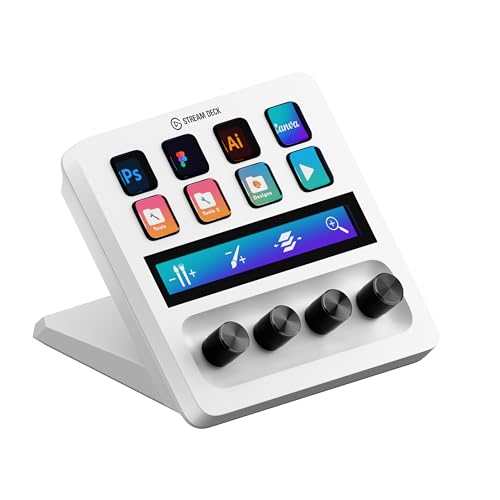
Elgato Stream Deck + White
Why We Love It

VSDINSIDE Macro Keypad
Why We Love It

Elgato Stream Deck Neo
Why We Love It

Elgato Stream Deck MK.2 White–Studio Controller
Why We Love It

FIFINE AmpliGame D6 Stream Controller with 15 Macro Keys
Why We Love It
Quick Pick
10 Best Customizable Keys Stream Decks Of 2026
Quick Pick
Elgato Stream Deck Neo, 8 Customizable Keys, 2 Touch Points
elgato Stream Deck MK.2–Studio Controller, 15 Macro Keys, Trigger Actions in apps and Software Like OBS, Twitch, YouTube and More, Works with Mac and PC
Elgato Stream Deck Mini, 6 Customizable LCD Macro Keys
Elgato Stream Deck + XL – Customizable Control Platform With Macro Keys, Multifunction Dials, Touch Strip for Professional Systems & Production – USB-C for PC and Mac
Elgato Stream Deck +, Audio Mixer, Production Console and Studio Controller for Content Creators, Streaming, Gaming, with customizable touch strip dials and LCD keys, works with Mac and PC
Elgato Stream Deck + White, Bluetooth Audio Mixer, Live Production and Studio Controller, Customizable Touch Bar, Control Knobs, LCD Keys, for Mac and PC
VSDINSIDE Macro Keypad, Stream Controller Deck with 18 Programmable Keys, Customizable Visual AI Pad, USB Soundboard for OBS, YouTube, Desk Office, Laptop, PC, Mac
Elgato Stream Deck Neo, Black
Elgato Stream Deck MK.2 White–Studio Controller, 15 Macro Keys, Wi-Fi, Trigger Actions in apps and Software Like OBS, Twitch, YouTube and More, Works with Mac and PC
FIFINE AmpliGame D6 Stream Controller with 15 Macro Keys, Trigger Actions | Streaming Keyboard for OBS, Twitch/YouTube/Streamlabs, Shortcut Buttons Keypad, MAC and PC
Buying Guide: Customizable Keys Stream Decks
📋 Table of Contents
1How many customizable keys do I actually need?
Most users find 8-16 keys sufficient for common tasks like streaming, social media, or software shortcuts. If you need more complex workflows, look for models with 32 keys or expandable modules for added flexibility.
2What types of key actions can I program?
High-quality stream decks support macros, app launches, keystrokes, and even video clips. Some also let you add custom images or icons to each key, making it easier to identify functions at a glance.
3Is a color LCD screen worth the extra cost?
Color screens allow you to preview images, video thumbnails, or dynamic content on each key, which is great for content creators. Monochrome models are cheaper and still work well for basic shortcuts and macros.
4What software compatibility should I check?
Ensure the stream deck works with your operating system (Windows, macOS, or Linux) and supports the apps you use, like OBS, Discord, or video editing software. Some models offer cross-platform support and third-party app integrations out of the box.
5Can I use it with a laptop or only a desktop?
Most stream decks connect via USB and work with laptops as long as you have a free port. Look for models with compact designs and lightweight builds if you plan to use it on the go or with a portable setup.
How we choose
Our editors are people who genuinely love testing and writing about products. We compare each product's real-world usability and strengths, then distill what matters most into our own "Why We Love It" points — so you get an honest, at-a-glance sense of what counts before you buy.