10 Best Creality Multi Color 3d Printer Of 2026
Creality Multi Color 3d Printer — Reviews, Recommendations & Updated Buying Guide November 2026


Creality 3D Printer Hi Combo
Why We Love It


Creality Smart 3D Printer
Why We Love It

Creality K2 SE Combo 3D Printer
Why We Love It

Creality K2 Combo (A) 3D Printer
Why We Love It

Creality K2 SE 3D Printer with PLA Filament 2KG (Random
Why We Love It

Creality K2 Pro Combo (A) 3D Printer
Why We Love It
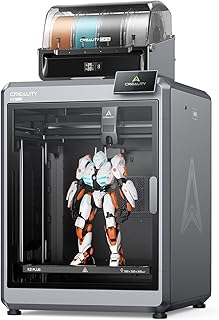
Creality K2 Plus Combo 3D Printer
Why We Love It
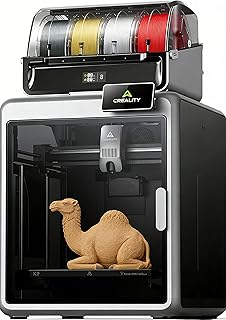
Creality 3D Printer
Why We Love It
Quick Pick
10 Best Creality Multi Color 3d Printer Of 2026
Quick Pick
Creality 3D Printer Hi Combo, with CFS Support Up to 16 Colors Printing, 500mm/s High Speedy 3D Printer with Color Touch Screen, Auto Leveling, for Home and office, Print Size 260×260×300mm
Creality Smart 3D Printer, Support up to 16 Colors Printing, with 500mm/s High-Speed, New 3D Printer with Color Touch Screen, Full-auto Leveling, Silent, for Home and office, Print Size 26×26×30cm(Hi)
Creality K2 SE Combo 3D Printer, Support Multicolor Printing with CFS, 500mm/s High-Speed, Smart Auto Leveling, Solid Metal Build Frame, Fully Assembled, Next-Gen Extruder, 220×215×245mm Build Volume
Creality K2 Combo (A) 3D Printer, Multi Color 3D Printing with CFS 600mm/s, High-Speed Auto-Leveling, Creality 3D Printer, Build Volume 260 * 260 * 260mm
Creality K2 SE 3D Printer with PLA Filament 2KG (Random Color), Support Multicolor Printing Needs CFS, 500mm/s High-Speed Printing, Auto Leveling, Compact Desktop 3D Printer, Print Size 220x215x245mm
Creality K2 Pro Combo (A) 3D Printer, Multi Color 3D Printing with CFS Dual Al Camera 600mm/s, High-Speed Auto-Leveling, Creality 3D Printer, Build Volume 300 * 300 * 300mm
Creality K2 Plus Combo 3D Printer, Multi Color Printing with New CFS, Max 600mm/s Printing Speed, Full-auto Leveling, Next-Gen Direct Drive Extruder, Dual Al Camera, Build Volume 350 * 350 * 350mm
Creality 3D Printer, Newly Professional Grade Multicolor 3D printer with CFS Supports up to 16 Colors, 600mm/s Printing Speed, Next-Gen Direct Drive Extruder, K2 Combo, 260 * 260 * 260mm Printing Size
Buying Guide: Creality Multi Color 3d Printer
📋 Table of Contents
1How does the Creality multi-color system actually work — does it switch nozzles or mix filament?
Most Creality multi-color printers use a mixing hotend or nozzle-switching system to blend colors mid-print. The mixing approach is faster and simpler, but nozzle-switching gives cleaner color separation if you need sharp transitions between colors.
2What's the learning curve for setting up multi-color prints compared to single-color?
Multi-color printing requires slicing software that supports the feature (like Cura with plugins) and careful calibration of your nozzles or color channels — it's noticeably harder than standard printing but manageable with practice. Expect your first few prints to have imperfections until you dial in your settings.
3Do I need to buy special filament, or will any standard filament work?
Any standard filament works fine, but you'll want brands that are reliable and consistent in diameter since the printer manages multiple feeds. Avoid very cheap or low-quality filament, as inconsistencies become more obvious when switching between colors.
4What size build plate should I look for, and does multi-color printing limit my design options?
A 220×220mm or larger plate gives you reasonable flexibility; smaller plates get cramped quickly since multi-color files tend to be larger. Multi-color printing doesn't limit designs, but complex color layouts with many tiny sections can cause print quality issues or slow speeds.
5Is it worth upgrading from a single-color Creality, or should I just buy a purpose-built multi-color printer?
If you already have a standard Creality, adding a multi-color hotend is usually cheaper than buying a new printer, but it requires installation and calibration. If you're starting fresh and want reliability out of the box, a dedicated multi-color model saves troubleshooting time.
How we choose
Our editors are people who genuinely love testing and writing about products. We compare each product's real-world usability and strengths, then distill what matters most into our own "Why We Love It" points — so you get an honest, at-a-glance sense of what counts before you buy.