10 Best Corsair Cx Of 2026
Corsair Cx — Reviews, Recommendations & Updated Buying Guide November 2026


Corsair CX550 ATX 550W Power Supply
Why We Love It


Corsair CX750 ATX 750W Power Supply
Why We Love It

CORSAIR CX750 80 PLUS Bronze Non Modular Low-Noise ATX 750
Why We Love It

Corsair CX Series 650 Watt 80 Plus Bronze Certified
Why We Love It

CORSAIR 3500X Mid-Tower ATX PC Case
Why We Love It
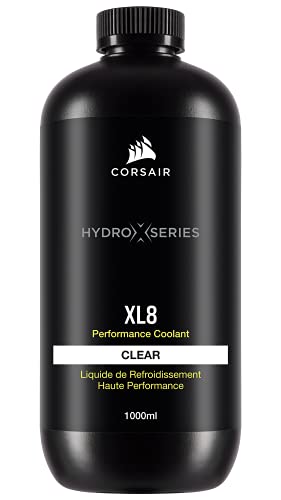
CORSAIR Hydro X Series
Why We Love It
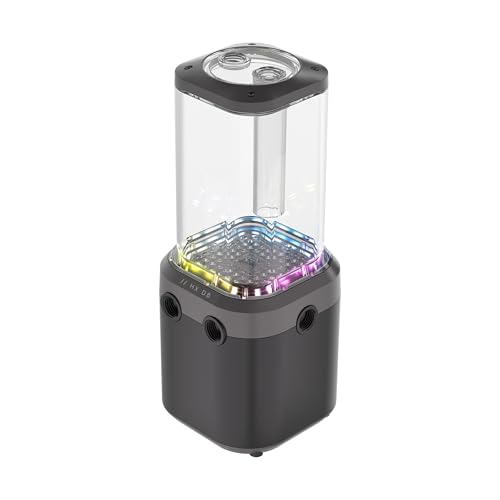
CORSAIR iCUE LINK XD6 RGB Elite Pump/Container Unit
Why We Love It

Corsair CX Series 450 Watt 80 Plus Bronze Certified Modular
Why We Love It

Corsair CX-M Series, CX450M
Why We Love It

Corsair ICUE Commander CORE XT
Why We Love It
Quick Pick
10 Best Corsair Cx Of 2026
Quick Pick
Corsair CX550 ATX 550W Power Supply - 80 Plus Bronze Certified - Low Noise - Sheathed Cables - Non-Modular - EU - Black
Corsair CX750 ATX 750W Power Supply - 80 Plus Bronze Certified - Low Noise - Sheathed Cables - Non-Modular - EU - Black
CORSAIR CX750 80 PLUS Bronze Non Modular Low-Noise ATX 750 Watt Power Supply - UK - Black
Corsair CX Series 650 Watt 80 Plus Bronze Certified Non-Modular Power Supply (CP-9020122-NA)
CORSAIR 3500X Mid-Tower ATX PC Case – Panoramic Tempered Glass – Reverse Connection Motherboard Compatible – No Fans Included – Black
CORSAIR Hydro X Series, XL8, Performance Coolant, 1L, Clear
CORSAIR iCUE LINK XD6 RGB Elite Pump/Container Unit - FlowDrive Max Pump, Integrated Temperature Sensor, 22 Addressable RGB LEDs - Steel Grey
Corsair CX Series 450 Watt 80 Plus Bronze Certified Modular Power Supply (CP-9020101-NA)
Corsair CX-M Series, CX450M, Modular Power Supply, 80 PLUS Bronze
Corsair ICUE Commander CORE XT, Digital Fan Speed and RGB Lighting Controller (Control up to Six PWM Case Fans and 264 RGB LEDs, Zero RPM Mode, Temperature Monitoring, Easy Installation) Black
Buying Guide: Corsair Cx
📋 Table of Contents
1How much wattage do I need for my PC components?
For a basic system, 500-600W is usually enough. If you have a high-end GPU or multiple drives, aim for 750W or more. Always check your components' total power draw and add 20% for headroom and future upgrades.
2What is the difference between 80 PLUS and 80 PLUS Bronze/Certified?
80 PLUS Bronze ensures at least 86% efficiency at 50% load, while standard 80 PLUS requires 80%. Higher certifications like Gold or Platinum mean better efficiency and less wasted energy, which is ideal for high-performance or energy-conscious builds.
3Should I prioritize modular or non-modular cables?
Modular PSUs let you attach only the cables you need, reducing clutter and improving airflow inside the case. Non-modular units are often cheaper but can lead to messy cable management. Semi-modular is a good middle ground, offering modularity for key cables like the 24-pin and 8-pin CPU connectors.
4What is the importance of a single 12V rail versus multiple rails?
A single 12V rail delivers all power from one source, which is better for high-end systems with heavy power demands. Multiple rails can limit power delivery to individual components, potentially causing instability. Look for a single rail if you have a powerful GPU or CPU.
5Are there any common mistakes to avoid when choosing a PSU?
Underestimating wattage needs is a big one — always go slightly higher than your minimum requirement. Also, avoid cheap, unbranded units with no efficiency certification. A reliable PSU is crucial for system stability and component longevity.
How we choose
Our editors are people who genuinely love testing and writing about products. We compare each product's real-world usability and strengths, then distill what matters most into our own "Why We Love It" points — so you get an honest, at-a-glance sense of what counts before you buy.