10 Best Cooling Pad Laptop Accessories Of 2026
Cooling Pad Laptop Accessories — Reviews, Recommendations & Updated Buying Guide November 2026


TopMate C11 Laptop Cooling Pad RGB Gaming Notebook Cooler
Why We Love It


Necomi Laptop Cooling Pad
Why We Love It

WEETOTUNG Laptop Cooling Pad Stand for Gaming
Why We Love It

RIVACASE Unisex Adult Sports Accessories Accessories
Why We Love It

TopMate C5 Laptop Cooling Pad Gaming Notebook Cooler
Why We Love It

Hagibis Laptop Cooling Pad Ergonomic Laptop Stand Small
Why We Love It
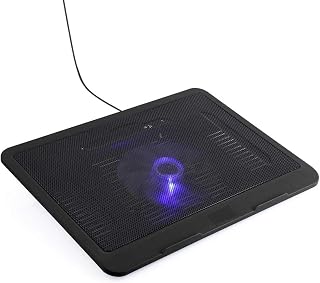
Cusco GOTOTOP Laptop Cooler
Why We Love It
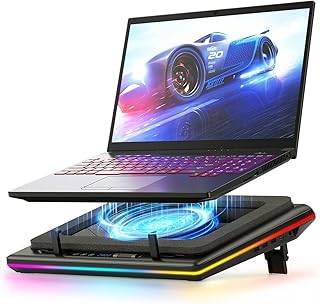
Llano V12 RGB Laptop Cooling Pad with Powerful Turbofan
Why We Love It

Promate Gaming Laptop Cooling Pad
Why We Love It

KASTWAVE Portable Invisible Laptop Stand
Why We Love It
Quick Pick
10 Best Cooling Pad Laptop Accessories Of 2026
Quick Pick
TopMate C11 Laptop Cooling Pad RGB Gaming Notebook Cooler, Laptop Fan Stand | Adjustable Height with 6 Quiet Fans and Phone Holder, Computer Chill Mat, for 15.6-17.3 Inch Laptops - Blue LED Light
Necomi Laptop Cooling Pad, Laptop Cooler Stand with 6 Quiet Cooling Fans and 6 Height Adjustable Dual USB Powered Gaming Laptop Cooling Stand for 12-17 Inch Laptop Computer
WEETOTUNG Laptop Cooling Pad Stand for Gaming - Quiet Fan Height Adjustable Stand with USB Interfaces Charging and Cooler Power Charging Port - Turbofan for Gaming Notebook and Office Laptops
RIVACASE Unisex Adult Sports Accessories Accessories
TopMate C5 Laptop Cooling Pad Gaming Notebook Cooler, Laptop Fan Cooling Stand Adjustable Height with 5 Quiet Fans Blue LED Light, Computer Chill Mat with LCD Controller, for 10-15.6 Inch Laptops
Hagibis Laptop Cooling Pad Ergonomic Laptop Stand Small Invisible Portable Magnetic Foot Heat Pad for MacBook Pro Computer (Grey) | Improves air circulation for cooling. Non-slip silicone protects against scratches and slipping. Lightweight and portable
Cusco GOTOTOP Laptop Cooler, Laptop Cooler Cooling Pad Base Big Fan USB Stand for 14" or Below Notebook(black)
llano V12 RGB Laptop Cooling Pad with Powerful Turbofan Gaming Cooler | Infinitely Variable Speed, Touch Control, LCD Screen, 3-Port USB Hub, Seal Foam for Notebook Computer 15-19in, Black
Promate Gaming Laptop Cooling Pad, Ergonomic High-Speed with 4 Silent Cooling Fan, Adjustable Height, LED Speed Display, Cable Organizer and Anti-Slip Grip for Laptops up to 17 Inch, AirBase-3 Black
KASTWAVE Portable Invisible Laptop Stand, 3 Adjustable Angles,Mini Aluminum Cooling Pad Keyboard Riser Ergonomic with Computer Keyboard Stand(4PCS)
Buying Guide: Cooling Pad Laptop Accessories
📋 Table of Contents
1How many fans should a cooling pad have for optimal performance?
Most cooling pads have 1 to 3 fans. A single fan is sufficient for light use or entry-level laptops, while dual or triple fans offer better airflow for high-performance or gaming laptops. More fans typically mean better heat dissipation but also more noise and power consumption.
2What is the ideal size for a cooling pad based on my laptop?
Look for a cooling pad that is at least 1-2 inches larger than your laptop on all sides to allow proper airflow. Common sizes are 15.6-inch (16.1” x 10.6”) for standard laptops and 17-inch (17.3” x 11.8”) for larger models. A snug fit ensures stability and efficient cooling.
3Does the type of fan (DC vs. PWM) affect cooling performance?
PWM (Pulse Width Modulation) fans adjust speed based on temperature, providing quieter and more efficient cooling than fixed-speed DC fans. For a balance of performance and noise, choose a cooling pad with PWM fans and adjustable speed settings via software or buttons.
4Are USB-powered cooling pads enough, or should I look for a separate power source?
USB-powered pads are convenient but may not provide enough power for high-speed fans or larger laptops. For better performance, especially with gaming or workstations, choose a cooling pad with a separate power adapter to avoid overloading your laptop’s USB port.
5What additional features are worth paying for in a cooling pad?
Look for adjustable height settings, non-slip feet, and a durable, breathable surface for comfort. Some models include LED lighting or laptop stand angles for ergonomics. These extras can improve usability but aren’t essential for basic cooling needs.
How we choose
Our editors are people who genuinely love testing and writing about products. We compare each product's real-world usability and strengths, then distill what matters most into our own "Why We Love It" points — so you get an honest, at-a-glance sense of what counts before you buy.