10 Best Conference Computer Microphones Of 2026
Conference Computer Microphones — Reviews, Recommendations & Updated Buying Guide November 2026


Anker PowerConf Bluetooth Speakerphone with 6 Microphones
Why We Love It


AIRHUG USB Microphone No Speaker with Magnetic & Flat Mount
Why We Love It
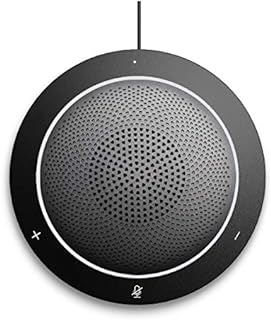
SP300U USB Speaker Phone 360 degree Omnidirectional
Why We Love It

Anker PowerConf S330 USB Speakerphone
Why We Love It

USB Speakerphone -Q95 Mini Conference Speaker for 6 People
Why We Love It

USB Microphone, USB PC Mic for Business Video Conference
Why We Love It
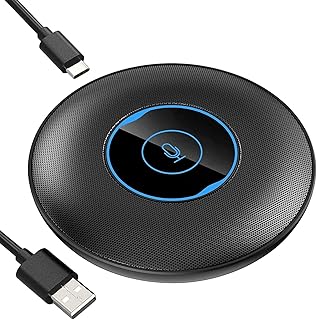
TERRIFI Conference USB Microphone
Why We Love It

Excefore USB Conference Microphone for Computer
Why We Love It

AIRHUG Conference Microphone and Speaker
Why We Love It

EMEET USB Speakerphone
Why We Love It
Quick Pick
10 Best Conference Computer Microphones Of 2026
Quick Pick
Anker PowerConf Bluetooth Speakerphone with 6 Microphones, Enhanced Voice Pickup, 24H Call Time, Bluetooth 5, USB C, Bluetooth Conference Speaker Compatible with Leading Platforms, For Home Office | Black
AIRHUG USB Microphone No Speaker with Magnetic & Flat Mount, for PC/Mac | Noise Canceling, Mute Button & LED Indicator, Plug & Play, for Zoom/Teams/Gaming/Class
SP300U USB Speaker Phone 360 degree Omnidirectional Microphone Portable Conference Speakerphone Echo Cancellation for Teams, Zooms, Webinar
Anker PowerConf S330 USB Speakerphone, Conference Microphone for Home Office, Smart Voice Enhancement, Plug and Play, 360° Voice Coverage via 4 Microphones, and Powerful Sound
USB Speakerphone -Q95 Mini Conference Speaker for 6 People Business Conference Phone 360° Voice Pickup Microphone USB Skype Speakerphone Conference Call Speaker Plug and Play
USB Microphone, , USB PC Mic for Business Video Conference, Recording, Chat, Podcasting, Online Class, Mute Button with LED Indicator, Compatible with Macbook, Laptop, PC, Window
TERRIFI Conference USB Microphone, 360 degrees Omnidirectional Laptop PC Computer External Conference Mic with Mute Button, Compatible with MacOS Windows for Zoom Meeting, Online Learning, Skype VD60
Excefore USB Conference Microphone for Computer, 360° Omnidirectional Condenser Mic with Mute Key, Great for Video Conference, Gaming, Chatting, Skype, Plug & Play, Windows macOS, Ideal for Gift
AIRHUG Conference Microphone and Speaker, Bluetooth Speaker with 360° Voice Pickup, Advanced Noise Reduction, USB-C Plug & Play, Compatible with Zoom and MS Team
EMEET USB Speakerphone, M1A Zoom Certified AI Mics 360°Voice Pickup USB Type C-A Plug&Play Computer Speakers with Microphone, Fast Mute Noise Reduction Echo Cancellation for 5-8 People for Zoom Teams
Buying Guide: Conference Computer Microphones
📋 Table of Contents
1What microphone type is best for conference calls — USB, XLR, or Bluetooth?
USB mics are plug-and-play and ideal for most laptops and desktops; XLR mics offer better sound quality but need an audio interface; Bluetooth mics are wireless but may lag or drop audio. For most conference setups, a USB condenser mic with a noise-canceling feature is the best balance of quality and convenience.
2How important is a noise-canceling feature in a conference mic?
Very important — a good noise-canceling mic can reduce background noise by 60-80%, making your voice clearer in calls. Look for mics with a unidirectional pickup pattern and built-in digital noise suppression for optimal performance in open or noisy environments.
3What sensitivity and frequency response should I look for in a conference mic?
A sensitivity range of -40 to -50 dB and a frequency response of 20Hz–20kHz ensures clear, natural sound. For speech-focused use, a narrower 100Hz–10kHz range can enhance vocal clarity and reduce unnecessary background pickup, making your voice stand out in calls.
4Is a pop filter or shock mount necessary for a conference mic?
A pop filter is helpful for reducing plosive sounds like 'p' and 'b' and is worth considering if you speak close to the mic. A shock mount is less critical for most conference mics but can reduce handling noise if you move the mic often or use it in a less stable setup.
5Should I choose a wired or wireless mic for my conference setup?
Wired mics, especially USB, are more reliable and avoid latency or connectivity issues. Wireless mics offer mobility but may suffer from interference or battery life concerns. For most conference calls, a wired mic ensures a stable, uninterrupted connection and is generally more cost-effective.
How we choose
Our editors are people who genuinely love testing and writing about products. We compare each product's real-world usability and strengths, then distill what matters most into our own "Why We Love It" points — so you get an honest, at-a-glance sense of what counts before you buy.