10 Best Computer Game Controller Of 2026
Computer Game Controller — Reviews, Recommendations & Updated Buying Guide November 2026


GameSir Nova Lite Wireless Controller for PC
Why We Love It


GameSir Nova Lite Wireless Controller for PC
Why We Love It

Angju USB Wireless Gaming Controller Gamepad for PC/Laptop
Why We Love It

VOYEE Switch Controllers for Switch/Lite/OLED/PC
Why We Love It

Wired Controller for Xbox 360
Why We Love It

SQDeal 2 Pack USB Joystick Gamepad Gaming Pad Wired
Why We Love It

GameSir Tegenaria Lite Wired Game Controller For Switch
Why We Love It

SQDeal USB Dual Shock Joystick Gamepad Gaming Controller
Why We Love It
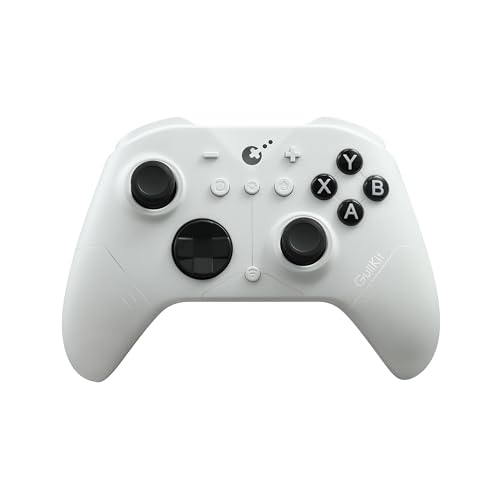
GuliKit ES Pro White TMR Joysticks Fastest Wireless
Why We Love It

Zebronics MAX FURY Transparent RGB LED Illuminated Wired
Why We Love It
Quick Pick
10 Best Computer Game Controller Of 2026
Quick Pick
GameSir Nova Lite Wireless Controller for PC, Hall Effect Sticks & Trigger | Bluetooth Controller Gamepad with Hall Effect Trigger,Turbo,Rumble Vibration, Android, Switch & Steam Deck
GameSir Nova Lite Wireless Controller for PC, Hall Effect Sticks & Trigger | Bluetooth Controller Gamepad with Hall Effect Trigger,Turbo,Rumble Vibration, Android, Switch & Steam Deck
Angju USB Wireless Gaming Controller Gamepad for PC/Laptop Computer(Windows XP/7/8/10) & PS3 & Android & Steam - [Black] (Black)
VOYEE Switch Controllers for Switch/Lite/OLED/PC, Pro Controller | Wireless, Programmable, RGB Lightning LED, 10-15H Runtime, One-key Pairing, Turbo, Vibration, 6-Axis Motion Control, Wake-up
Wired Controller for Xbox 360, YAEYE Game Controller for 360 with Dual-Vibration Turbo Compatible with Xbox 360/360 Slim and PC Windows 7,8,10,11
SQDeal 2 Pack USB Joystick Gamepad Gaming Pad Wired Controller with Double Vibration Feedback Motors for PC Computer Laptop Window (Black)
GameSir Tegenaria Lite Wired Game Controller For Switch, Android, iOS, PC, Steam With Retro 90s Design, Hall Effect Sticks, 1000Hz Polling Rate, Dual Rumble Motors, Mappable Back Buttons, Ultra-Low Latency, Ergonomic Design -Serene White
SQDeal USB Dual Shock Joystick Gamepad Gaming Controller [Double Vibration Feedback Motors] for PC Computer Laptop Window (Black)
GuliKit ES Pro White TMR Joysticks Fastest Wireless Controller | Windows PC, Android & IOS, Nintendo Switch 1/2 –, 1000Hz Wired on PC, 730Hz Low Latency Bluetooth, Hall Triggers, Gyro
Zebronics MAX FURY Transparent RGB LED Illuminated Wired Gamepad for Windows PC, Android, with Dual analog sticks, Quad front triggers, Dual motors force, Haptic Feedback
Buying Guide: Computer Game Controller
📋 Table of Contents
1What features should I look for in a computer game controller?
Look for features like responsive buttons, customizable controls, ergonomic design, and compatibility with your operating system. Wireless connectivity and battery life are also important for convenience.
2What are the key specifications to consider?
Key specs include button layout, joystick sensitivity, build quality, supported platforms (PC, console, etc.), and connectivity options (USB, Bluetooth).
3How do I ensure the controller is the right size and compatible with my setup?
Check the controller's dimensions and weight to ensure it fits comfortably in your hands. Verify compatibility with your computer's ports and operating system before purchasing.
4When should I pay more for a premium controller?
Pay more if you need high precision for competitive gaming, advanced customization options, or a durable build for long gaming sessions.
5What are common mistakes to avoid when buying a computer game controller?
Common mistakes include ignoring compatibility with your system, overlooking ergonomics, and not checking for necessary accessories like extra batteries or charging cables.
How we choose
Our editors are people who genuinely love testing and writing about products. We compare each product's real-world usability and strengths, then distill what matters most into our own "Why We Love It" points — so you get an honest, at-a-glance sense of what counts before you buy.