10 Best Comet Kvm Switches Of 2026
Comet Kvm Switches — Reviews, Recommendations & Updated Buying Guide November 2026

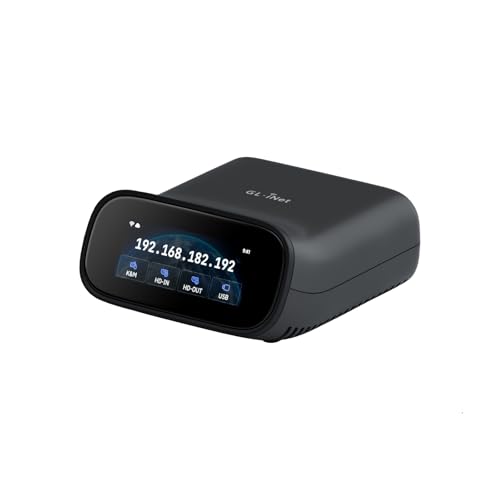
GL.iNet GL-RM10 Comet Pro Remote KVM Over Wi-Fi 6 Dual Band
Why We Love It


GL.iNet Comet Q (GL-RMQ1) Pocket KVM
Why We Love It

GL.iNet Comet X (GL-RM4PE) Quad-Port Remote KVM for Home Lab
Why We Love It

GL.iNet Comet PoE Remote KVM GL-RM1PE with Tailscale 4K
Why We Love It

ATX Remote PC Power Control Board
Why We Love It

UGREEN Displayport KVM Switch 2 Monitors 2 Computers Support
Why We Love It

JetKVM IP KVM Over IP PC Remote Control
Why We Love It

Anker KVM Switch (4K
Why We Love It

NALACAL VGA KVM Switch 2 port
Why We Love It

TERRIFI KVM Switch for 2 Computers 2 Monitors
Why We Love It
Quick Pick
10 Best Comet Kvm Switches Of 2026
Quick Pick
GL.iNet GL-RM10 Comet Pro Remote KVM Over Wi-Fi 6 Dual Band 4K Passthrough
GL.iNet Comet Q (GL-RMQ1) Pocket KVM, Plug & Play Remote for Laptop iPhone
GL.iNet Comet X (GL-RM4PE) Quad-Port Remote KVM for Home Lab and IT Pro
GL.iNet Comet PoE Remote KVM GL-RM1PE with Tailscale 4K Streaming
ATX Remote PC Power Control Board - Comet GL-RM1 and Comet PoE (GL-RM1PE) Accessories - Only For GL.iNet KVM - Boot From Shutdown, Crash Recovery
UGREEN Displayport KVM Switch 2 Monitors 2 Computers Support 8K@60Hz | 4 Port USB3.0 KVM Switcher 4K@240Hz DP1.4 KVM Switches for 2 Computers Share Keyboard, Mouse, Hard Drive and 2 Monitors
JetKVM IP KVM Over IP PC Remote Control, Open-Source Network KVM Switch with Touchscreen LCD, Ultra-Low Latency Remote BIOS Access for Computer Server Home Lab Data Center
Anker KVM Switch (4K, Desktop and Laptop)
NALACAL VGA KVM Switch 2 port, USB KVM Switches 2 in 1 out Selector for 2 PCs Share 1 Monitor and 3 USB devices Keyboard Mouse Printer Scanner Speaker
TERRIFI KVM Switch for 2 Computers 2 Monitors, USB 3.0 HDMI Dual Monitor KVM Switch with EDID Simulation, Supports 4K@60Hz and 2K@144Hz for 2 PCs and 2 Monitors
Buying Guide: Comet Kvm Switches
📋 Table of Contents
1How many devices can a KVM switch realistically handle?
Most KVM switches support 2-16 devices, with 4-8 being common for home or small office use. If you manage more than 8 computers regularly, look for a switch with expandable ports or daisy-chaining support for scalability.
2Does the type of connection (USB, IP-based, etc.) matter for performance?
Yes — USB KVMs are simple and fast for local use, while IP-based models let you control devices remotely over a network. For remote access, ensure the switch supports secure protocols and has a user-friendly web interface.
3What resolution and refresh rate should I look for in a video switch?
For standard use, 1080p at 60Hz is sufficient, but if you work with high-resolution displays or video editing, aim for 4K@60Hz support. Check that the switch is compatible with your monitor’s input type (HDMI, DisplayPort, etc.).
4Are audio and USB peripheral sharing essential features?
If you use headsets or external drives with all your devices, choose a KVM that supports audio and USB 3.0/3.1 for fast data transfer. Basic models may only share the keyboard and mouse, which is fine for simple setups.
5What are common mistakes to avoid when setting up a KVM switch?
Avoid using low-quality cables or mismatched ports, as they can cause lag or no signal. Also, ensure all connected devices are powered on before switching, and test each connection individually to rule out hardware issues.
How we choose
Our editors are people who genuinely love testing and writing about products. We compare each product's real-world usability and strengths, then distill what matters most into our own "Why We Love It" points — so you get an honest, at-a-glance sense of what counts before you buy.