10 Best Bmw Air Bag Scan Tools Of 2026
Bmw Air Bag Scan Tools — Reviews, Recommendations & Updated Buying Guide November 2026


FOXWELL NT530 for BMW - All Systems
Why We Love It


Outzone B800 SRS Reset Scanner BMW Airbag Scan Reset Tool
Why We Love It

ANCEL BM700 Battery Registration Tool Fits for BMW Mini
Why We Love It

FOXWELL NT630 Plus OBD2 Scanner with ABS and SRS
Why We Love It

ANCEL FX6000 Bidirectional OBD2 Scanner
Why We Love It
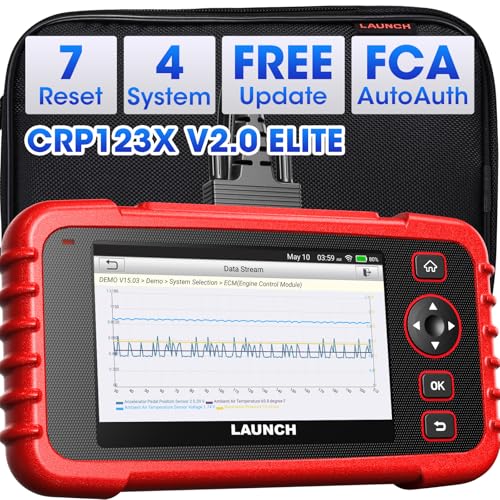
Launch OBD2 Scanner CRP123X Elite
Why We Love It

TopTekk Emergency DPF Regener Tools
Why We Love It
Quick Pick
10 Best Bmw Air Bag Scan Tools Of 2026
Quick Pick
FOXWELL NT530 for BMW - All Systems, All Maintenance Service - Bidirectional Diagnostic Scan Tool OBD2 Scanner Automotive Code Reader ABS Bleed SRS Airbag SAS TPMS TPS EPB Oil Reset CKP
Outzone B800 SRS Reset Scanner BMW Airbag Scan Reset Tool OBDII Diagnostic Repair Tool for DIY BMW Owner Fit BMWs E36/E46/E34/E38/Z3/X5/X3
ANCEL BM700 Battery Registration Tool Fits for BMW Mini, Full System OBD2 Diagnostic Scan Tool CBS SRS EPB SAS BMS EGS DPF Airbag Reset Car Engine Code Reader Scanner Injector Coding Oil Reset
FOXWELL NT630 Plus OBD2 Scanner with ABS and SRS, ABS Auto Bleed, 4 Resets | Brake Code Reader, ABS Active Tests, Oil EPB SAS, Check Engine Light, Live Data, No Subscription Required, WiFi Update
ANCEL FX6000 Bidirectional OBD2 Scanner, 4-System Scan Tool with 15+ Reset
Launch OBD2 Scanner CRP123X Elite, 2026 Lifetime Update WiFi Scan Tool, Engine at SRS Scanner, 3 Resets Diagnostic Scanner, Code Reader for All Cars, AutoVIN, FCA SGW, Voltage Monitor
TopTekk Emergency DPF Regener Tools, DPF Regeneration and Reset Device for Heavy Duty Trucks, DPF Regeneration Scanner – Engine Compatible with Cummins, Volvo, Caterpillar, Paccar and More Engines
Buying Guide: Bmw Air Bag Scan Tools
📋 Table of Contents
1What OBD-II protocol compatibility should I look for in a BMW air bag scan tool?
Look for tools that support the BMW-specific K-line protocol (ISO 14230-4) and CAN bus communication. Most modern BMWs use CAN, so ensure your tool can interface with both legacy and newer models for full diagnostic access.
2How important is the ability to read and clear air bag codes?
It's essential — a good scan tool should not only read air bag trouble codes (DTCs) but also allow you to clear them after repairs. Some tools also offer guided diagnostics to help identify the root cause of the issue, which is critical for safety systems.
3What features differentiate a basic tool from a professional-grade BMW air bag scan tool?
Professional tools often include features like live data streaming, pinout configuration for custom wiring, and the ability to perform module resets. They also tend to have more robust software with updated BMW-specific definitions and support for newer vehicle models.
4Can I use a generic OBD-II scanner for BMW air bag diagnostics?
Most generic OBD-II scanners can read air bag codes, but they may not support BMW-specific functions like module reprogramming or advanced diagnostics. For full functionality, a BMW-specific scan tool is recommended, especially for post-repair system resets.
5What should I check to ensure the scan tool is compatible with my BMW model year?
Verify that the tool supports your vehicle’s model year and trim. Tools designed for post-2000 BMWs may not work on older models, and vice versa. Look for tools that list specific model ranges or offer firmware updates to expand compatibility over time.
How we choose
Our editors are people who genuinely love testing and writing about products. We compare each product's real-world usability and strengths, then distill what matters most into our own "Why We Love It" points — so you get an honest, at-a-glance sense of what counts before you buy.