10 Best Bluetooth Wired Arcade Sticks Of 2026
Bluetooth Wired Arcade Sticks — Reviews, Recommendations & Updated Buying Guide November 2026


MAYFLASH Arcade Stick F700 for PS5
Why We Love It

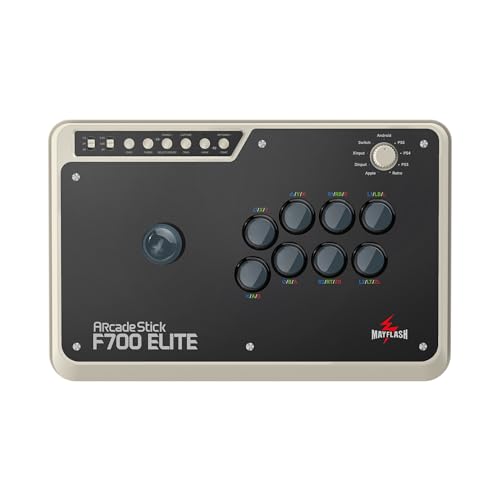
MAYFLASH Arcade Stick F700 Elite with Sanwa buttons and
Why We Love It

MAYFLASH F700 FLAT Elite Wireless Arcade Stick Leverless All
Why We Love It

8Bitdo Arcade Stick for Switch/Switch 2 & Windows PC
Why We Love It

8BitDo All-Button Arcade Controller for Switch & Windows
Why We Love It

8BitDo Retro Arcade Fight Stick 8 Way Joystick with 2
Why We Love It

MAYFLASH Wireless Arcade Fighting Stick F700X for Xbox
Why We Love It

POWER A Fusion Wireless Arcade Stick for Nintendo Switch
Why We Love It
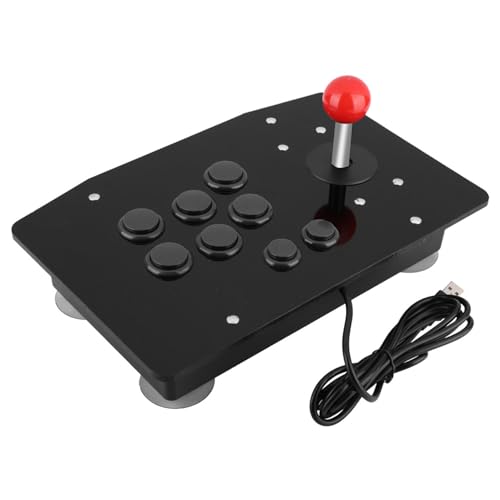
Tangxi Arcade Stick, Fighting Stick with 8 Buttons
Why We Love It

MAYFLASH Universal Arcade Fighting Stick F500 for
Why We Love It
Quick Pick
10 Best Bluetooth Wired Arcade Sticks Of 2026
Quick Pick
MAYFLASH Arcade Stick F700 for PS5, PS4, Switch, Switch 2, Windows, Apple, Android and more. Fight Stick Support Wireless Bluetooth, 2.4G Receiver and Wired Connection
MAYFLASH Arcade Stick F700 Elite with Sanwa buttons and joystick for PS5, PS4, Switch/Switch 2, Windows, Apple, Android and more. Fighting Stick Support Wireless Bluetooth, 2.4G and Wired Connection
MAYFLASH F700 FLAT Elite Wireless Arcade Stick Leverless All Button Controller with Sanwa buttons Compatible with PS5, PS4, PC, Xbox Series S/X, Switch/Switch 2 Support Bluetooth, 2.4G and Wired
8Bitdo Arcade Stick for Switch/Switch 2 & Windows PC, Wireless Bluetooth, 2.4G Adapter & Wired USB-C Arcade Fight Stick, Dynamic Button Layout, Macro Buttons, Turbo Functionality - Purple
8BitDo All-Button Arcade Controller for Switch & Windows, N Edition
8BitDo Retro Arcade Fight Stick 8 Way Joystick with 2 Dedicated Macro Buttons and Turbo Function for Switch and Windows PC, Supports Wireless Bluetooth, 2.4G Receiver and Wired USB-C Cable Connection
MAYFLASH Wireless Arcade Fighting Stick F700X for Xbox Series, PS4, Switch, Switch 2, Windows, Apple, Android and more. Fight Stick Support Wireless Bluetooth, 2.4G Receiver and Wired Connection
POWER A Fusion Wireless Arcade Stick for Nintendo Switch, Lite, Fight Stick, Gamepad, Game Controller, Bluetooth Controller, Officially Licensed - Nintendo Switch
Tangxi Arcade Stick, Fighting Stick with 8 Buttons,USB Arcade Fighting Stick for XP, win7, win8,Android 4.0 or Above(Black)
MAYFLASH Universal Arcade Fighting Stick F500 for Switch/Switch 2, Xbox Series X/S, Xbox One, Xbox 360, PS4, PS3, Windows, macOS, Android, Raspberry Pi, Steam Deck, PS Classic, NEOGEO mini
Buying Guide: Bluetooth Wired Arcade Sticks
📋 Table of Contents
1What input types should I look for in a Bluetooth wired arcade stick?
Most sticks use microswitches or mechanical switches. Microswitches are durable and responsive for competitive play, while mechanical switches offer a tactile feel preferred by casual users. Look for switches rated for at least 10 million presses for longevity.
2How many buttons and what layout are best for different games?
A 6-button layout (3 face + 2 shoulder + 1 back) is ideal for 2D fighting games, while 8 or 10 buttons suit arcade-style beat 'em ups and RPGs. For modern 3D games, a full 12-button stick with dual analog sticks or a D-pad is more versatile.
3Does the stick support both Bluetooth and wired modes simultaneously?
Some sticks offer dual connectivity for low-latency wired play and wireless convenience. If you plan to use it with multiple devices, look for models that support Bluetooth 5.0 or higher and USB-C for stable, fast connections.
4What build quality should I prioritize for long-term use?
A metal body and reinforced PCB reduce wear and improve durability. Check for a solid stick mechanism with minimal wobble and a durable stick cap material like ABS or POM plastic. Avoid flimsy plastic shells that crack easily with regular use.
5Are arcade stick profiles or custom button mapping important?
Yes — sticks with programmable buttons or downloadable profiles let you tailor controls for different games. This is especially useful for emulators or games with non-standard control schemes. Look for sticks with software support for custom layouts and key remapping.
How we choose
Our editors are people who genuinely love testing and writing about products. We compare each product's real-world usability and strengths, then distill what matters most into our own "Why We Love It" points — so you get an honest, at-a-glance sense of what counts before you buy.