10 Best Black And White Printers Of 2026
Black And White Printers — Reviews, Recommendations & Updated Buying Guide November 2026


Canon Pixma TS3640 Printer
Why We Love It


Brother DCP-L2640DW Business Monochrome Multifunction Laser
Why We Love It

HP | Smart Tank 595 | Wireless | Print
Why We Love It
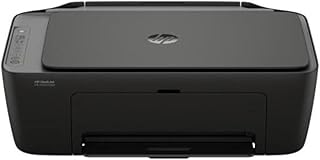
HP DeskJet Ink Advantage 2976 All-in-One Printer
Why We Love It

Canon SELPHY CP1500 Compact Photo Printer - Black
Why We Love It

Brother Wireless All In One Monochrome Laser Printer
Why We Love It

Brother QL-800 Thermal Label Printer
Why We Love It
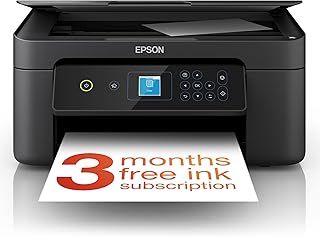
Epson Expression Home XP-3205 3-in-1 Ink Multifunction
Why We Love It

HP | Smart Tank 582 | Wireless | Print
Why We Love It

HP Smart Tank 581 Wireless All In One Printer
Why We Love It
Quick Pick
10 Best Black And White Printers Of 2026
Quick Pick
Canon Pixma TS3640 Printer - Black - UAE VERSION WITH OFFICIAL WARRANTY.
Brother DCP-L2640DW Business Monochrome Multifunction Laser Printer with 700 Prints in-Box
HP | Smart Tank 595 | Wireless | Print, Copy, Scan | Manual Duplex | Print speed: up to 12 ppm (B) / 5 ppm (C) | Up to 6000 Black or 6000 Tricolor pages | UAE Version
HP DeskJet Ink Advantage 2976 All-in-One Printer, Color Printer for Home, Print, copy, scan, Wireless; Print from phone or tablet
Canon SELPHY CP1500 Compact Photo Printer - Black | Wireless Portable Photo Printer with Wi-Fi, AirPrint & Memory Card Printing, 3.5-Inch LCD Display
Brother Wireless All In One Monochrome Laser Printer, DCP-L2625DW, Automatic 2 Sided Print, Mobile Printing & Scanning, Network & High Speed USB Connectivity, High Yield Ink Toner, Black
Brother QL-800 Thermal Label Printer | Up to 62mm Width | Print Red/Black on White Label | Auto Cut Function
Epson Expression Home XP-3205 3-in-1 Ink Multifunction Printer, Scanner, Copier, WiFi, 1440dpi, Duplex, 1.45 Inch Display, DIN A4, incl. 3 Months Readyprint Flex Trial
HP | Smart Tank 582 | Wireless | Print, Copy, Scan | Manual Duplex | Print Speed: 12ppm(black) / 5ppm(color) | Up to 18000 black or 6000 color pages included | ST582 | UAE Version
HP Smart Tank 581 Wireless All In One Printer, Print, Scan, Copy, Print up to 6000 black or 6000 color pages - Grey [4A8D4A]
Buying Guide: Black And White Printers
📋 Table of Contents
1What print resolution should I look for in a black and white printer?
A resolution of at least 600 dpi is standard for most home and office use, while 1200 dpi or higher is ideal for photo-quality prints. Higher DPI means sharper text and finer details, which is especially important for documents or images with small text or intricate graphics.
2What type of ink technology is best for black and white printing?
Look for printers using pigment-based ink for better water resistance and longevity, especially if you're printing documents that need to last. However, dye-based inks offer richer blacks and are often used in photo printers, so choose based on your primary use case.
3How does page yield affect my choice of black and white printer?
Page yield refers to how many pages a single ink cartridge can print before needing replacement. A higher page yield (typically 500-2000 pages per cartridge) is more cost-effective for high-volume printing, while lower yields are better for occasional use or budget models.
4Should I choose a laser or inkjet black and white printer?
Laser printers are faster and more cost-effective for large print volumes, with lower per-page costs and faster print speeds. Inkjet printers are better for smaller, occasional use and offer better photo quality, but may be more expensive to operate over time.
5What connectivity options should I prioritize for a black and white printer?
Wireless connectivity (Wi-Fi or Bluetooth) is essential for multi-device use, while USB is a reliable backup. Some models also support mobile printing via apps or cloud services, which is useful for printing from smartphones or tablets on the go.
How we choose
Our editors are people who genuinely love testing and writing about products. We compare each product's real-world usability and strengths, then distill what matters most into our own "Why We Love It" points — so you get an honest, at-a-glance sense of what counts before you buy.