10 Best Ax3000 Wireless Access Point Of 2026
Ax3000 Wireless Access Point — Reviews, Recommendations & Updated Buying Guide November 2026


Omada EAP650 WiFi 6 AX3000 Dual Band Wireless Gigabit Access
Why We Love It


Omada EAP655-Wall WiFi 6 AX3000 in-Wall Gigabit Access Point
Why We Love It

TP-Link EAP653 AX3000 WiFi 6 Wireless Access Point
Why We Love It
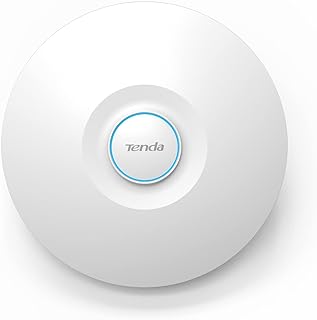
Tenda I29 WiFi 6 AX3000 Wireless Dual Band Gigabit Access
Why We Love It

TP-Link TL-WA3001 AX3000 Dual Band Wi-Fi 6 Extender
Why We Love It

Miracles AP3000D WiFi 6 AX3000 Desktop Wireless Gigabit
Why We Love It

TP-Link EAP650-Outdoor
Why We Love It

TP-Link AX5400 Ceiling Mount Dual-Band Wi-Fi
Why We Love It

TP-Link RE700X WiFi 6 WLAN Amplifier Repeater AX3000 (Dual
Why We Love It

TP-Link Deco X50 AX3000 Mesh WiFi System
Why We Love It
Quick Pick
10 Best Ax3000 Wireless Access Point Of 2026
Quick Pick
Omada EAP650 WiFi 6 AX3000 Dual Band Wireless Gigabit Access Point | 1G Port, PoE+ or DC Powered, Adapter Included, 5yr Warranty, Captive Portal, Mesh, WPA3 Roaming, Business WiFi Experience
Omada EAP655-Wall WiFi 6 AX3000 in-Wall Gigabit Access Point | High-Efficiency, Seamless Roaming, PoE Passthrough, Multiple SDN Controller Options, Remote & App Control
TP-Link EAP653 AX3000 WiFi 6 Wireless Access Point, Dual Band Gigabit, PoE+ Powered, 160MHz Channel, Seamless Roaming, Ceiling Mount Wi-Fi Access points, Omada Mesh, Cloud Centralized Management
Tenda I29 WiFi 6 AX3000 Wireless Dual Band Gigabit Access Point, Ceiling Mount, Roaming WLAN, MU-MIMO, OFDMA, Central Management, Multiple SSIDs, PoE/DC Power Supply, White
TP-Link TL-WA3001 AX3000 Dual Band Wi-Fi 6 Extender, PoE, EasyMesh, AP Mode
Miracles AP3000D WiFi 6 AX3000 Desktop Wireless Gigabit Access Point, Wi-Fi Bridge, Beam Forming, Supports Multi SSID, 4 Fixed Antennas, 802.3at/af or Passive PoE and 12V DC Power Supply
TP-Link EAP650-Outdoor | Omada True WiFi6 AX3000 Gigabit Outdoor Access Point | Mesh, Seamless Roaming, MU-MIMO | PoE+ Powered | IP67 | Multiple SDN Controller | Remote & App Control
TP-Link AX5400 Ceiling Mount Dual-Band Wi-Fi
TP-Link RE700X WiFi 6 WLAN Amplifier Repeater AX3000 (Dual Band 2402 MBit/s 5GHz + 574 MBit/s 2.4 GHz, MU-MIMO, Gigabit Port, Maximum Cover, Compatible with All WLAN Routers)
TP-Link Deco X50 AX3000 Mesh WiFi System – Ceiling/Wall-Mountable WiFi 6 Mesh, Replaces Router/Access Point/Extender, Powered, Dual 2.5G Ports, 3-Pack
Buying Guide: Ax3000 Wireless Access Point
📋 Table of Contents
1What Wi-Fi standard does the AX3000 wireless access point support?
The AX3000 typically supports Wi-Fi 6 (802.11ax), offering faster speeds and better performance in crowded networks. Look for models that also support dual-band (2.4 GHz and 5 GHz) for broader coverage and reduced interference, especially in homes with multiple devices.
2How many devices can the AX3000 handle simultaneously?
The AX3000 can handle up to 3000 Mbps combined speed across both bands, but the number of devices it can support depends on your network setup. For homes with 10–20 devices, it should perform well, but for larger setups, consider models with MU-MIMO or beamforming for better multi-device management.
3Is a dual-band or tri-band model better for my home?
Dual-band models offer 2.4 GHz and 5 GHz bands, which is sufficient for most homes. Tri-band models add a second 5 GHz band, reducing congestion and improving performance for high-demand tasks like streaming or gaming. Choose tri-band if you have multiple high-usage devices or a large home.
4What should I look for in terms of range and coverage?
Look for models with external antennas or beamforming technology to extend coverage. The AX3000 may require a mesh system or range extender for large homes. Placement near the center of your home and away from obstructions will also improve signal strength and reduce dead zones.
5Are there any important accessories or features I shouldn't skip?
Consider models with a built-in Ethernet port for wired connections, and look for support for WPA3 encryption for better security. Some models include a USB port for connecting external storage or printers. A user-friendly app for monitoring and managing your network is also a valuable feature for advanced users.
How we choose
Our editors are people who genuinely love testing and writing about products. We compare each product's real-world usability and strengths, then distill what matters most into our own "Why We Love It" points — so you get an honest, at-a-glance sense of what counts before you buy.